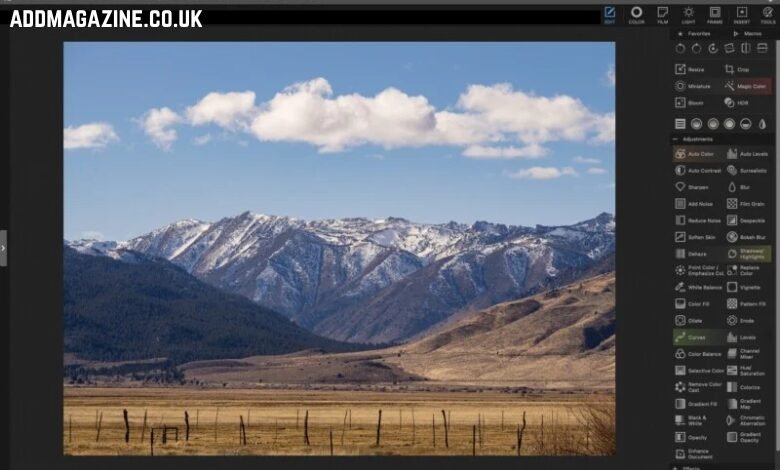
RAW images for editing are where your best work usually lives. This format might look unappealing at first, but the additional metadata it preserves gives you greater post-processing flexibility. You can recover highlights, lift shadows, and fix white balance. This approach lets you control the picture’s mood without compromising its believability.
Understanding how to edit RAW photos begins with finding the best tool. There is no right or wrong option, but your editor should cater to your needs. Some photographers want a fast path from import to export. Others need tight color control, predictable noise handling, and batch consistency across a whole shoot. Demanding clients and strict deadlines often require a combination of both.
In this guide, we will compare some of the leading RAW photo editors on the market today. You will see what each option is best at, what it sacrifices, and who it fits, so you can build a smooth, stress-free workflow.
1. Luminar Neo
This RAW photo editor is for you if you are a beginner wondering how to edit RAW images without delving into complex menus and spending extra time. This software for Mac and Windows (with dedicated mobile apps in higher-priced plans) offers a simple workflow: import, quick corrections, then targeted enhancements. The prices range from ~$117 to ~$165, depending on whether a basic desktop editor is enough or you need a cross-device workflow with additional AI features.
| Pros | Cons |
| Fast results for shoots in mixed genres (event, travel, family, etc.). | Manual color correction tools and other studio-like editing capabilities may seem insufficient for professionals. |
| Users can try different looks and export modes without duplicating files. | Check your hardware compatibility if you need advanced AI features and tethering — some devices may process slowly. |
| Customizable presets ensure a polished finish. | It is not the cheapest option for users with limited budgets. |
2. Lightroom Classic
If you are seeking the best way to edit RAW photos by sorting, searching, and syncing edits, Lightroom is an industry standard for file organization. It runs on Windows and macOS; pricing is subscription-based via Adobe. Lightroom Classic is now included in the Lightroom plan for $11.99/month, billed annually.
| Pros | Cons |
| The library-first approach with keywords and ratings. | The subscription model can be a dealbreaker if you prefer one-time purchases. |
| A reliable RAW pipeline for high-volume catalogs (weddings, sports, school photos). | If you edit casually, the toolkit may seem too much for you. |
| A huge user community and numerous online resources. | Some advanced tasks (such as recovery and noise reduction) may require additional plugins. |
3. DxO PhotoLab
Choose this software for editing RAW photos taken under challenging conditions, such as high ISO or tricky lenses. The app’s main goal is to restore lost detail. DxO sells PhotoLab for macOS and Windows with perpetual licenses; official shop pricing shows PhotoLab 9 Essential at $149.99 and PhotoLab 9 Elite at $239.99. The developers offer various discounts, so check the official website before purchasing.
| Pros | Cons |
| An excellent lens and camera correction ecosystem for crisp, realistic output. | The interface can overwhelm beginners and those transitioning from simpler software. |
| Rescuing imperfect RAW pictures without an overprocessed look. | The file organization capabilities are limited; you might need a separate dedicated photo library tool. |
| A perpetual license option is convenient for users who frequently edit but dislike recurring fees. | If you want the newest features, be ready to pay extra for upgrades. |
4. ACDSee Photo Studio Ultimate
If you work on Windows and want to manage and deliver your files quickly, ACDSee might be a good choice. It is built for photographers who wish to organize folders, tag photos, and perform quick batch work without switching apps. The official pricing commonly shows an annual plan (around $89/year) or a perpetual licence (around $99.95). The prices may vary depending on your area and current offers. Check the official website before purchasing.
| Pros | Cons |
| A strong Windows-first digital asset management (tagging, categories, quick browsing). | The app is Windows-only; if you prefer a cross-device workflow and quick edits on the go, it won’t suit you. |
| Batch rename, batch export, and consistent outputs enable users to process large projects quickly without sacrificing quality or cohesiveness. | You need to set up your panels and workplace before you can navigate the interface smoothly. |
| A wide range of pricing options caters to different budgets. | Some niche RAW features may lag compared to those in dedicated RAW editors. |
Conclusion
Selecting the right RAW photo editor is crucial for enhancing your photography workflow. Each software offers unique strengths tailored to different editing needs and user preferences. By understanding the capabilities and limitations of options like Luminar Neo, Lightroom Classic, DxO PhotoLab, and ACDSee Photo Studio Ultimate, photographers can make informed choices that align with their creative goals and technical requirements.