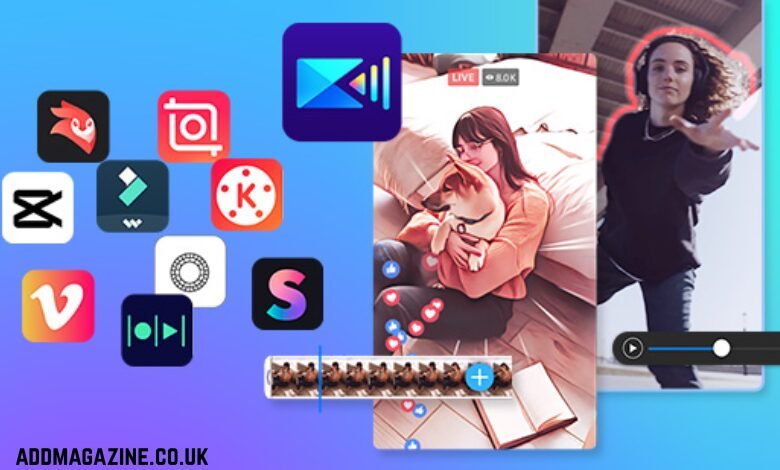
Just a few years ago, the best way to edit photos on an iPhone meant picking filters and hoping for the best. Nowadays, even advanced photographers can shoot, adjust, export, and deliver from the same device before even leaving the location. Of course, it could never be possible without reliable image post-processing software.
In this guide, we will compare leading iPhone photo editors based on results, ease of use, and how smoothly they fit into everyday mobile post-processing.
1. Luminar Mobile
This iPhone photo editing app is for you if you want polished results in a few clicks. The app is designed for mobile post-processing with tools like EnhanceAI, Develop, Curves, Erase, and RAW support. It prioritizes AI-based enhancements, but manual modifications are also available for more realistic results. In 2025, Luminar Mobile became part of the Luminar ecosystem to enable a smooth cross-device workflow. It means you can purchase it only alongside the desktop app in Cross-device (~$153) and Max (~$165) pricing plans.
| Pros | Cons |
| Customizable presets ensure client-ready looks under tight deadlines. | Some pricing is displayed by region and currency. |
| Quick corrections on the go, you can later hone in on a desktop. | If you prefer fully manual, layer-heavy work, you may want a different style of app. |
| It is the best photo editor for an iPhone in terms of batch processing, which is especially convenient for travel and event photographers. | The software is a part of the ecosystem. If you only need a mobile editor, it will be too much for you. |
2. Darkroom
If you are only learning how to edit photos on an iPhone, a clean, easy-to-navigate interface should be your top priority, and Darkroom offers exactly that. The application focuses on practical adjustments and an efficient workflow rather than flashy gimmicks. This approach makes it easy to stay consistent across shoots. It supports iPhone and iPad usage and is built around a premium membership model. It is available for $9.99/month, $39.99/year, and $149.99 for a lifetime purchase.
| Pros | Cons |
| Different pricing models for various budgets. | The price may seem too high for casual tweaks. |
| An uncluttered interface with minimal distractions. | If you want to experiment with effects and filters, you might need another app. |
| Advanced post-processing tools, uncommon for mobile enhancers. | Poor, slow, or non-existent customer support. |
3. Afterlight
If you want to edit photos on an iPhone and experiment with cinematic looks, Afterlight is your option. This program includes everyday controls (exposure, contrast, sharpness), but focuses mostly on creative finishing. Filters, textures, and fast polish will help you maintain a recognizable visual style. The App Store lists in-app purchases such as $2.99/month, $17.99/year, and $19.99 for a lifetime.
| Pros | Cons |
| 300+ filters and over 90 textures/overlays (light leaks, dust, film). | No zooming while editing and no previews. |
| Unique “Fusion” tools to create custom filters and image masking. | The app may slow down and lag on older phones. |
| HSL, Curves, and RAW image support. | The toolkit is limited compared to more advanced competitors. |
4. Polarr
This option is for you if you like experimenting with different photo editing tricks and techniques without compromising your creative control. The app’s learning curve is smooth, so feel free to choose it if you are just starting. Polarr blends classic adjustments with a strong filter culture and supports iPhone and iPad. Polarr lists Polarr Lite ($1.99/month, $11.99/year) and Polarr Studio ($3.99/month, $23.99/year).
| Pros | Cons |
| Advanced tools like AI background removal, HSL, and robust color adjustments. | The free version is restricted, often allowing limited daily exports. |
| Strong capabilities for depth of field, gradients, and localized adjustments. | Limited file organization capabilities compared to advanced competitors like Lightroom. |
| A vast library of customisable, high-quality filters. | No full layer-based editing capabilities. |
5. Photomator
This application offers a modern post-processing workflow, serious yet phone-friendly. Photomator is built for clean color and tone work, with an emphasis on practical results. It was designed specifically for Apple devices (iPhone and iPad). The pricing options vary by region, but they are approximately $7.99/month, $29.99–$34.99/year, or $119.99 for a lifetime license.
| Pros | Cons |
| Highly effective machine learning tools for color correction, smart auto-adjustments, denoise, and object removal. | Apple-only; limited file management capabilities and cross-device workflow options. |
| Seamless synchronization with Apple Photos enables iCloud syncing across devices and easy integration with photo libraries. | The editor lacks advanced Digital Asset Management (DAM) features like tagging, rating, or robust sorting. |
| RAW file support and camera compatibility, including Fujifilm compressed/uncompressed formats. | Limited advanced auto-masking tools compared to professional-grade competitors. |
Conclusion
The landscape of photo editing on iPhone has evolved significantly, offering a range of powerful apps tailored to various skill levels and needs. Whether you seek advanced features for professional work or a user-friendly interface for casual edits, explore the options in this guide and find the app that enhances your photography experience and streamlines your workflow.