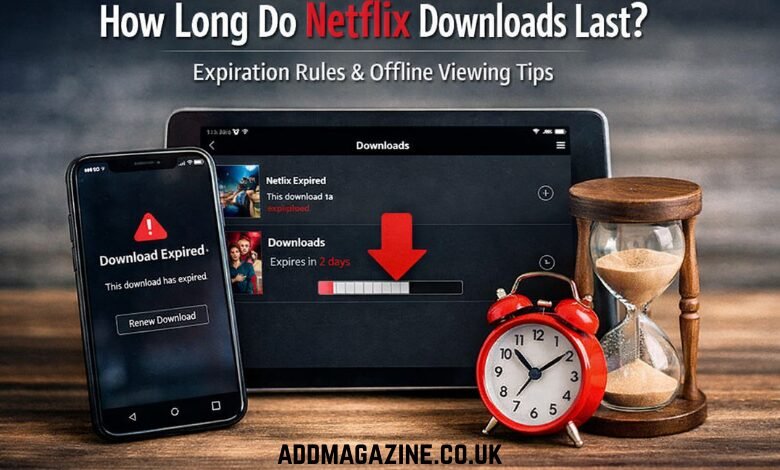
Netflix has become a go-to entertainment platform for millions worldwide, and one of its most useful features is the ability to download movies and TV shows for offline viewing. However, Netflix downloads aren’t permanent and come with expiration dates, leaving many users wondering: How long do Netflix downloads last?
In this article, we will explore how long Netflix downloads last, the factors influencing download expiration, and the steps you can take to manage your downloads. Whether you’re using an iPhone, iPad, or another device, we’ll break down the different expiration times and the reasons behind them.
Netflix Download Duration: What You Need to Know
Netflix downloads are time-sensitive, and their lifespan can vary depending on several factors. Generally, the duration for which your Netflix downloads last ranges from 48 hours to 30 days. Let’s dive deeper into these factors.
- General Expiration Timeframe:
On average, most Netflix downloads last for about 7 to 30 days. The expiration period largely depends on the content you download and the licensing agreements Netflix has with the content owners. These agreements dictate how long Netflix can allow content to be available for offline viewing. - Expiration After Viewing:
Once you start watching a downloaded Netflix title, it has an expiration period of 48 hours from the time you begin playback. This means even if you don’t finish the movie or episode, it will expire 48 hours after you click play. The timer for this 48-hour window begins as soon as you start watching the downloaded content. - Download Information in the App:
For each downloaded title, Netflix provides a countdown showing the number of days left before the download expires. If there are only a few days remaining, the app will display this information next to the downloaded title in your app’s download section. This feature helps you keep track of when to renew your downloads. - Renewing Downloads:
If you want to continue watching a title after it expires, you will need to manually re-download it from the Netflix app. Once the download expires, there’s no way to extend it, and the content will no longer be available for offline viewing unless you download it again.
Why Do Netflix Downloads Expire?
Netflix doesn’t make the decision to expire downloads arbitrarily. There are several key reasons behind this feature.
- Licensing Agreements:
Netflix doesn’t own all of the content it offers. Much of its library is licensed from third-party studios, and these licensing agreements come with restrictions on how long the content can remain available for download. The download expiration dates are set in accordance with these agreements. Therefore, if the licensing for a title ends, Netflix must remove the ability to download it, even if you’ve already downloaded it. - Piracy Prevention:
Downloading content allows users to store it offline and watch it without an internet connection. While this is a convenient feature, it can also lead to unauthorized sharing of content. By setting an expiration date on downloaded content, Netflix reduces the risk of piracy and ensures that content doesn’t get shared outside of the platform. This limitation helps protect the intellectual property of content creators. - User Engagement:
Netflix encourages its users to engage with the platform regularly. By limiting the duration of offline downloads, Netflix prompts users to return to the app to refresh their downloads. This ensures that users are continually interacting with the platform, which can increase the chances of keeping their subscription active. - Content Removal:
Netflix frequently updates its catalog, adding new content and removing old titles. If a movie or TV show is removed from the platform due to licensing expiration, any downloaded content will also expire. Even if you haven’t started watching it yet, you won’t be able to view it offline once it’s removed from the Netflix library.
Special Case for Netflix Downloads on Different Devices
While the expiration rules for Netflix downloads apply across all devices, there can be slight variations depending on whether you’re using an iPhone, iPad, or another type of device.
- iPhone & iPad:
If you’ve downloaded content on an iPhone or iPad, the download expiration rules are largely the same. The only difference is the size of the files, as larger files may take up more storage on these devices. iPhones and iPads also provide the same countdown for the remaining days until expiration, and once the downloads expire, they cannot be accessed without a re-download. - Android Devices:
The download expiration rules for Android devices are quite similar to those on iOS devices. However, there are some cases where Android users may be able to manage storage and download settings differently. Netflix allows users to download content in varying video quality (Standard, High, or Best), which can impact storage space and the length of time you can keep downloaded content. - Windows PC:
On Windows PCs, the download expiration periods are the same, but there is often more storage space available for downloaded content compared to mobile devices. However, just like on other platforms, once a download expires, you must re-download it if you wish to continue watching offline.
How to Manage Netflix Downloads
Since Netflix downloads come with expiration dates, managing them effectively is important to make the most of your offline viewing experience. Here are some tips on how to manage Netflix downloads:
- Monitor Expiration Dates:
Keep track of when your downloaded content is about to expire. Netflix provides a countdown for each downloaded title, which will display the number of days left before it expires. If you’re planning a trip or need to keep content available for a long time, ensure that you download the videos well in advance and check their expiration dates. - Refresh Downloads:
If a title is about to expire, consider refreshing it by downloading it again before the expiration time runs out. This is especially helpful if you’re unable to watch the content before it expires but still want to keep it for offline viewing. - Optimize Storage:
Downloaded content can take up a significant amount of storage space on your device. Consider managing your downloads by deleting content that you’ve already watched or no longer need, freeing up space for other movies and shows. - Set a Schedule for Regular Downloads:
If you travel frequently or need offline content regularly, create a schedule to update your downloaded content every few days. This ensures that you always have fresh content ready to go without worrying about expiration.
Alternative Options for Long-Term Offline Viewing
While Netflix does limit the duration of offline downloads, there are alternative ways to save content for offline viewing without worrying about expiration:
- Third-Party Downloaders:
Some third-party downloaders, such as VidiCable, allow you to download Netflix content directly to your device in formats like MP4 or MKV. These tools bypass the expiration limits, meaning you can keep your downloaded videos permanently without worrying about download expiration. These tools also support high-quality downloads, including 1080p resolution and multi-language subtitles, offering a more flexible offline viewing experience. - Streaming Services with Unlimited Downloads:
If you’re looking for a more permanent solution for offline content, consider exploring other streaming services that offer unlimited downloads or longer download durations. Some services may not enforce the same strict download expiration rules as Netflix, offering greater flexibility for offline viewing.
Conclusion
Netflix downloads are an incredibly convenient feature for those who want to enjoy their favorite movies and TV shows offline. However, understanding how long these downloads last is crucial to ensure a seamless viewing experience. While the expiration period typically ranges from 48 hours to 30 days, the exact duration can vary based on licensing agreements, device type, and regional restrictions.
To make the most of your Netflix downloads, keep track of expiration dates, refresh your downloads as needed, and consider using third-party tools for long-term storage. With these strategies, you can continue enjoying Netflix content offline, whenever and wherever you want.