Introduction
If you’re using a mechanical keyboard or considering an upgrade, keycaps can be one of the most significant factors affecting the feel, sound, and overall aesthetic of your typing experience. While they might seem like simple accessories, keycaps play a vital role in comfort, sound profile, and customization. This guide will help you understand what keycaps are, why they matter, how to choose the right ones, and how to maintain them to maximize their lifespan. By the end, you’ll know exactly what keycaps suit your needs best.
What Are Keycaps for Mechanical Keyboards?
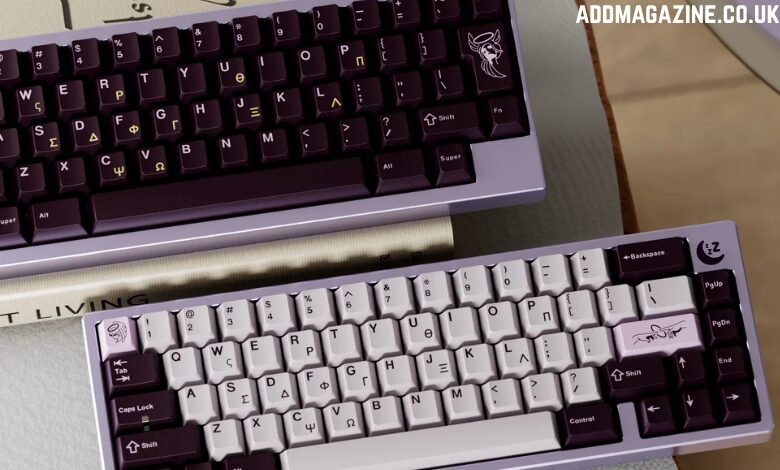
Keycaps are the actual buttons you press on a mechanical keyboard. They sit on top of the switches, which activate the keys. Usually made from durable plastic, keycaps come in various shapes and materials, each offering different tactile sensations and visual appeal. Most keycaps on the market fit the MX-style stem used by switches like Cherry MX, Gateron, and more. While keycaps may appear simplistic, they significantly impact typing comfort, sound quality, and keyboard aesthetics. Enthusiasts often change them to personalize their setup or enhance their typing experience.
Why Do Keycaps Matter?
Keycaps are crucial in three main areas:
- Typing Experience:
The material and profile of keycaps can change how they feel when you type. For example, keycaps made from thicker, textured materials feel solid and comfortable, while glossy, thinner ones may feel slippery and less satisfying. - Sound:
Keycaps also affect the sound profile of your keyboard. Keycaps made from PBT plastic produce a deep, satisfying sound, while ABS or polycarbonate options may have a higher-pitched tone. Typists and gamers often develop a preference for specific keycap sounds based on their typing or gaming needs. - Durability and Aesthetics:
Over time, low-quality keycaps will show wear, creating a shiny surface and faded legends. High-quality keycaps resist this wear and last much longer. They also offer a chance to personalize your keyboard, whether you’re aiming for a sleek professional setup or a colorful, creative design.
Types of Keycaps for Mechanical Keyboards
Keycaps vary based on material, profile, and legend method.
1. Materials
- ABS Plastic: Known for its smooth surface and vibrant colors, but it wears down quickly and develops shine.
- PBT Plastic: More durable and textured, PBT keycaps don’t shine and resist wear better than ABS.
- POM and Polycarbonate: Less common but provide a unique feel (POM) and excellent light transmission (polycarbonate).
2. Legends and Printing Methods
- Doubleshot: Two-piece molding that creates durable, non-fading legends.
- Dye-sublimated: A method where dye bonds permanently with the plastic, making the legends highly durable.
3. Profiles
- Cherry: A low-profile design that’s popular for its comfort and suitability for long typing sessions.
- OEM: A taller profile than Cherry, commonly found in most keyboards.
- SA and DSA: Taller and sculpted, SA offers a retro feel, while DSA is flat and uniform across rows.
- XDA: Similar to DSA but with a different keycap shape, offering a unique aesthetic.
Choosing the Right Keycaps
Choosing the ideal keycap set depends on several factors:
- Compatibility:
Ensure your keycaps fit your keyboard’s switches. - Use Case:
- For typing or work: PBT keycaps with a Cherry profile are great for comfort and durability.
- For gaming: Thicker keycaps with an OEM profile can offer a solid and consistent feel.
- Sound Preference:
Consider the material of the keycaps. PBT or ABS keycaps provide a more muted “thock,” while polycarbonate creates a brighter, sharper sound. - Aesthetics:
If you want your keyboard to shine with backlighting, opt for keycaps with shine-through legends. For durability and vibrancy, doubleshot or dye-sublimated keycaps are ideal. - Value for Money:
While high-end keycap sets often include novelty keys or additional layouts, always check user reviews for quality assurance. Explore our keycaps for mechanical keyboards collection.
Maintaining and Cleaning Your Keycaps
To ensure your keycaps last, it’s important to keep them clean and well-maintained:
- Routine Cleaning:
Use a microfiber cloth to wipe off dust and oils. You can also use compressed air or a small brush to clean between the keys. - Deep Cleaning:
If your keycaps need a thorough cleaning, remove them with a keycap puller. Soak them in warm, soapy water, rinse them well, and let them air dry completely before putting them back. - Prolonging Longevity:
If you have spare keycaps, rotating the frequently used ones can reduce wear.
Conclusion
Upgrading your keycaps is one of the best ways to enhance your mechanical keyboard without replacing the whole board. The right keycaps can make typing more comfortable, improve your board’s acoustics, and give it a fresh new look. Whether you’re a gamer, typist, or enthusiast, understanding materials, profiles, and maintenance will help you select keycaps that best fit your needs and style. Explore our selection of high-quality keycaps for mechanical keyboards, offering both durability and style for your setup.