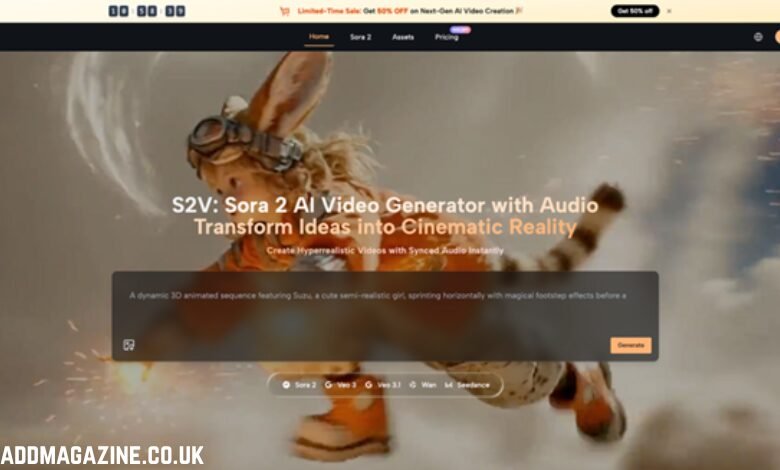
Nothing destroys the immersion of a cinematic clip faster than a character raising a hand that looks like melted wax or a bundle of spaghetti. For directors and visual storytellers, hand rendering remains the final frontier of generative media. While background textures and lighting have achieved near-perfection, the complex articulation of human fingers often confuses even the most sophisticated engines. A character might possess a perfect gaze, yet their hand movements can resemble disjointed geometry, instantly breaking the audience’s suspension of disbelief.
Mastering this challenge requires more than luck; it demands a deep understanding of how generative models interpret biological data. The solution lies in structural engineering through text—treating the prompt not as a description, but as a set of physical constraints. For creators operating within high-fidelity environments like S2V, minimizing these artifacts is achievable by enforcing strict linguistic and technical controls. This guide explores the specific interventions necessary to stabilize hand motion and produce footage that holds up to professional scrutiny.
I. The Core Challenge: Why Models Struggle with Articulation
To fix a problem, one must first understand its origin. Generative video models do not “know” anatomy in the biological sense. They understand patterns of pixels. Hands are problematic because they possess a high degree of freedom; fingers can curl, splay, grip, and overlap in infinite combinations. When a model like Sora 2 attempts to interpolate these movements over time, it often loses track of which finger belongs where, resulting in morphing digits or disappearing thumbs.
The issue is compounded by occlusion. When a hand rotates, fingers block one another from the camera’s view. The AI must “guess” what is happening behind the visible fingers. Without precise instruction, the generator defaults to hallucinating new geometry. While S2V offers superior prompt adherence, the input provided by the user remains the primary control mechanism for anatomical consistency
II. Linguistic Precision: The Verb-Noun Connection
Vague prompts yield vague anatomy. A common mistake involves focusing heavily on the visual style while neglecting the physical action. Simply typing “a man waving” leaves too much room for interpretation. The prompt must anchor the hand’s geometry through specific interaction with physical objects and defined states of tension.
- Anchoring Hands to Objects
Hands rarely float in a void; they interact with the environment. Defining this interaction forces the model to calculate the hand’s position relative to a rigid object, which stabilizes the generation.
Instead of requesting “a woman holding a cup,” a more effective prompt would be: “Close-up of a woman’s hand firmly gripping the handle of a ceramic mug, knuckles slightly white from pressure, thumb resting on the rim.”
This level of detail provides the Sora 2 AI with a structural blueprint. The “grip” dictates the finger curl, and the “thumb on the rim” creates a fixed spatial coordinate. When the logic of the object is clear, the engine is less likely to invent extra digits, as there is no physical space for them on the mug handle.
- Describing Skeletal Structure and Tension
Adjectives usually describe atmosphere, but they should also describe biology. Words like “bony,” “calloused,” “veiny,” or “slender” give the model texture cues that help separate skin from background. More importantly, describing tension helps.
A relaxed hand is harder for AI to render because the shape is amorphous. A hand in tension has a defined structure. Prompts should include phrases such as “tendons visible on the back of the hand,” “fingers fully extended,” or “fist clenched tight.” These descriptors force the generation of distinct anatomical lines, preventing the “mushy” look often associated with earlier video generation attempts.
- Avoiding Ambiguous Action Verbs
Verbs that imply rapid, undefined movement are the enemy of stability. Words like “fidgeting,” “gesticulating,” or “flailing” confuse the Sora 2 Video Generator because they lack a predictable trajectory. Instead, use verbs that imply a start and end point, such as “reaching,” “grasping,” “pointing,” or “resting.” These verbs imply a linear vector of movement, which is far easier for the generator to compute without breaking the finger geometry.
III. Technical Interventions and Negative Prompting
Beyond the descriptive text, specific commands can act as guardrails for the generation process. Utilizing the negative prompt field is essential for filtering out common anatomical errors before they appear in the render.
- The Hierarchy of Negative Constraints
In the S2V workflow, negative prompts should not be an afterthought. They function as a subtractive sculptor. Standard negative terms like “bad anatomy” are often too broad.
Effective negative prompts for hands include: “fused fingers, extra digits, missing thumb, polydactyly, melted hands, webbed fingers, impossible joint angles, amorphous limbs, distended joints.”
By explicitly forbidding these visual elements, the engine is forced to seek alternative pixel arrangements that adhere to human biology. This does not guarantee perfection in every frame, but it significantly raises the baseline quality of the output.
- Framing and Occlusion Strategies
Sometimes, the best fix is a cinematographic one. If a complex hand movement is not strictly necessary for the narrative, framing can solve the issue. Intelligent prompting dictates the camera’s relationship to the subject.
Using terms like “over-the-shoulder shot” or “waist-up shot” can naturally push difficult hand geometry out of the frame or obscure it. Alternatively, requesting “hands in pockets” or “arms crossed” hides the fingers entirely while maintaining the character’s presence. When the narrative demands visible hands, keeping the movement parallel to the camera plane—rather than moving toward or away from the lens—reduces the complexity of depth calculation for the Sora AI Video model.
IV. Leveraging Image-to-Video for Stability
Text-to-video is powerful, but Image-to-Video (I2V) offers superior control over anatomy. By starting with a verified, anatomically correct reference image, the user provides S2V with a ground truth that the video must respect.
- The Reference Anchor
The workflow begins by generating or photographing a high-quality still image where the hands are perfect. This static image serves as the “Frame Zero.” When uploading this to the generator, the model is no longer guessing the number of fingers; it is merely animating existing pixels.
For a scene depicting a pianist, start with a flawless mid-journey image of hands on keys. Feed this into the Sora 2 Video function within the interface. The prompt should then focus on small, micro-movements: “subtle finger movement pressing keys, soft lighting shift, camera slowly tracking right.”
- Limiting Motion Intensity
High motion settings often break consistency. As the pixel displacement increases between frames, the risk of anatomical drift rises. When working with hands, keeping the “Motion” parameter (if available in the specific toolset) to a conservative level ensures the structural integrity of the reference image is maintained.
If a high-action shot is required, it is often better to generate shorter clips (2-3 seconds) where the hand motion is swift and blur hides the imperfections, rather than a long take where the viewer has time to scrutinize the joints.
- Consistent Lighting Matches
When using Image-to-Video, the lighting in the prompt must match the lighting in the reference image. If the reference image has soft, diffused light, but the prompt asks for “harsh strobe lighting,” the Sora 2 AI Video Generator will struggle to reconcile the two, often resulting in artifacts appearing around the edges of the hands. Ensure that shadow direction and light intensity are consistent across both the input image and the text prompt.
V. Specialized Scenarios and Prompt Templates
Different actions require different linguistic approaches. Below are refined prompt structures designed to minimize errors in common scenarios, strictly avoiding the generic clichés often found in lackluster content.
- The Craftsperson (Handling Tools)
- Bad Prompt: A man working on wood.
- Optimized S2V Prompt: “Cinematic shot of a carpenter’s hands sanding a smooth oak table. Dust particles floating in a sunbeam. The hand moves rhythmically back and forth. Focus on the texture of the wood and the firm grip on the sanding block. 8k resolution, highly detailed skin texture.”
The inclusion of the “sanding block” and the rhythmic motion provides a repetitive, predictable pattern for the AI to follow.
- The Tech Interaction (Typing/Swiping)
- Bad Prompt: Girl using a phone.
- Optimized S2V Prompt: “Over-the-shoulder view of a person scrolling on a smartphone. The thumb creates a consistent vertical swiping motion. The screen light illuminates the fingertips. The other four fingers support the back of the phone rigidly. Shallow depth of field.”
Defining the supporting fingers as “rigid” prevents them from wiggling unnecessarily while the thumb performs the action.
- The Signaler (Gestures)
- Bad Prompt: Man showing peace sign.
- Optimized S2V Prompt: “A clear studio shot of a hand displaying the V-sign. The index and middle fingers are fully extended and separated. The ring and pinky fingers are curled tight against the palm. The thumb locks the curled fingers in place. Sharp focus on the fingertips.”
This prompt breaks down the gesture into its mechanical components (extended vs. curled), giving the generator a step-by-step assembly guide rather than a vague concept.
VI. Future-Proofing Your Output
As models mature, the frequency of these errors will diminish, but the need for precise direction will not. The ability to describe physical interaction, weight, tension, and texture is what separates a novice user from a master visual storyteller.
The “weird hand” problem is largely a translation error between human intent and machine execution. By refining the input language to be as structurally descriptive as possible and utilizing reference images to lock in geometry, creators can bypass the current limitations of the technology. The goal is to make the technology invisible, leaving the audience focused solely on the story.
Mastering these techniques in S2V elevates content from merely “generated” to genuinely cinematic. Whether creating commercial spots or narrative shorts, the integrity of the character’s movement is paramount. Attention to these small details—the curve of a finger, the tension in a grip—builds the trust required to keep an audience engaged.