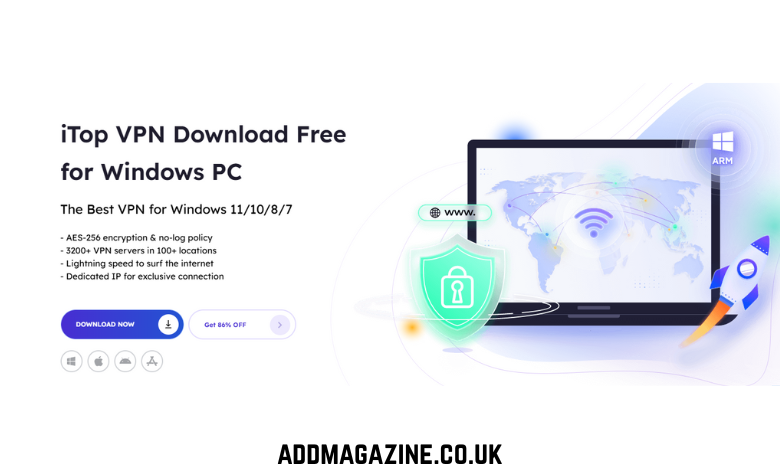
The concept of privacy has become increasingly complex and elusive in today’s interconnected world where every click, search and online connection leaves a digital footprint. Every time you hop onto public Wi-Fi, browse social networks, or shop online, your personal data is exposed to countless unseen threats: hackers, trackers, advertisers, and even untrustworthy networks. Without protection, your real IP address, location data, and sensitive details could be visible to anyone with malicious intent. iTop VPN for Windows steps into this role with a powerful blend of simplicity, speed, and robust privacy protection. It offers a secure, user-friendly way o browse anonymously, access restricted content, and protect your personal information from unwanted surveillance.
What is iTop VPN for Windows?
iTop VPN is a Windows-based virtual private network designed to keep your online activities private and secure. It works by encrypting your internet traffic and routing it through secure servers around the world, making it extremely difficult for hackers, advertisers, or even your internet provider to track what you do online. What makes iTop VPN appealing is its balance of power and simplicity. You don’t need technical knowledge to use it—just install, click, and connect.
Standout Features of iTop VPN for Strong Privacy and Encryption
The strength of any VPN lies in what it protects and how effectively it does so. iTop VPN for Windows brings together a wide range of privacy, performance, and convenience features into one cohesive package. With its impressive data transfer speed, 256‑AES encryption, and unrestricted access to websites, it creates a safe digital environment where you can browse, stream, and work with complete confidence. One of the biggest advantages is its ability to unlock content from around the world. With a large network of global servers, it becomes easy to access streaming platforms, games, chat apps, and social media services that may be restricted in your region. This worldwide reach is supported by best‑in‑class encryption, ensuring that your data stays protected from ISPs, government surveillance, and third‑party advertisers.
Speed is another area where the VPN excels. It creates a secure tunnel without slowing down your connection, offering blazing‑fast speed, unlimited bandwidth, and smooth performance for HD and Ultra HD streaming. Gamers can also benefit from the Game Booster, which reduces lag and latency for a more stable gameplay experience. For users who need a consistent online identity, the VPN provides an exclusive dedicated IP address in regions like the US, UK, Canada, and Germany. This ensures you always connect with the same secure IP. Those who want even stronger protection can enable Double VPN, which routes your traffic through two servers and encrypts it twice, making it nearly impossible for anyone—including your ISP—to track your online destination.
The VPN also supports an HTTP Proxy Service, allowing multiple devices on the same LAN to connect through the VPN. This includes Windows, Mac, iOS, Android, Xbox, Linux, PlayStation, and even Nintendo Switch. With added ARM device support, users of Microsoft Surface and Samsung Galaxy devices can enjoy the same level of protection. A single account can secure up to 8 devices simultaneously, offering complete coverage for your home or office.
With more than 3200 servers in 100+ locations, users can enjoy a stable global connection with just one click. The VPN also provides unlimited bandwidth, helping bypass ISP throttling and improving overall network speed. Features like Ads Block, Kill Switch, and a strict No‑Log Policy further enhance your privacy by blocking malicious ads, preventing data leaks, and ensuring none of your personal information is ever recorded.
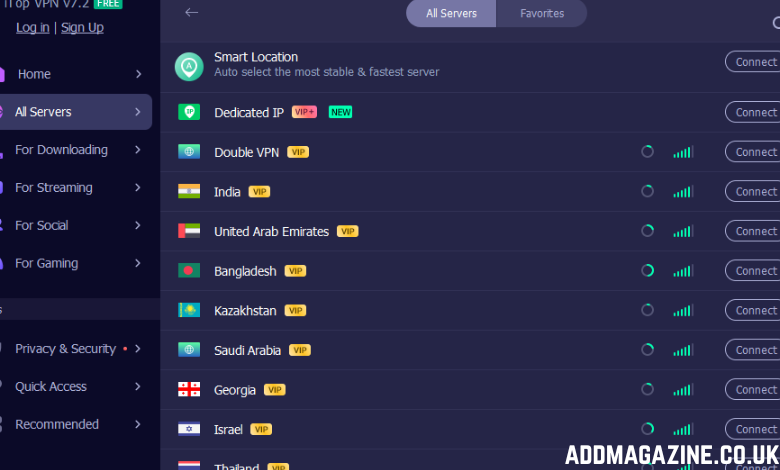
Advanced protections such as IPv6 servers, Dark Web Monitor, WebRTC leak protection, Super Stealth, DNS leak protection, and browser anti‑tracking add multiple layers of security. These tools help prevent IP leaks, detect compromised data, and automatically clean browser traces across major browsers.
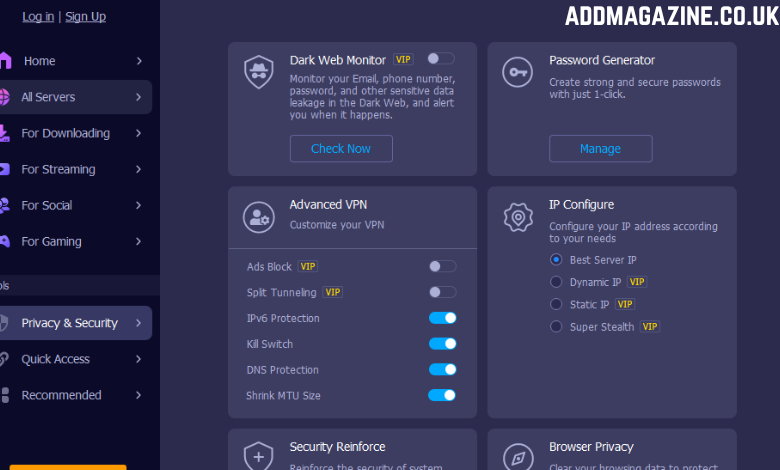
To support users at all times, iTop VPN offers 24/7 tech support along with flexible VPN protocols like TCP, UDP, and HTTPS. Features such as split tunneling, customizable IP configuration, and launch on startup make the VPN adaptable to different needs, ensuring your online activity is encrypted from the moment your system boots.
How to Use iTop VPN for Windows
Setting up and using iTop VPN on your Windows PC is straightforward and user-friendly — whether you’re a tech novice or a seasoned user.
- Download and Install: Visit iTop official site to download the Windows version of iTop VPN and run the installer. The program supports both x86 and ARM Windows devices for broader compatibility.
- Launch and Log In: Open the app after its installation. The interface is intuitive, displaying a large connect button and server list at the center of the dashboard.
- Choose a Server or Location: Use the server list to select your preferred region. iTop VPN’s smart connect feature can also automatically choose the best server based on speed and location for you.
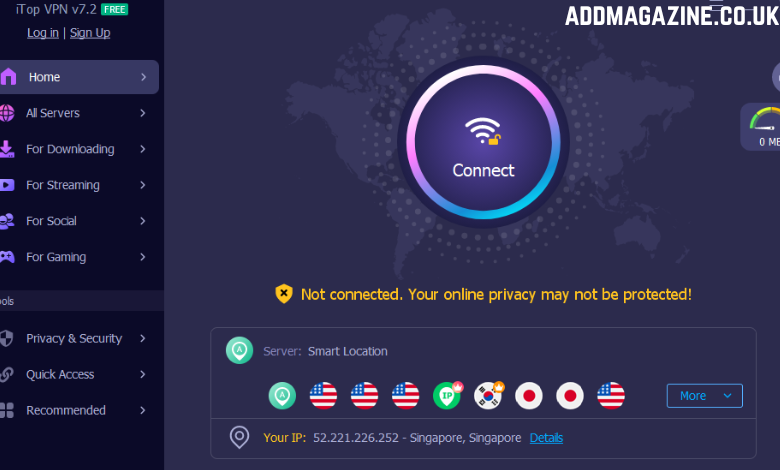
- Activate the VPN: Click Connect. Once connected, your real IP address will be hidden and replaced with one from the VPN server, encrypting your online traffic.
Conclusion
In today’s digital landscape, staying safe online means more than just installing antivirus software or relying on browser privacy settings. With threats lurking on public networks and personal data constantly at risk, a reliable VPN like iTop VPN becomes essential for anyone who values privacy and freedom online. From powerful encryption and global server access to advanced protections like kill switches, anti-tracking, and DNS leak prevention, iTop VPN provides a complete shield for your Windows device.