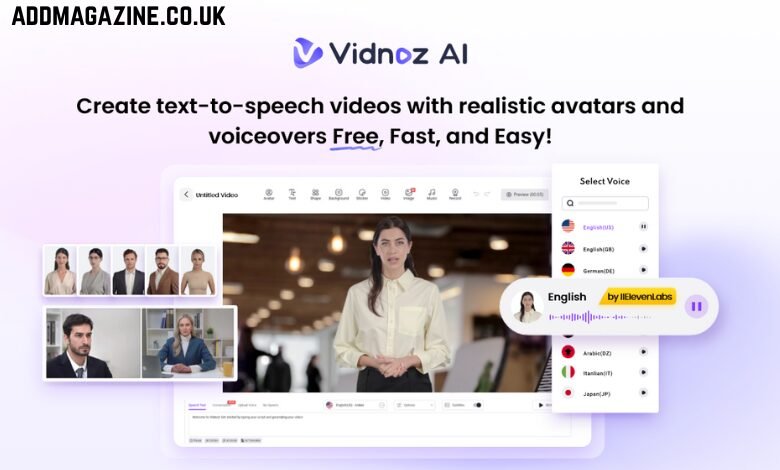
Having trouble getting visitors to stay and take action on your landing page? You’re not alone—many businesses find it hard to convert traffic into results. Traditional, text-heavy pages may fail to convey your message quickly and effectively. That’s where Vidnoz AI Explainer Videos comes in. These AI-powered videos turn complex ideas into short, engaging, and visually compelling stories that resonate with your audience. By combining clear messaging, animation, and voiceovers, Vidnoz AI helps you grab attention instantly, simplify your value proposition, and drive higher conversions.
Part 1: Introduction to Vidnoz AI
Vidnoz AI is one of the best AI Video Generators available online, enabling users to create professional-looking explainer videos for their landing pages with a simple text prompt. No designing or video editing experience is needed — Vidnoz transforms your ideas into high-quality animation videos in minutes. Additionally, the program is certified with ISO/IEC 27001:2022 for Information Security System. Apart from video creation, Vidnoz AI includes a wide range of AI tools such as AI Voice Changer, Online Video Editor, AI Headshot Generator, AI Dance Photo, AI Video Enhancer, AI Taking Avatar, and more. Whether for marketing, training, social media, or personal projects, Vidnoz AI is designed to make your content stand out.
Part 2: How Vidnoz AI Increases Landing Page Sign-Ups by 45%
With the help of its powerful features, Vidnoz AI effortlessly increases landing page sign-ups by 45%. Here are the top features of this program:
1. 2800+ Video Templates
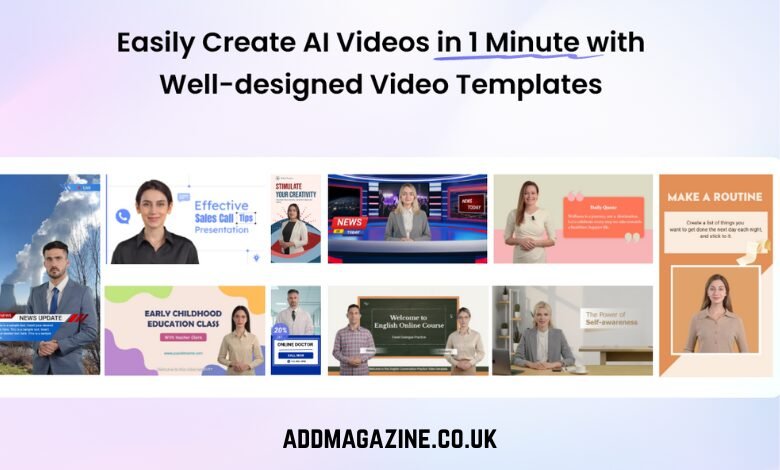
Vidnoz AI includes 2800+ video templates, allowing users to create different types of videos for their websites. Users can create explainer videos, how-to guides, product demos, tutorials, online courses, and presentations. Plus, if you’re not satisfied with the pre-designed collection of Vidnoz AI, you can create custom templates from scratch.
2. High-Quality AI Voices
The best part of Vidnoz AI is that it offers 2000+ AI voices, each with a unique accent and style. It includes the voices of celebrities like Justin Bieber, Taylor Swift, Morgan Freeman, and more. Plus, all the voices available on this program are powered by ElevenLab, Google, and Microsoft.
3. Human-Like AI Avatars
The program provides 1900+ lifelike AI avatars from different industries and roles, such as doctors, students, chiefs, teachers, news reporters, and more. All the avatars of this tool come with the “Head Pose and Expression Control” feature. Further, Avatar Lite enables you to generate digital twins, and Avatar Pro offers deeper customization features.
4. AI Video Wizard
Vidnoz AI allows users to create videos within minutes using just one prompt or existing content. There’s no need for professional assistance or editing skills—simply enter your text, select an avatar, voice, and template, then click “Generate.”
5. Free Version
If you’re on a budget, then Vidnoz AI is the best option. Its free version enables you to generate professional-looking videos without spending a single penny. The free version includes 60 credits, Avatar Lite, Online Video Editor, AI Voice Changer, and AI Text-to-Speech.
Part 3: Tips to Make Explainer Videos That Actually Convert
A bad explainer video is often worse than having none at all. Follow these tips to build explainer videos that encourage action and conversions:
- Start with a Strong Hook: Begin your video with objections, not features. Use a compelling question, like “What makes a buyer hesitate?” to keep viewers watching.
- Keep It Short and Focused: Make sure your video is short and focused on the topic. Aim for a 60 – 90 second video; long videos can lose viewers’ attention.
- Multilingual Video: Instead of limiting your content to one language, try to create a landing page video in multiple languages to engage viewers around the world.
- Always Pair with a CTA: Ending without telling viewers what to do next is the worst mistake. Pair your videos with a strong Call-to-Action button.
Part 4: How to Create Explainer Videos With Vidnoz AI?
Vidnoz AI offers an intuitive interface, allowing users to create explainer videos without professional help. Here is how to do it:
➡️ Go to the official Vidnoz AI website using your web browser. Log into your account and choose the Video Templates and Avatars options.
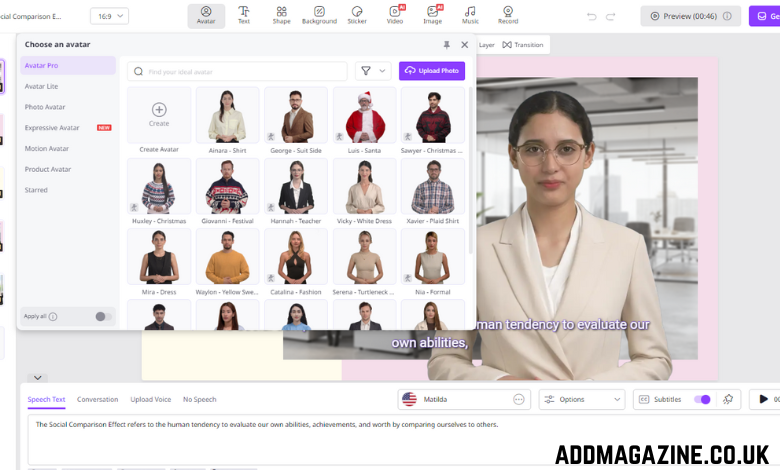
➡️ Enter your video script or upload any source material. Select the AI voice and language; the program supports 140+ languages, including English, Spanish, and Korean.
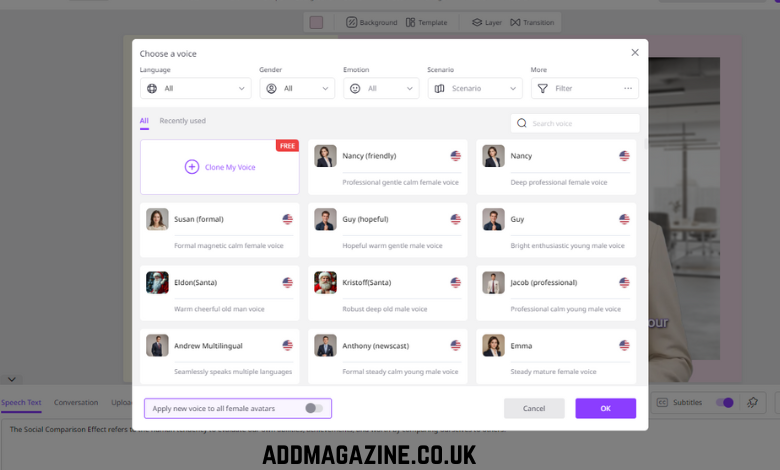
➡️ After that, open the Online Video Editor to tailor the AI video. This tool allows users to adjust the background, place text, and add music effortlessly.

➡️ Finally, click the “Generate” button to start creating your video. Within moments, the video will be ready for preview, after which you can download it.
Conclusion
Vidnoz AI makes creating professional explainer videos easy, fast, and effective. With lifelike avatars, high-quality voices, and intuitive editing tools, it helps businesses capture attention and boost landing page sign-ups by up to 45%.