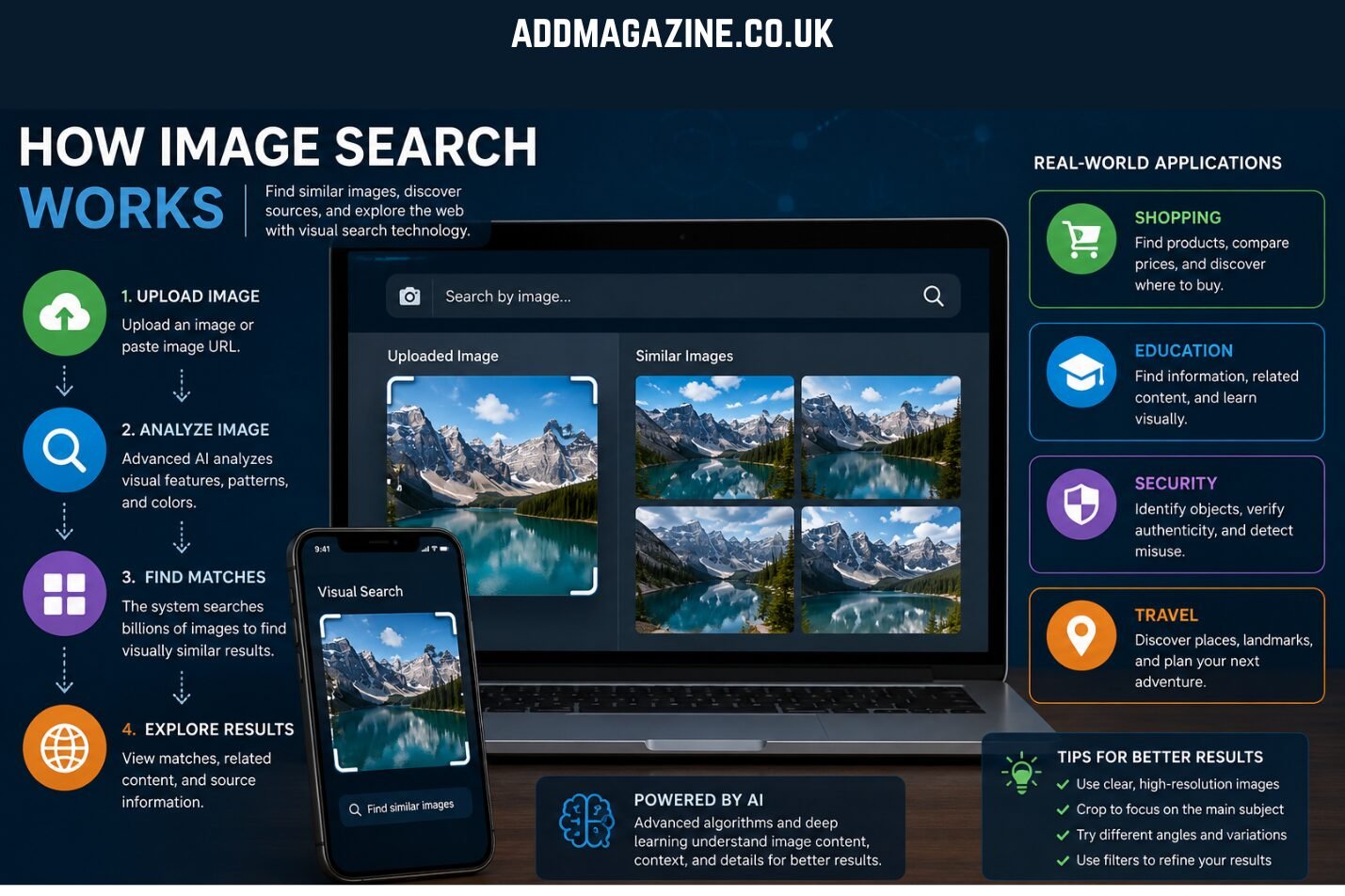
Finding images online has become a crucial skill in today’s digital environment. Whether you are verifying content, sourcing visuals for creative projects, or exploring patterns and styles, effective image search techniques make the process faster and more precise. This guide provides a clear, practical overview of different image search methods, including traditional keyword searches, reverse image lookups, and advanced AI-driven approaches.
What is Image Search?
Image search involves locating pictures and graphics using dedicated online platforms, analyzing elements like form, hue, and visual patterns rather than just text. Users may perform searches using descriptive keywords, provide an image as input, or define criteria such as hue, dimensions, and layout.
At the core of image search are algorithms that index, organize, and compare visuals across large online collections. The technology generates unique digital identifiers for every image, enabling rapid detection of duplicates and related visuals. The rise of artificial intelligence has enhanced these algorithms, enabling search engines to understand content contextually and return more relevant results.
Main Types of Image Search Techniques
There are multiple approaches to locating images online, each serving different purposes. Familiarity with these approaches enables users to select the most appropriate search method for their objectives.
1. Keyword-Based Searches
The simplest form of image search involves entering descriptive terms into search engines. Descriptive queries such as “sunset by the shore” or “contemporary office layout” direct search engines to display relevant images matching those terms. Keyword-based searches utilize image metadata, labels, and contextual text on webpages to identify relevant visuals.
For better results, users can include synonyms or related terms, such as “photo by description” or “text-to-image query.” Filters for size, color, orientation, and licensing can further refine searches, making this approach suitable for broad explorations.
2. Reverse Image Search
Reverse image search allows users to submit an existing image—either via upload or URL—to locate similar or identical visuals online. This technique is particularly useful for:
- Verifying authenticity and origin
- Detecting plagiarism or unauthorized usage
- Finding higher-resolution versions of images
- Tracing the original context of a visual
Instead of analyzing text, reverse searches examine visual features like shapes, patterns, and pixel arrangements. Popular tools for this include Google Images, TinEye, and Bing Visual Search.
3. Visual Similarity Search
Visual similarity searches find images that share comparable style, structure, or overall visual appearance with a given reference. Rather than seeking exact copies, it finds images with comparable themes, colors, or compositions.
This approach is widely used in:
- Fashion and interior design for style inspiration
- E-commerce for product alternatives
- Graphic design for matching visual motifs
Deep learning algorithms are applied to map the features of images and rank them based on similarity, helping users discover visually related content even without textual metadata.
4. Color and Pattern-Based Search
Some searches require filtering based on color or recurring patterns. For example, one might search for “green abstract wallpaper” or “striped fabric textures.” These searches use pixel-level analysis to match visuals according to specific hues and design elements.
This method is particularly effective in branding, design projects, and creative research. Combining color or pattern filters with keyword searches enhances precision, ensuring that results closely align with user intent.
5. Object and Facial Recognition
Advanced searches can detect objects or faces within images. AI-powered recognition tools analyze image content to identify people, products, landmarks, or other items.
Applications include:
- Security and surveillance
- Social media tagging and recommendation
- Retail and e-commerce for product discovery
These searches rely on trained neural networks to match elements in the image with existing databases. Although powerful, these tools must be used responsibly, keeping ethical standards and privacy concerns in mind.
Popular Tools for Image Searching
A variety of tools support these techniques, each with its own strengths:
- Google Images: Offers keyword and reverse search features, filters by size, color, type, and usage rights. Integrated with Google Lens, it can detect objects and text within images.
- TinEye: Focused on reverse image search, TinEye prioritizes precise visual matches and tracks usage history, making it ideal for copyright and verification tasks.
- Bing Visual Search: Supports interactive queries where users can select a portion of an image for targeted searching, useful for products or partial matches.
- Mobile Apps and Extensions: Many apps allow users to search directly from their phone camera, browser, or social media platforms.
Combining multiple tools enhances reliability and ensures broader coverage.
Tips for Effective Image Searching
To get the most from image search techniques, consider these best practices:
- Use Clear Images: Sharp, high-quality images with good resolution enhance the accuracy of search results.
- Be Descriptive: Use precise keywords and include relevant synonyms.
- Apply Filters: Refine your search outcomes by specifying dimensions, color, layout, and usage permissions.
- Leverage Multiple Tools: Cross-check results using different search engines or apps.
- Observe Copyright: Check licensing and permissions to ensure proper use of images before republishing or sharing.
- Focus on Key Sections: Selecting or trimming a particular part of an image can improve accuracy in detecting objects or matching patterns.
- Stay Updated: AI-based image search features evolve quickly; check for new tools or techniques regularly.
Advanced Techniques in 2026
Recent advancements in image search include:
- AI-Powered Pattern Analysis: Algorithms now examine texture, composition, and contextual features to improve match accuracy.
- Semantic Understanding: AI can interpret the content of images beyond literal descriptions, linking concepts and objects intelligently.
- Real-Time Object Detection: Some platforms can identify objects instantly, even within video frames.
- Cross-Database Searching: Modern tools search multiple sources simultaneously, including stock images, social media, and news archives.
These innovations allow for more precise, versatile, and creative image searches.
Applications Across Industries
Mastering image search techniques is valuable in many sectors:
- Journalism: Confirm the authenticity and origin of images.
- Marketing and Branding: Track image usage and find high-quality visuals.
- E-Commerce: Identify products and find alternatives.
- Creative Fields: Gather inspiration and match visual styles.
- Education and Research: Access diagrams, historical photos, and scientific images.
- Security: Employ facial and object detection to accurately identify people and items within images.
Proficiency in these techniques increases efficiency and ensures accuracy in visual research and content creation.
Conclusion
As the volume of digital imagery grows, mastering image search techniques is essential. From keyword-based searches to reverse lookup, similarity analysis, and AI-driven recognition, these methods help users locate, verify, and explore images effectively. Using multiple tools, applying filters, and keeping up with technological advancements ensures accurate results and enhances productivity. Image search is no longer a supplementary skill; it has become a fundamental component of navigating the online visual landscape in 2026 and beyond.