Right now on Instagram, moving pictures grab more attention than anything else. Whether it’s short clips, live streams, or longer shows, people post endless minutes of footage daily. Yet there’s a snag – everything said in those recordings stays trapped within them. Ideas shared aloud vanish unless someone watches. Words meant to teach or explain disappear after playback. Search engines cannot reach what was spoken. Reposting key lines means extra work. Reading along is impossible without subtitles made by hand.
Here comes a tool that turns Instagram audio into text, shifting how we handle content completely.
Instagram Transcript Generator Explained?
A machine that grabs voices from Instagram clips then turns them into lines of text. Picture a quiet helper turning sound into sentences while you look away. Not stuck rewatching a ten-part clip just to catch one tip anymore. Read through clean paragraphs instead, fast. Find your spot without lifting a finger.
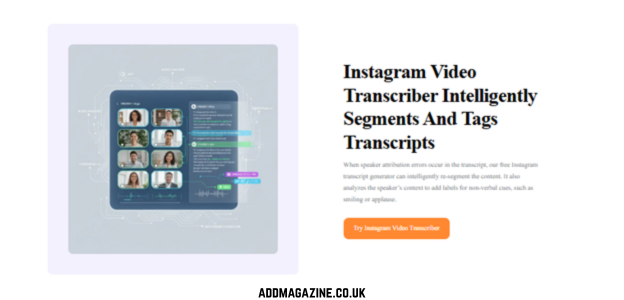
Most of these tools rely on smart voice detection systems that turn Instagram transcript generator clips into precise written words, each marked with correct timing. Some stand out by managing various tongues, diverse ways people pronounce things, surrounding sounds, quick speakers – handling it all smoothly.
A person who makes videos might find it useful. So could someone handling accounts online. Even learners or reporters may benefit. Curious minds too. A tool that turns Instagram audio into text shifts the experience of watching clips entirely.
Reasons You Might Need One?
Picture this – getting more out of your Instagram videos than just views. Think clearer communication without relying on sound. Accessibility steps up when words appear below the clip. Reach grows because some audiences prefer reading over listening. Search engines notice captions, helping others find your content. Time gets saved since typing manually takes effort. Mistakes drop when tools handle speech conversion. People stay engaged longer if they can follow along easily. Clarity wins when ideas are both heard and seen
1. Accessibility for All
Some folks cannot hear at all. Others choose silence while scrolling during bus rides, doctor visits, or shared workspaces. Words on screen pull them into moments they might skip. Leaving captions behind means leaving people behind. Doing right by listeners often begins with typing what was said.
2. Scaling Content Repurposing
One short Reel, just sixty seconds long, holds more than enough material for a full blog entry, a string of tweets, a detailed LinkedIn update, or even a complete email dispatch. Yet typing out that footage by hand? That drags on forever. Instead, software built to turn Instagram clips into written words handles the task almost instantly. What once took ages now splits into several clean texts ready for separate channels without extra effort.
3. SEO and Discoverability
Not watching videos, search engines rely on text instead. When speech from an Instagram clip becomes written words online, visibility grows quietly. Placed onto a webpage, those lines start appearing in results someone might actually click. Once transformed, what was said enters databases, showing up for queries from strangers far beyond followers. Hidden at first, now it surfaces where searches happen.
4. Research and Note-Taking
People who write stories, study topics, or work on school projects often have to cite words from Instagram clips – like talks, updates, how-tos, or broadcasts. Going back again and again to catch every line eats up far too much time. Turning speech into written form makes those moments easy to quote or skim almost instantly.
5. Translation and Localization
Got words on screen? That makes shifting them into different tongues a lot simpler. Before voices travel worldwide, someone has to write down what’s said. Only then can listeners who speak another language catch up.
Saveto AI Instagram transcripts for creators
Now here’s an app that skips the usual mess – Saveto AI runs clean. While others stumble on Instagram audio, this one moves through it like open water. The true test? Whether you keep using it past day three. Flashy buttons fade; smooth flow stays. Right off, it feels light, though somehow still thorough. That mix rarely happens. Just lately, folks start seeing what actually lasts. Here it is again, right where things matter.
Start with purpose. Made just for social media tasks. This isn’t a general tool thrown at Instagram without care. Picture fast Reels cut on the fly. Vertical Stories shaped right. Long IGTV bits that keep going. Live videos grabbed while they happen. Labels get tossed on things like cheap stickers by most tools. How stuff shifts, flows, lives – that’s what this one tunes into instead. It bends to fit your content rather than jamming mismatched parts together. Guessing never stands a chance when accuracy shows up.
How Saveto AI Differs?
What sets Saveto AI apart is how quickly it turns speech into text without losing precision. Thanks to advanced artificial intelligence, transcriptions happen rapidly while staying close to what was actually said. Background tunes? Multiple voices jumping in? Accents that differ from the norm? The system handles them better than earlier methods ever did. Older software often struggled where this one keeps up, making a noticeable difference in real results.
Start by dropping an Instagram video link into Saveto AI. Right away, it pulls out the audio and turns it into clear written words. From beginning to finish, everything moves fast. No confusing steps slow things down. Technical skills? Not needed here. Waiting around? Doesn’t happen. Setup headaches? Gone before they start.
Across the planet, people use Instagram. With Saveto AI, videos get transcribed in many tongues – so whether you’re in Tokyo or Lisbon, words appear in your language. Instead of sticking to one dialect, the tool opens doors everywhere. Creators reach more eyes. Viewers catch every line. It simply works, no matter where someone speaks from.
When you pull transcripts from Saveto AI, each line comes tagged with a timestamp – super handy if the video runs long. Hitting the right spot in the clip gets easier since every spoken word ties to a precise moment. Need to quote someone? The time markers let you point straight to where it happened. Jumping around the footage becomes quick when you know exactly when things were said.
Out of the blue, Saveto AI fits right into how creators work. Maybe turn one into a blog post instead, depending on your mood that day. Some days you might tweak it into something short for social feeds. Nothing needs typing again. That part just skips itself entirely.
How to Convert Instagram Videos into Text Easily
Using a tool like Saveto AI follows a simple, repeatable process:
- Start by locating the Instagram video you’re after. Grab the link once you’ve found it – whether that’s a Reel, an IGTV clip, or any regular video post meant for transcription.
- Drop the link into Saveto AI. Start by opening the tool, then place the web address right inside the box where it waits.
- Starts by letting the system handle it – artificial intelligence breaks down spoken words from sound files automatically. Ends when the job finishes on its own.
A single minute covers the whole job when it’s a quick Reel. When that clip stretches into half an hour for IGTV, processing still wraps up fast – mere minutes pass by.
Why Intelligent Content Automation Is Reshaping Digital Creation Forever
One reason tools like Saveto AI are gaining ground? People now expect more from videos than just visuals. Even so, video isn’t slowing down – momentum only builds. Success often lands on those who rethink what a single clip can do.
Out of sight, sound alone might vanish – transcripts keep it visible. Search engines spot these written versions easily, pulling in views from queries far away. One clip on Instagram gains new forms: blog snippets, quotes, subtitles elsewhere.
Most creators skip Instagram transcripts. That choice costs them reach. Try something different now. A tool such as Saveto AI cuts the work down – simple, quick, done. Waiting brings no benefit. Starting takes almost nothing. Missed chances add up silently.
Final Thoughts
Now a staple instead of just another gadget, the Instagram transcript generator matters most when you care about what you share. What once felt optional now fits right in, simply because listening becomes reading through tools that keep pace.
Out here, Saveto AI pushes ahead – not just fast but sharp, speaking many languages while sliding right into the way makers work. For anyone pulling together or diving into Instagram videos, tossing a transcript tool into your kit isn’t just handy – it becomes essential, especially once 2025 rolls around.
Folks should get to hear what you say, also see it written down.