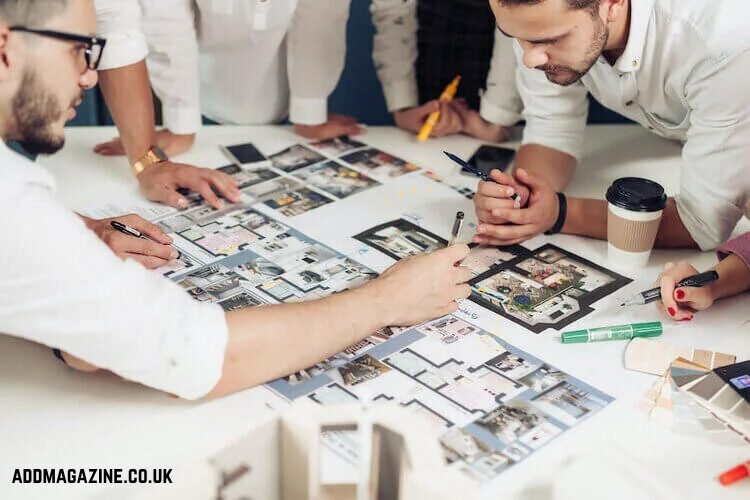
Video has become an important part of real estate marketing. Developers and interior designers also need ways to communicate ideas before a space has been completed.
Traditional property video remains valuable, but it is not always available. A building may still be under construction, a room may require renovation, or a designer may want to present several visual directions before the client selects one. Producing every concept through physical staging or detailed 3D animation can require considerable time and budget.
AI video generation creates another option. It can help property professionals animate approved photographs, test design concepts, create mood-based scenes, and produce short promotional materials for websites and social platforms.
The technology must be used carefully. An attractive generated scene can easily be mistaken for an accurate representation of a real property. AI video should support communication without inventing features, changing dimensions, hiding defects, or creating false expectations.
What Is AI Property Visualisation?
AI property visualisation is the use of generative technology to create or modify images and videos related to buildings, rooms, landscapes, and design concepts.
It may include:
Animating a real property photograph
Creating a conceptual interior style
Exploring furniture arrangements
Visualising seasonal lighting
Producing a renovation mood video
Animating an architectural rendering
Creating social media teasers
Showing a possible future use of an empty space
Not all visualisations have the same evidential value.
A recorded video of an existing apartment can document its current condition. An AI-generated renovation concept only shows one possible interpretation. A promotional video should never present these two types of content as if they were equivalent.
Clear language such as “concept visualisation,” “artist’s impression,” “AI-generated design idea,” or “proposed renovation” helps viewers understand what they are seeing.
Start with a Property Facts Sheet
Before producing a video, collect the verified information about the property.
The facts sheet should include the correct address, property type, room count, floor area, layout, orientation, available facilities, construction status, and approved marketing claims. It should also identify which photographs, floor plans, and architectural drawings have been authorised for use.
Separate the information into three categories.
Verified facts are details supported by official documents, measurements, approved plans, or direct inspection.
Creative concepts are visual ideas that are not part of the current property specification.
A prompt may change the interior style for a concept presentation, but it should not change the verified size of a room or introduce a balcony that does not exist.
Choose the Purpose of the Video
A property video should answer a specific audience question.
A listing video may help viewers understand the flow between rooms.
A developer video may communicate the atmosphere of a planned project.
An interior design video may compare several style directions.
A renovation video may show a possible future appearance.
A neighbourhood video may introduce nearby streets, parks, or public spaces.
A social media teaser may encourage viewers to visit the full listing.
The purpose determines whether AI-generated material is appropriate. If the objective is to document the current condition of a property, real footage is the safer choice. If the objective is to explore how an unfinished room could look after renovation, AI visualisation may be useful.
Write the purpose in one sentence:
“This video will show a possible warm-minimalist design for the currently empty living room.”
This is clearer than saying:
“This video will show the living room.”
The first statement identifies the content as a design concept rather than a record of the existing space.
When Image-to-Video Is Useful
Image-to-video begins with a still image and adds movement to it. In property marketing, the source image might be a photograph, architectural rendering, interior concept, elevation drawing, or landscape illustration.
The prompt can request a slow camera movement, changing daylight, moving curtains, reflections, fireplace movement, trees shifting in the wind, or subtle activity within the environment.
For example:
“Preserve the architecture, window positions, room proportions, flooring, and furniture arrangement. Add a slow camera push toward the windows. Move the curtains gently and allow natural afternoon light to shift across the floor. Do not add doors, furniture, or structural features.”
This type of instruction identifies what can move and what must remain stable.
Property marketers and designers evaluating Grok Imagine can consider it for short visual concepts or the animation of prepared reference images. Every output should still be compared with the source material before publication.
Create a Simple Storyboard
A storyboard divides the property video into short scenes. It prevents the final edit from becoming a collection of attractive but disconnected images.
A basic listing teaser might use the following sequence:
- Exterior introduction
Show the building or entrance and establish the location.
- Main living area
Present the room that best communicates the property’s character.
- Kitchen or dining space
Show how the spaces connect.
- Bedroom or private area
Change the pace and create a quieter mood.
- Distinctive feature
Highlight a terrace, view, fireplace, garden, storage area, or architectural detail.
- Closing frame
Provide verified listing information and a clear next step.
If some scenes are real and others are generated, the difference should be disclosed. The editor can use labels such as “Current Property,” “Proposed Interior,” and “AI-Generated Concept.”
How to Write a Property Video Prompt
An effective prompt describes the room, movement, camera, lighting, style, and restrictions.
A useful structure is:
Space + verified features + desired movement + camera direction + lighting + visual style + restrictions
Example:
“A compact modern living room with white walls, light oak flooring, one large window, a grey two-seat sofa, and a round wooden coffee table. The camera moves slowly from the doorway toward the window. Soft natural morning light, realistic architectural photography, neutral colours. Preserve the room proportions and window position. Do not add doors, balconies, fireplaces, or additional windows.”
Restrictions matter because an AI model may otherwise interpret the scene creatively. In property marketing, creativity must not override factual accuracy.
Avoid vague instructions such as “make the room more luxurious.” Explain what visual elements should create that impression:
“Use warm indirect lighting, natural stone surfaces, walnut furniture, cream textiles, and a restrained neutral colour palette.”
Even then, the result should be presented as a design concept if those materials are not currently installed.
Use Reference Images Consistently
Consistency is one of the main challenges in generated property videos. A window may change shape, furniture may move, or a doorway may appear between frames.
Use a clear reference image for every scene and repeat the essential restrictions in the prompt. If several rooms must share the same design language, prepare a style guide containing approved colours, materials, lighting, furniture types, and camera treatment.
For example:
Walls: warm white
Flooring: light natural oak
Metal finishes: brushed black
Textiles: beige and muted green
Lighting: soft daylight with warm practical lamps
Camera: slow, stable movement at eye level
This guide helps keep separate generated scenes visually connected.
However, style consistency does not guarantee architectural accuracy. Each scene must still be checked against the real photograph, floor plan, or approved design.
Visualising Interior Design Options
AI video can help interior designers communicate mood and movement before final production begins.
A static mood board may show furniture, colours, and materials, but a moving visual can demonstrate how light passes through the space or how a person may experience the room.
A designer could create three conceptual directions:
A warm minimalist scheme with natural wood and linen
A contemporary urban scheme with dark metal and stone
A colourful family-oriented scheme with flexible storage
Each version should use the same starting room and camera position. This makes comparison easier because the client is evaluating the design rather than a completely different composition.
The generated video should not replace technical drawings, material samples, measurements, budgets, or contractor advice. It communicates an idea, not a construction specification.
Showing Renovation Potential
Empty, dated, or unfinished properties can be difficult for some viewers to imagine after renovation. AI visualisation may help demonstrate possible uses.
An unused room could be shown as a home office, guest bedroom, or reading space. An empty commercial property might be explored as a café, studio, retail shop, or shared workspace.
The presentation should avoid suggesting that planning approval, structural feasibility, installation, or cost has been confirmed unless supporting evidence exists.
A responsible description might say:
“AI-generated concept showing one possible home-office layout. Furniture, finishes, lighting, and construction feasibility are illustrative and subject to professional assessment.”
This language gives the viewer context without reducing the creative value of the video.
Creating Property Videos for Social Media
Short-form platforms reward immediate visual clarity. The first scene should quickly establish what the viewer is seeing.
A property teaser might begin with a distinctive feature such as a skyline view, restored staircase, garden entrance, or bright living area. The video can then move through two or three supporting scenes before presenting the next step.
Vertical composition should be planned during generation. Cropping a wide architectural scene into a narrow frame may remove windows, furniture, or important spatial context.
Prompts can include instructions such as:
“Vertical 9:16 composition with the room centred.”
“Keep the main window and sofa within the middle of the frame.”
“Leave clean space in the upper area for a title.”
Text, prices, addresses, and agent details are usually better added during editing.
Using AI Video for Architectural Presentations
Architects and developers can animate approved renderings to communicate atmosphere, circulation, and environmental conditions. A still exterior image might be animated with moving trees, pedestrians, clouds, water, or changing light.
An interior rendering might receive a slow camera push or subtle environmental motion.
These additions can make a presentation easier to understand, but they must not change the approved design. The generated output should be compared carefully with the original rendering.
Particular attention should be paid to:
Building height
Window quantity and placement
Entrance positions
Balcony dimensions
Landscape features
Neighbouring structures
Materials and colours
Accessibility features
Road and pedestrian access
If the model modifies any of these elements, the clip should be corrected, regenerated, or excluded.
Avoid Misleading Property Advertising
Property decisions involve significant financial and legal consequences. Generated visuals should not create claims that cannot be supported.
Do not use AI to remove real defects from documentary listing photographs. Do not enlarge rooms, improve views, add facilities, or change the surrounding environment without disclosure.
A generated sunset should not imply that a particular room has that view or orientation unless verified. A visual containing a nearby park, station, beach, or landmark should not imply a false distance or relationship to the property.
The most reliable practice is to keep real property documentation separate from conceptual content.
Real footage answers: “What exists?”
Concept visualisation answers: “What might be possible?”
When the distinction is obvious, both types of content can be useful.
Add Disclosures Where Viewers Can See Them
A disclosure should appear close to the generated content. Placing a statement only at the bottom of a long property description may not be enough.
Useful labels include:
AI-generated visualisation
Proposed design concept
Artist’s impression
Digitally staged interior
Future development concept
Illustrative furniture and finishes
The exact disclosure requirements depend on the location, advertising platform, and nature of the property. Property professionals should check applicable laws, professional rules, portal policies, and company guidance.
The purpose of disclosure is not merely compliance. It protects trust by giving potential buyers or clients the information needed to interpret the visual correctly.
Review Every Scene Before Publication
A property video should pass both a creative review and a factual review.
Check whether:
The room proportions remain accurate
Doors and windows stay in the correct positions
The view outside is genuine or clearly conceptual
Furniture does not hide important structural details
Materials match the approved design
No additional facilities have appeared
The floor plan remains logically possible
Text and numbers are accurate
Generated people do not create misleading occupancy claims
The disclosure is clear and readable
The video matches the accompanying property description
Review the clip frame by frame. Architectural changes may appear for only a fraction of a second and remain unnoticed during normal playback.
Measure Whether the Video Is Useful
The success of a property video should not be judged only by views.
Useful measures include:
Qualified listing enquiries
Completed video views
Clicks to the floor plan
Requests for an in-person viewing
Time spent on the property page
Questions asked after viewing
Client understanding of a design proposal
Selection between interior concepts
Reduction in repeated explanation during presentations
If viewers frequently misunderstand which elements are conceptual, the disclosure or structure needs improvement.
Common Mistakes to Avoid
The first mistake is presenting generated interiors as the current condition of a property.
The second mistake is allowing the model to alter room dimensions, doors, windows, or views.
The third mistake is using AI text inside the video for addresses, prices, dimensions, or legal information. Add critical text during editing.
The fourth mistake is creating unrealistic camera movement that makes the room feel larger than it is.
The fifth mistake is hiding disclosures where viewers are unlikely to notice them.
The sixth mistake is treating a design visualisation as proof of construction feasibility or planning approval.
The seventh mistake is relying on AI footage when real video is needed to document the property accurately.
Frequently Asked Questions
Can AI video replace a real property tour?
No. A generated video can support design exploration and marketing concepts, but real footage is more appropriate for documenting the current condition and layout of an existing property.
Can an empty room be digitally furnished?
Yes, but the result should be clearly identified as virtual staging or an AI-generated concept. Furniture should not hide defects or misrepresent the room’s size.
Is AI video useful for off-plan property marketing?
It can animate approved architectural material and communicate atmosphere. All structural details, specifications, completion claims, and disclosures should remain consistent with official project documents.
Can AI video show renovation potential?
It can present possible design directions. It cannot confirm engineering feasibility, planning permission, final cost, or construction results.
Is Grok Imagine suitable for real estate content?
Professionals considering Grok Imagine can evaluate it for animating reference images, creating short concept scenes, and testing property-video ideas.
Final Thoughts
AI video can help real estate professionals, architects, and interior designers communicate ideas that are difficult to express through text or static images alone.
Its usefulness depends on a disciplined process. Begin with verified property information, define the purpose of the video, separate facts from concepts, prepare reference images, and write prompts with clear restrictions. Review every scene against the real property or approved design before publication.
AI visualisation should make possibilities easier to understand without making property facts harder to identify.
Used responsibly, it can become a practical addition to real estate and design workflows. Used without factual boundaries, it can create confusion and damage trust. The difference lies in human review, accurate disclosure, and a clear distinction between what exists and what is only being imagined.