A content calendar looks tidy until video enters the room. A blog post can be moved by a day. A social caption can be rewritten in ten minutes. A landing page banner can be swapped before launch. Video is less forgiving. Once a team has chosen the concept, gathered references, booked editing time, and promised delivery dates, a weak idea becomes expensive to fix.
Testing a video idea before building the final asset can help marketing and editorial teams identify weak concepts earlier. The test does not have to be a polished advertisement. It can be a short draft that answers practical questions: does the opening make sense, does the message fit the platform, does the visual tone match the campaign, and is the call to action visible soon enough?
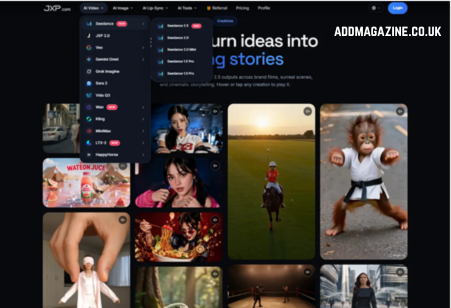
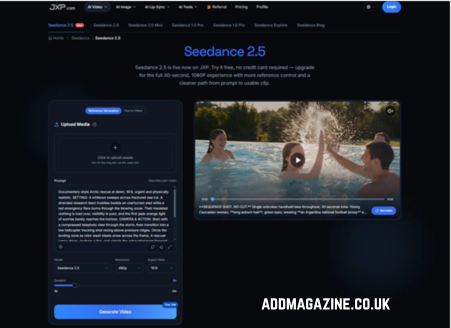
For teams already juggling newsletters, paid ads, product updates, social posts, and client approvals, that early test can save the calendar from becoming a pile of unfinished clips. Seedance 2.5 on JXP gives creators a browser-based way to turn prompts and eligible reference materials into short video drafts, with options such as reference generation, text-to-video, selectable duration, resolution, and aspect ratio controls. The more important point is not the menu of settings. It is what those settings let a team check before the campaign is live.
The Calendar Problem Is Usually a Decision Problem
Most teams do not run out of content ideas. They run out of clean decisions. A campaign meeting may produce five possible hooks, three audiences, two visual styles, and a vague request to “make it more social.” By the time that instruction reaches a designer or editor, the real question has been buried: what is this video supposed to prove or communicate?
A short draft can bring the question back into view. If the video is meant to support a launch, the first seconds should make the product or offer clear. If it is meant to introduce a report, the draft should show the reader why the topic matters. If it is meant for paid social, the first frame and caption space may matter more than a cinematic ending.
The draft is useful because it forces choices. A team can stop arguing about adjectives and start reacting to something visible.
Separate the Hook From the Full Story
Content calendars often fail when every asset tries to say everything. A video for a campaign does not need to contain the full article, full product page, full case study, and full brand story. It needs to help the right viewer decide whether to continue.
One practical split is to define the hook, the proof point, and the next action. The hook catches attention. The proof point gives the viewer a reason to trust the message. The next action tells them where to go next. If a draft cannot make those three pieces visible, the problem may be the campaign brief rather than the video tool.
This approach also prevents the common mistake of turning every campaign clip into a generic montage. Movement alone does not create a message. The sequence has to know what it is asking the viewer to notice.
Test the Format Before the Final Edit
The same campaign idea behaves differently in a website hero, a vertical social clip, a newsletter preview, a paid ad, and a sales deck. The crop changes what the viewer sees first. The duration changes how much context can survive. The caption area changes what copy can be read on a phone.
That is where pre-production testing helps. Keep the core idea stable, then compare one format decision at a time. Try a vertical crop and a wider crop. Try an eight-second teaser and a longer draft. Try a product-first opening and a problem-first opening. If everything changes between drafts, reviewers may know which version they prefer, but they will not know what caused the improvement.
A test draft should make those differences easier to discuss. It should not pretend to be final proof that one version will outperform another. Performance still depends on the audience, placement, offer, timing, and distribution.
Keep Reference Material Under Control
Reference material can make a draft more coherent, but it can also make a calendar messier if the team uploads whatever is closest at hand. A product image, mood board, audio cue, storyboard frame, or existing clip should have a clear purpose before it enters the workflow.
JXP describes Seedance 2.5 as supporting up to 50 uploaded assets across images, video, and audio, with longer single-clip generation available in the current interface. That gives teams room to guide a draft, but it is not a reason to overload one test with every possible reference. More inputs are only helpful when someone knows what each one is supposed to control.
Before using references, confirm rights, privacy, and platform eligibility. A file that is cleared for a presentation or internal mood board may not be cleared for external AI processing, public promotion, or paid distribution. Keep sensitive materials out of early tests unless there is a clear approval path.
Make Text a Final Production Layer
Campaign videos usually rely on words: dates, offers, feature names, disclaimers, subtitles, credits, and calls to action. Those words should stay editable until the final production step. Generated background text is too easy to misread, distort, or invent.
A better draft leaves clean space for approved copy. The video can test where a headline belongs, how long a title card should stay on screen, and whether a call to action appears early enough. The final words should come from the campaign owner, editor, legal reviewer, or product lead, depending on what the video is communicating.
This is especially important when the calendar includes paid media. A wrong date, unsupported claim, unclear disclosure, or accidental brand reference can turn a small creative test into a publishing problem.
Use Drafts to Protect the Production Budget
A good content calendar has room for change, but not endless rework. The point of a draft is to catch the obvious problems while they are still cheap: the wrong tone, crowded scenes, unclear product focus, unreadable captions, weak first frame, or a closing action that arrives too late.
At that stage, a Seedance 2.5 workflow can help a team compare concepts before assigning final design, editing, media spend, or agency time. The draft should be treated as a planning object, not as a shortcut around creative judgment.
Review the Draft Like a Calendar Asset
Before a video draft moves into final production, check it against the calendar rather than judging it as a standalone clip. Does it support the campaign stage? Does it match the planned channel? Does it leave room for approved copy? Does it avoid implying results, endorsements, or claims that the campaign cannot support?
The best draft is not the one that looks most finished. It is the one that helps the team decide what should be made next. If the draft makes the message sharper, reduces avoidable rework, and keeps important copy and approvals under control, it has already earned its place in the campaign process.