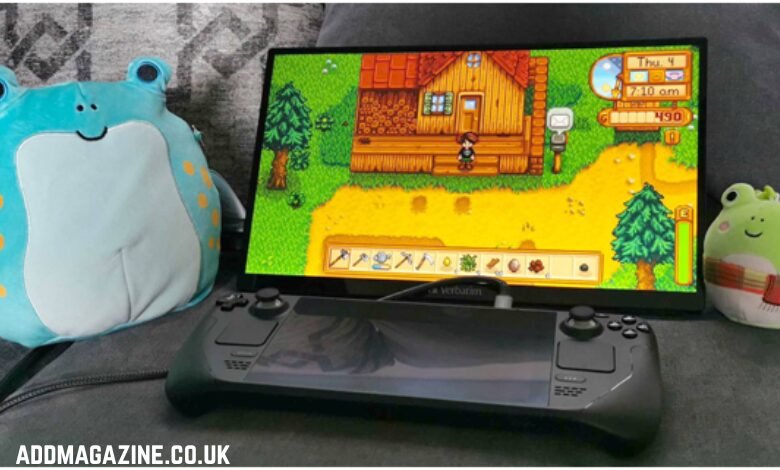
Small apartments, dorms, shared rooms, and tiny bedrooms have no space for large TVs. The problem is, many consoles perform best on large displays. The solution? For a growing number of players, the answer is turning to portable gaming monitors instead of a TV.
Thanks to advances in display tech, portable screens now have refresh rates, color accuracy, input latency, and brightness to match any modern TV. So how well does a portable gaming monitor stack up against a big TV for console gaming? We break down the answer.
Why Are Gamers Going Portable for Console Gaming?
There are several reasons why some players turn to portable monitors over a TV for console gaming:
1. They Save Space
If you’re short on desk or wall room, a portable monitor is a perfect option. Portable displays sit on a desk, shelf, or even in your lap. Since they’re super thin and lightweight, they don’t need a stand or mounting kit.
2. They’re Great for Next-Gen Consoles
New portable gaming displays, including portable monitor PS5 or portable Xbox monitor, can easily support 1080p, 1440p, or 4K, plus offer low input lag. In other words, most of today’s portable monitors can easily match next-gen console performance.
3. They Offer Better Specs for Size
TVs favor big size and HDR brightness. Portable screens are optimized for speed. So many portable displays have features such as:
- High refresh rates: 144Hz or more
- Adaptive sync: FreeSync or G-Sync
- Compact IPS or Mini-LED displays
- Ultra-fast response time
Plus, there are portable monitors such as the Uperfect K118 that feature 144Hz and FreeSync support. Those features are more common on gaming monitors, but are now available in portable displays as well.
4. They’re Portable
If you travel a lot, bring your console around a lot, or game with friends, a portable monitor means you always have your own display.
5. The Ergonomics Fit Desks Better
Portable monitors encourage players to sit closer to the screen. This can be less tiring for your eyes than sitting farther back from a large TV. You can easily angle the tilt of a portable monitor and even mount it on a portable stand for ergonomic comfort.
Do Portable Monitors Beat TVs for Console Gaming in Small Spaces?
If your gaming space is a compact bedroom, small dorm, or shared room, portable monitors offer some clear advantages:
1. Improved Viewing Distance
For a 40–50 inch TV, the ideal viewing distance is 5–7 feet. For a small dorm or bedroom, this is simply not feasible. A portable monitor, by contrast, works best at 2–3 feet from your face. It will still seem big and immersive due to its high pixel density.
2. Lower Input Lag Than TVs
While modern gaming TVs offer low input lag, many mid-range or low-cost TVs still top at 20–30ms. Portable monitors, however, are designed around gaming performance. So most portable displays keep latency to 5–10ms.
3. No Need for Large Table or Wall Room
Finding the right spot for a TV in a small room is often a challenge. Portable monitors need no wall mount and are entirely self-sufficient. They can rest on any desk, shelf, or bedside table.
4. Crisper Close-Range Viewing
Since portable screens are small, they have higher pixel density. An 18-inch 1080p or 1440p portable monitor will look much sharper up close. In many cases, that clarity will even surpass a 55-inch 4K TV that’s too close.
Areas Where TVs Still Outclass Portable Monitors
Portable monitors are not all strengths. In a few areas, TVs still win:
1. Better HDR and Brightness
If you want punchier HDR colors, >600–1000 nits of brightness, and a giant screen to fill your field of view, a TV is unsurpassed.
2. Larger Screen Size
If you like playing console games on a couch from farther back, there’s no substitute for a large display. You’ll get more immersion and your eyes won’t tire as easily.
3. Better Audio Quality
Portable monitors will usually have small built-in speakers. TVs simply have louder, fuller audio.
So, Who Should Get a Portable Monitor?
In short, a portable monitor is the best choice if you are:
- Living in a small room, dorm, hostel, or shared apartment
- Gaming on a desk setup, not a couch setup
- A frequent traveler who wants a display that can travel
- Gaming competitively where input lag and high refresh rates matter
- Planning to use the monitor for both gaming and productivity
- Looking for a 144Hz portable monitor with performance like the Uperfect K118
At the same time, TVs are still the way to go if you want cinematic images, big-screen gaming, or have space for a full living room setup.
Portable Monitor or TV? Side-by-Side Feature Comparison
| Feature | Portable Gaming Monitor | Traditional TV |
| Space Requirement | Extremely small footprint | Requires significant room |
| Input Lag | Typically 5–10ms | 10–30ms depending on model |
| Refresh Rate | High (120–144Hz+) | Often 60–120Hz |
| HDR Performance | Moderate (varies by model) | Excellent on mid/high-end TVs |
| Portability | Highly portable | Not portable |
| Screen Size | 13–18 inches (avg) | 40–85 inches |
| Sound Quality | Basic speakers | Better built-in speakers |
| Best Use Case | Small rooms, desks, travel | Large living rooms, couch gaming |
Can a Portable Monitor Replace Your TV for Console Gaming?
Yes, if you’re gaming in a small space, a portable monitor can replace a TV.
For players who use consoles on desk setups, a portable display offers several advantages: its lower input lag, closer comfortable viewing distance, and better gaming-oriented performance specs. Portable monitors like the Uperfect K118 show how portable screens are now powerful enough to compete with (or even beat) TVs for console gaming.
At the same time, if you value large-screen immersion, cinematic HDR quality, or have a lot of space for a living-room setup, a TV will outperform portable monitors. In that case, a TV is a better choice.
Frequently Asked Questions (FAQs)
1. Are portable monitors good for PS5 or Xbox Series X?
Yes. Portable monitors are compatible with consoles. Many portable displays support 1080p or 1440p at high refresh rates. Portable monitor PS5 products are specifically optimized for console gaming compatibility.
2. Do portable monitors have console lag?
No. Many modern portable gaming monitors are designed with ultra-low latency performance. In fact, a portable gaming monitor often has less lag than a mid-range TV.
3. Can a portable monitor do 120Hz with consoles?
Yes. Many portable monitors support 120Hz refresh rates using HDMI 2.0 or HDMI 2.1. This includes models such as the Uperfect K118, which support 144Hz refresh rates.
4. Do portable gaming monitors require external power?
Some can run on USB-C power or can power directly from a console. Other portable monitors will require an external power adapter depending on brightness level and screen size.
5. Can a portable monitor be a permanent replacement for a TV?
Yes—if you have a small space. Portable gaming monitors are no longer just “budget” productivity displays. Portable gaming monitor now have performance specs that rival TVs and are great for small space gaming. But they’re not intended for large living rooms or as a replacement for movie watching.
Conclusion
Portable gaming monitors can replace traditional TVs if you’re gaming in a small room, have limited space, or prefer desk setups over couch setups. Portable monitors have fast refresh rates, low input lag, high sharpness, and they travel with ease. For gaming in small rooms, a portable monitor from the Uperfect lineup or other performance-focused portable display brands offers an experience that’s often equal to or better than most TVs.
At the same time, if you prefer large-screen couch gaming, big cinematic visuals, or have space for a living-room setup, a TV will still have the advantage. The right gaming display choice, in other words, depends on your space, your style, and your intended use.
There are two clear types of console gamers: those who game up-close on desks and value performance, and those who game on couches and value immersion. If you’re in the former group, a portable gaming monitor is your best option. If you’re in the latter group, a TV still rules.