
PDF files are part of everyday life, from work documents and reports to study materials and forms. While they’re easy to read and share, using the information inside them isn’t always simple. This is where PDF Data Analysis becomes useful—helping people pull out key content, reuse data, and make sense of information locked inside static PDFs.
With tools like UPDF, this process feels far more practical. Users can convert PDFs into editable files, organize pages, and quickly find what matters most. Features like UPDF AI quietly assist with tasks such as summarizing long documents or translating content, making PDFs easier to work with in day-to-day scenarios rather than something that requires extra effort.
Part 1. How to use UPDF AI for Data Analysis
What is UPDF AI for Data Analysis?
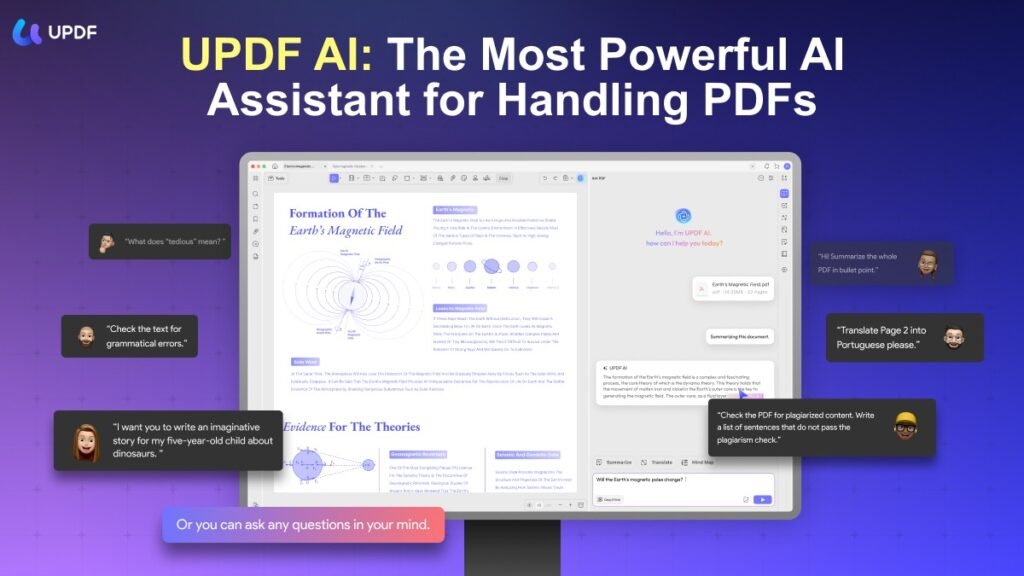
The collection, processing, and analysis of disorganized data using the newest artificial intelligence technologies, such as machine learning and deep learning algorithms, to extract something important is known as AI data analysis. Experts can automate various tedious data processing tasks with AI algorithms. The days of doing simple data analysis tasks by hand are long gone. By combining artificial intelligence with data analysis, you can now achieve levels of speed, magnitude, and accuracy that are not possible for humans.

Part 2. How to Use UPDF AI to Analyze Data?
After learning about the primary artificial intelligence tool for data analysis, you must be wondering how to perform this operation. In this section, we’ll go over each step of the UPDF AI data analysis process in detail. Each of these steps should be followed in order to carry out data analysis operations as efficiently as possible.
Step 1: Submit the PDF containing the data for analysis.
Add your PDF with the data that needs to be examined after starting UPDF on your Windows computer or MacBook. Next, click the “UPDF AI” icon in the top right corner of your screen to access this tool’s AI-integrated analyzer.
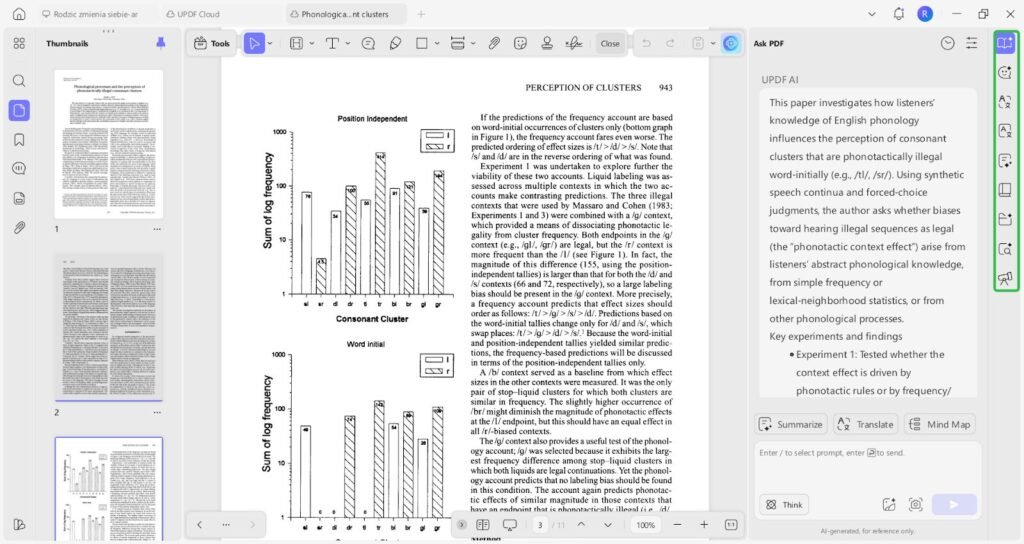
Step 2: Use UPDF AI for data analysis, interpretation, summarization, and even conversion into mind maps
Data Analysis
With UPDF AI’s Ask PDF feature, users can turn their questions about a document into a practical way of analyzing its content. By asking about specific sections, figures, or terms they don’t understand, users gradually break down complex PDFs into clear, usable information—making large reports or research papers easier to review and work with.
Summarization
For long or information-heavy documents, UPDF AI helps condense large amounts of content into clear, concise summaries that focus on the most relevant points. By filtering out less important details, it allows users to quickly grasp key information from contracts, reports, or study materials when time is limited.
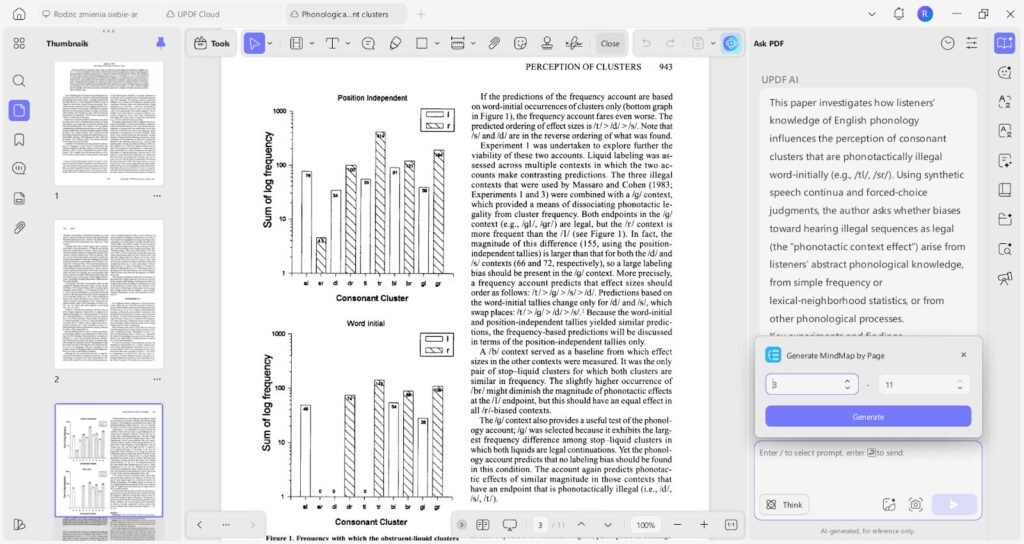
Mind Map Conversion
UPDF AI can transform structured PDF content into visual mind maps, helping users see relationships between ideas at a glance. This format is useful for planning, learning, and organizing information in a more intuitive way.
Part 3. Practical Use Cases
For Business & Financial Analysis
Financial analysts upload quarterly earnings reports or market research PDFs. The AI is instructed to “extract all key financial metrics (Revenue, EBITDA, Net Income) for the last four quarters and present them in a table.” They then request “Trend analysis.”on operating margins” and to “List the three major risk factors cited by management.” This automates the initial data mining, allowing the analyst to focus on higher-level interpretation and modeling.
For Students & Academics
UPDF AI transforms study and research. In just a few seconds, a student can upload a fifty-page academic paper and ask the AI to “Summarize the methodology and key findings.” After that, it can “Explain the complex concept on page.”22 in simple terms” and finally “Generate five potential exam questions based on this material.” This turns hours of reading into minutes of targeted comprehension and review preparation.
For Researchers & Data Scientists
Researchers frequently encounter unstructured data in PDFs prior to analysis. After uploading survey data or published research, UPDF AI is used to “Extract all data from Table 2 and Figure 3 into a structured CSV format.” Additionally, they can probe the data’s validity by asking, “What were the sample demographics and stated confidence intervals?”
For Everyday Personal & Administrative Use
Individuals deal with administrative paperwork daily. A user can ask UPDF AI to “List all coverage exclusions in simple language” or “Explain this diagnosis summary” while examining a complex insurance policy or medical report. They might inquire, “What are the key safety precautions and the three essential setup steps?”
Conclusion
After carefully reading this article, you should have a much better understanding of data analysis. Each of the aforementioned analyzers is capable of offering companies comprehensive data analysis solutions. However, UPDF ought to be at the top of your list if you’re searching for a data analysis tool with the best user interface and multi-dimensional features to handle your data. Get UPDF now to ensure that your data analysis operations are never limited by human limitations.