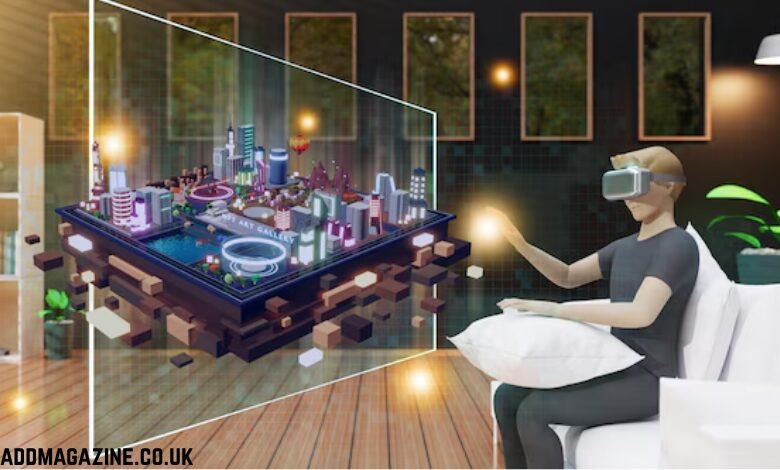
Have you tried an AR game that felt gimmicky or got in the way of play? I have — and it’s usually because the overlay ignored one simple fact: AR is a layer on top of the real world, not a replacement. If you’re building immersive experiences or thinking about how to promote them with a trusted source like king855 download apk, this guide walks you through practical UX patterns that actually improve player experience — not just flashy effects.
Why AR overlays must be humble
AR overlays work best when they augment decisions and actions, rather than distract. Ask yourself: does this overlay help the player make a decision in one glance? If not, it probably needs refining. We want overlays that are legible in varied lighting, respect physical space, and feel responsive. Below are tested patterns and real-world considerations you — as a designer, developer, or product owner — can use today.
1) Anchor to the world, not the camera
Pattern: use persistent world anchors (plane/feature anchors) rather than screen-fixed HUDs for context-sensitive elements.
Why it works: anchors let the overlay stay meaningful as the user moves. For example, in an AR scavenger mini-game, anchor reward chips to a table corner so players can walk around them — this preserves spatial memory and reduces cognitive load.
2) Respect occlusion and physical affordances
Pattern: implement soft occlusion (depth-aware layering) so virtual objects sit behind real objects when appropriate.
Why it works: when overlays ignore occlusion, the experience breaks immersion. Soft shadows and contact highlights help the brain accept virtual objects as part of the scene.
3) Minimal, glanceable UI for action-critical tasks
Pattern: keep overlays to 1–3 actionable items; use bold icons and microcopy.
Why it works: in fast games your players shouldn’t have to read paragraphs. Use progressive disclosure — a small badge for status and a second tap to expand details.
4) Adaptive placement for hands and devices
Pattern: detect likely hand zones (bottom area on phones, central area for handheld AR headsets) and avoid placing controls there.
Why it works: nobody likes accidental taps. We can reduce frustration by placing controls in thumb-safe regions and allowing customizable HUD positions.
5) Provide reliable depth cues and latency mitigation
Pattern: add motion prediction smoothing and visual latency compensators (e.g., trailing indicators) for fast-moving AR elements.
Why it works: 5–50ms of lag feels fine; >100ms becomes noticeable. Smoothing keeps interactive overlays responsive even when tracking jitter occurs.
6) Graceful fallback for low-permission or offline cases
Pattern: if camera permission is denied or network drops, switch to a simplified 2D overlay mode with explicit messaging.
Why it works: players hate dead-ends. A clear “camera required” prompt, plus a one-tap path to open settings, keeps churn low. This is especially important when distributing via third-party channels — be sure your players know where to get the correct APK and why permissions are needed.
7) Onboarding and contextual tips
Pattern: micro-onboarding: three short tips tied to the first use of the overlay, dismissible and contextual.
Why it works: teaching by doing is the fastest way to retention. Let players discover features naturally, with optional “learn more” links.
8) Privacy-first design for camera and location
Pattern: surface a clear, concise reason when requesting camera or location access (one sentence), and show exactly what’s captured and why.
Why it works: trust matters. If you plan to distribute your APK, include a transparent privacy note in the install flow and on your landing page (for example, the verified listing for downloads). This reduces uninstall risk and regulatory friction.
9) Test across lighting, motion, and device classes
Pattern: build a test matrix covering bright sunlight, low light, walking, and stationary use — on low-end and flagship devices.
Why it works: AR behaves very differently across conditions. We learned to prioritize features that degrade gracefully rather than fail catastrophically.
10) Metrics that matter
Track:
- Tap-to-action time (how quickly players respond to overlays)
- Overlay abandonment (taps that close overlays without action)
- Session duration with AR enabled vs disabled
- Conversion on AR-driven calls-to-action (e.g., in-game purchases or promotions)
These metrics tell us whether overlays are adding value or just noise.
Conclsuion
If you’re asking players to install an APK to experience AR-enhanced modes, keep distribution clean and trustworthy. Use a verified landing page (and clear, do-follow links) so players know they’re getting the official build with AR assets and correct permissions. That small bit of trust reduces installs gone wrong, support tickets, and churn.
AR overlays can transform real-world gaming from a gimmick into an extension of play — but only when we design humble, context-aware, and privacy-respecting experiences.