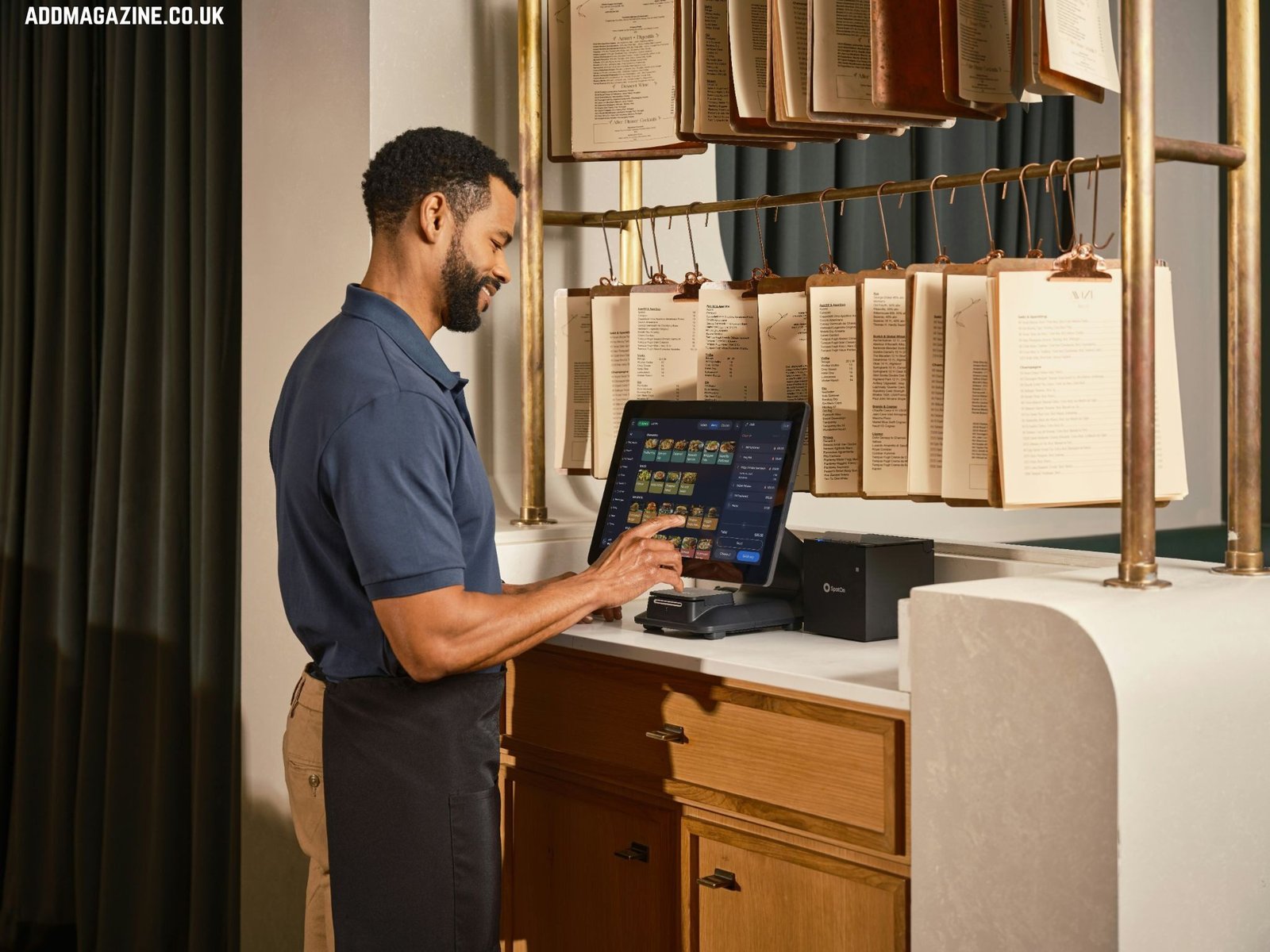
Most owners overbuy. A modular pos system built around your actual service flow will outperform a bloated bundle that looked impressive in a sales demo — and cost you half as much to maintain. So before you sign anything, let’s break down what restaurant POS hardware actually consists of, what’s non-negotiable, and where vendors quietly pad the invoice.
The Core Stack: What You Can’t Run Without
Strip it down to basics. Every restaurant POS setup has three layers: the input device (where orders get entered), the output device (where the kitchen gets the ticket), and the payment terminal (where money actually changes hands). Everything else is optional — or can wait.
The primary terminal is your workhorse. This is the touchscreen unit mounted at the counter or host stand. It runs your POS software, manages tables, fires orders to the kitchen, and closes checks. If it crashes, your operation freezes. So reliability here is non-negotiable — not speed, not aesthetics.
Check these before committing to any terminal:
- (Browser-based setups can choke on slow Wi-Fi.)
- What happens when the internet drops? Does it fall back to offline mode, or does it brick completely?
- (At 11pm close, you don’t want to wait four minutes for a splash screen.)
- Is the screen rated for kitchen-adjacent grease and heat, or is it a consumer-grade display with a markup?
Digital receipts are growing, but a significant share of guests still want paper. More importantly, your cash drawer is physically wired to the printer in most setups. No printer, no drawer release. If you run any cash volume at all, this isn’t optional.
The card reader/payment terminal is separate from your main screen in most professional setups. It handles EMV chip, contactless (NFC), and swipe. Keep it separate. Integrated payment terminals that share hardware with the POS screen create a single point of failure — and a compliance headache if something goes wrong with your PCI audit.
Kitchen Display Systems: Skip the Printer, Or Don’t
Here’s where it gets opinionated. Kitchen ticket printers are cheap, reliable, and your line cooks already know how to read them. Kitchen Display Systems (KDS) are cleaner, trackable, and eliminate paper waste — but they cost more upfront and require staff training.
The honest answer: if you run a high-volume kitchen with multiple stations, a KDS pays for itself in ticket accuracy and timing. During a breakfast rush with four concurrent tables, a KDS lets expo track every ticket’s age in real time. A paper printer just produces a pile.
If you’re a single-station operation — a food truck, a small café, a counter-service spot — a thermal kitchen printer is fine.
Edge case to watch: some KDS units lose their queue during a power cycle and don’t recover open tickets automatically. If your restaurant sits in a zone with unstable power, test this explicitly before deployment.
Tablets and Mobile Ordering: Useful, Not Magic
Tableside tablets and handheld ordering devices reduce steps for servers — that’s real. A server who can fire an order from the table without walking to a terminal speeds up table turns. In a full-service restaurant with more than, say, six tables per server, this matters operationally.
The catch is connectivity. Handheld devices run on Wi-Fi or Bluetooth. Before you buy six tablets for tableside ordering, walk the floor with a Wi-Fi analyzer and map your signal coverage. Fix the network first.
Also: consumer tablets are not restaurant POS hardware. An iPad in a case is not the same as a purpose-built POS tablet. Consumer devices aren’t rated for kitchen heat, grease, or repeated drops. They also have shorter OS support cycles, which creates software compatibility problems down the line. If you’re going tablet-based, use hardware that’s purpose-built or at minimum commercially rated.
Where Owners Overpay (And Why)
Sales reps bundle. That’s their job. A “complete restaurant POS bundle” often includes hardware you don’t need yet — a second terminal for a bar you haven’t opened, a customer-facing display for a counter that doesn’t have room for one, a label printer for a kitchen that doesn’t need labels.
The smarter move is to build modularly. Start with the minimum viable stack: one primary terminal, one printer, one card reader. Add as your operation scales. This is why the clover pos hardware ecosystem gets traction in restaurant deployments — it’s designed to expand component by component rather than forcing you into a fixed configuration from day one.
- A vendor insists you need a customer-facing display for a drive-through or walk-up counter where customers can’t see the screen anyway.
- The bundle includes a fingerprint reader for “employee clock-in security” — useful in theory, rarely used in practice, adds failure points.
- The proposal includes a dedicated “manager terminal” for a restaurant with one manager who also works the floor.
Honestly, the loyalty hardware pitch is the one I’ve seen burn the most operators. You pay for the device, then pay a monthly SaaS fee for the loyalty software, and six months later you find out your POS software already had a built-in loyalty module you never activated.
Hardware Maintenance: The Stuff Nobody Talks About
Your POS hardware is going to get hit, spilled on, and dropped. Plan for it. Thermal printer heads wear out — they’re consumables, not permanent components. If you’re running high receipt volume, factor in head replacement cycles. Keep spare receipt paper rolls in a dry location; heat and humidity degrade them faster than people expect.
Card reader contacts oxidize over time, especially in humid kitchens. If you start seeing intermittent chip-read failures, clean the contacts before assuming the reader is dead. Most of the time, a cleaning card fixes it. When it doesn’t, the reader’s internal mechanism is worn — replace it, don’t troubleshoot further.
Reboot your terminals on a scheduled cycle — weekly at minimum. Systems that run continuously for weeks accumulate memory bloat, especially if the POS software isn’t optimized for long uptime. Front desk staff should know the reboot procedure and when to do it (not at 7pm on a Friday).
If your setup includes a router or network switch as part of the POS infrastructure, put those on a UPS (uninterruptible power supply). A two-second power flicker that reboots your network switch during a busy service is avoidable with a $60 battery backup. Do it.
The Bottom Line on Restaurant POS Hardware in 2026
The hardware itself isn’t complicated. What complicates it is the sales layer on top — the bundles, the leasing agreements, the proprietary peripherals that lock you into one vendor. Know what you actually need before you talk to anyone selling it. A primary terminal, a printer, a card reader, and a KDS if your kitchen volume justifies it. That’s the core. Everything else is a conversation you have after you’re operational, not before.
Build lean. Expand when the operation demands it. And test your offline fallback before you need it — not during a Saturday night when your internet goes down and you have forty covers waiting.