AI video generation like Magiclight has changed how creators turn ideas into visual content. However, the quality of AI-generated videos depends heavily on the prompts used to describe scenes, characters, actions, and visual styles.
A simple text description may only create a basic clip, while a well-structured prompt can help AI understand storytelling elements, camera direction, and creative intent. This is why more creators are learning how to write effective prompts for a free ai video generator from text prompt workflow.
Part 1. AI Video Prompt Examples for Different Video Styles
Different video types require different prompt structures. A good AI video prompt should not only describe what appears in the scene but also communicate the intended style, mood, movement, and visual experience. For creators using a free ai video generator from text prompt, clear and detailed instructions are especially important to achieve more accurate results. By adjusting prompt details based on the content type, creators can make better use of a free ai video generator from prompt and generate videos that better match their creative goals.
AI Animation Video Prompts
Animation prompts should focus on character design, emotions, movement, and artistic style. Unlike realistic videos, animated content relies heavily on visual identity and character expression.
A strong animation prompt should include character appearance and personality, animation style (such as 3D cartoon, anime, or fantasy), facial expressions and emotions, environment details, and character actions to help AI create more engaging and consistent animated scenes.
Example prompt:
A cute animated fox with orange fur exploring a magical forest, surrounded by glowing plants and colorful butterflies, showing a curious expression, 3D cartoon animation style, smooth character movement, warm cinematic lighting.
This type of prompt is suitable for creating children’s story videos, fantasy animations, character-driven storytelling projects, and educational content where consistent characters and engaging visual styles are important.
For longer animated projects, maintaining character consistency is especially important. Using structured AI video workflows can help ensure that characters keep the same appearance and style across different scenes.
Cinematic Video Prompts
Cinematic prompts should focus on visual storytelling, atmosphere, camera language, and realistic details.
Important elements for cinematic prompts include camera angles and movements, lighting and color atmosphere, environment details, character actions, and the overall emotional tone of the scene. By combining these elements, creators can guide AI to generate videos with stronger visual storytelling and a more professional cinematic feel.
Example prompt:
A traveler standing on a mountain peak at sunrise, surrounded by dramatic clouds and vast landscapes, slow camera movement from behind, realistic cinematic lighting, epic movie atmosphere.
This type of prompt is suitable for creating short films, developing film concepts, producing story trailers, and building dramatic storytelling videos that require strong visual atmosphere and cinematic expression.
Adding camera instructions such as close-up shots, tracking shots, or wide-angle views can make AI-generated videos feel more dynamic and closer to professional filmmaking.
Product Video Prompts
Product video prompts should highlight product details, presentation style, and visual appeal. Unlike storytelling videos, product-focused content needs to clearly showcase the product’s features while creating a premium visual experience.
A strong product prompt should include product appearance, camera movement, lighting style, background environment, and brand atmosphere. These details help AI understand how to present the product visually and create more professional marketing videos with a clear commercial focus.
Example prompt:
An elegant premium smartwatch gracefully spins atop a sleek crystal display stand, highlighting its polished metal finish under refined studio illumination with cinematic motion for a high-end commercial presentation.
This type of prompt is suitable for creating e-commerce videos, brand advertisements, product launches, and marketing campaigns where clear product presentation and strong visual appeal are essential.
Detailed descriptions help AI generate videos that highlight product design and create more engaging promotional content.
Part 2. how to Turn video prompt into video with Magiclight
Writing an effective AI video prompt is the first step to creating high-quality AI-generated videos. When using a Script to Video Generator workflow to turn ideas into complete videos, clear descriptions of characters, scenes, actions, and visual styles help AI better understand the creative direction. In this guide, we will use MagicLight AI, a popular AI video creation tool, as an example to demonstrate how to optimize prompts and create more engaging visual content.
1. Define Characters Before Creating Scenes
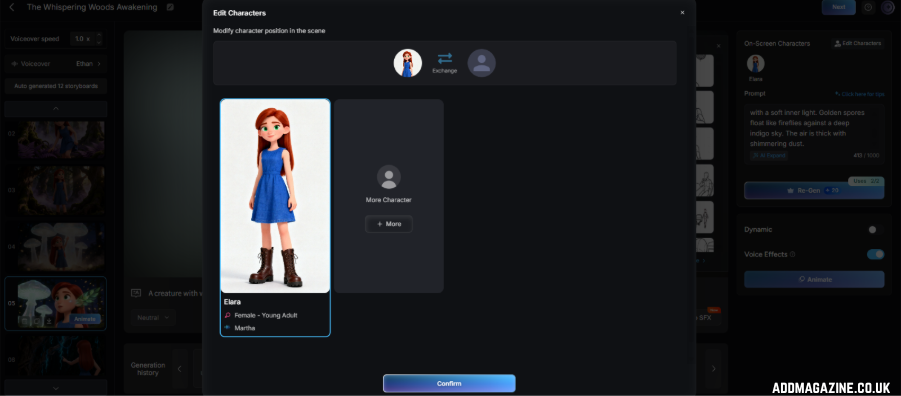
Characters are the foundation of storytelling videos. Before generating scenes, creators should first define the main character’s appearance, personality, and visual style. Clear character descriptions help AI maintain the same identity throughout different shots.
Important character details include appearance, clothing, age, personality, and visual style. Providing these details helps AI better understand the character’s identity and ensures more consistent character design throughout different scenes.
Basic prompt:
A girl in a forest.
This prompt only provides a simple subject but does not give AI enough information to create a recognizable character.
Improved prompt:
A young girl with long brown hair, wearing a blue dress and carrying a small backpack. She has a curious and brave personality, exploring a magical world in a 3D cartoon style.
By establishing the character first, creators can create a consistent foundation for the following scenes.
2. Build the Scene Around the Character
After defining the character, the next step is adding the environment and atmosphere. The scene should support the story and provide visual details that help AI understand the world.
Important elements include:
Environment
- Location
- Background elements
- Objects
Atmosphere
- Mood
- Lighting
- Color style
Scene prompt:
A young girl with long brown hair, wearing a blue dress and carrying a small backpack, explores an ancient magical forest filled with glowing plants, giant trees, and mysterious creatures. A warm golden glow fills the scene, giving it a calm, dreamlike charm.
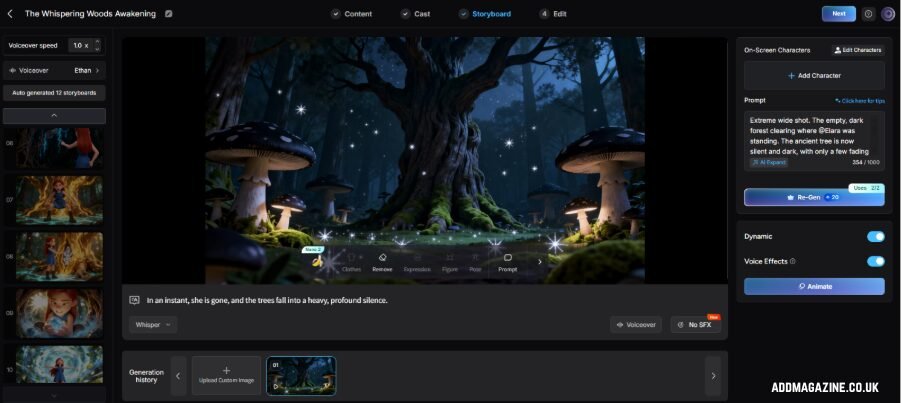
Compared with a simple location description, this prompt connects the character with the environment, creating a more complete visual scene.
3. Add Continuous Actions and Story Development
An effective AI video prompt goes beyond describing the visual setting by outlining how the action unfolds. Defining each transition and movement allows the AI to create smoother sequences and stronger narrative flow.
Instead of:
A girl explores a magical forest.
A more complete video prompt could be:
A young girl with long brown hair, wearing a blue dress and carrying a small backpack, walks through an ancient magical forest. She touches glowing plants, follows a trail of mysterious lights, discovers a hidden pathway, and slowly moves toward an unknown castle in the distance.
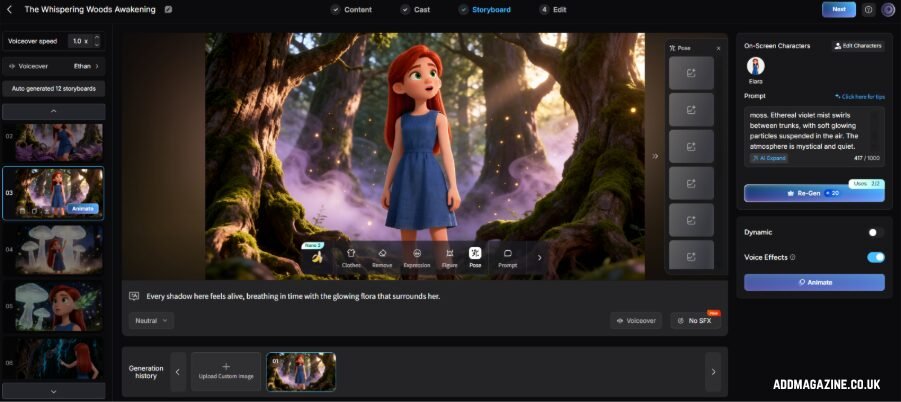
This prompt adds character movement, interaction with the environment, story progression, and visual transitions, helping AI better understand how the scene develops over time and generate a more dynamic video sequence.
By describing connected actions, creators can generate videos that feel like a continuous story rather than a collection of unrelated clips.
4. Refine the Prompt Based on the Script and Shot Sequence
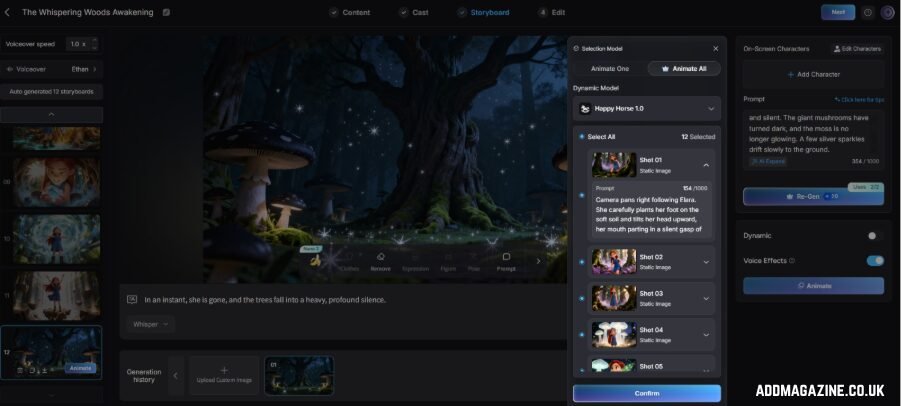
For longer AI videos, creators should develop prompts according to the script structure. Instead of generating separate scenes randomly, each shot should continue from the previous moment.
Using the same story example:
Scene 1: Entering the forest
The young girl walks into the ancient magical forest, looking around with curiosity as glowing plants light up the path.
Scene 2: Discovering the secret
The young girl follows the glowing trail deeper into the forest and discovers a mysterious hidden door covered with magical symbols.
Scene 3: Moving the story forward
The young girl slowly opens the hidden door and steps into a magical world filled with floating islands and colorful lights.
This approach helps creators maintain narrative continuity and makes AI-generated videos more suitable for storytelling projects.
Part 3. AI Video Prompt Errors That Can Ruin Your Results
Even with advanced AI video generators, the quality of the final output depends heavily on how prompts are written. Many unsatisfactory results come from prompts that lack important details, fail to describe movement, or do not maintain consistency between scenes. Understanding these common mistakes can help creators write clearer prompts and achieve more professional-looking videos.
| Common Mistake | Why It Happens | How to Improve |
| Using Vague Descriptions | Generic prompts lack details, resulting in basic and less engaging scenes. | Add information about characters, environments, emotions, and visual style. |
| Ignoring Motion and Camera Details | Without movement instructions, AI videos may look static and less cinematic. | Include character actions, camera movements, and environmental effects. |
| Creating Inconsistent Characters | Changing character details between scenes can affect story continuity. | Keep character descriptions, visual styles, and key features consistent across scenes. |
FAQs on AI Video Prompts
Can AI video prompts improve storytelling quality?
Yes. Detailed prompts help AI understand characters, scenes, and emotions, making generated videos more coherent and engaging. MagicLight AI streamlines both AI image generation and story development, enabling users to craft connected visual experiences from simple text prompts.
How can I make AI-generated videos look more realistic?
Use specific descriptions for lighting, camera movements, environments, character details, and visual styles. Clear prompts give AI more information to create realistic and visually consistent scenes.
How do AI video generators maintain character consistency?
They maintain consistency through repeated character descriptions, visual references, and connected scene workflows. MagicLight AI also supports consistent character creation, making it easier to develop multi-scene storytelling videos.
Can AI video prompts be reused for different video projects?
Yes. Creators can reuse prompt frameworks and adjust elements such as characters, locations, actions, and styles for different video types, making AI video creation faster and more efficient. It is easier to develop multi-scene storytelling videos.