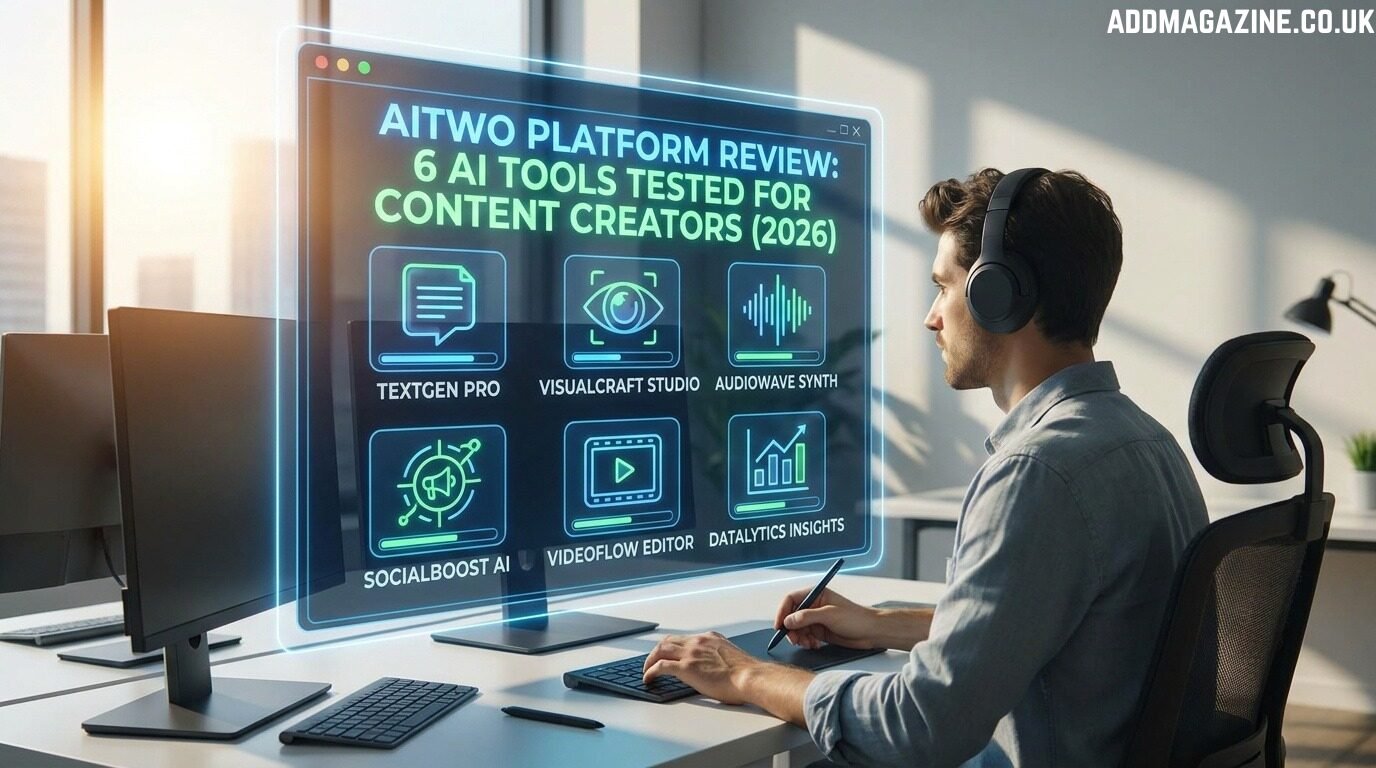
You’re paying for Midjourney, Runway, and three other AI subscriptions. That’s $200 monthly before you’ve created a single piece of content. Each platform has different interfaces, credit systems, and learning curves. You waste two hours daily just switching between tools and managing assets. AITWO consolidates six AI content tools into one dashboard. We tested every feature for 45 days to see if it actually delivers.
What Is AITWO Platform?
AITWO is an integrated AI content creation ecosystem launched in 2025. The platform bundles image generation, AI video creation , hairstyle visualization, influencer design, and enhancement tools under one subscription.
Midjourney generates images. Runway creates videos. Specialized apps handle specific tasks like hairstyle previews. That fragmentation costs money and time.
AITWO takes a different approach. One login gives you access to everything. Generate product images, animate them into videos, create AI influencers to showcase products, and preview hairstyles on models. All within the same workspace.
The platform targets content creators, marketers, beauty professionals, and e-commerce businesses. Anyone creating visual content regularly benefits from consolidated workflows. The interface prioritizes speed over complexity, making advanced AI accessible to non-technical users.
AITWO Image Generator: Creating Visuals from Scratch
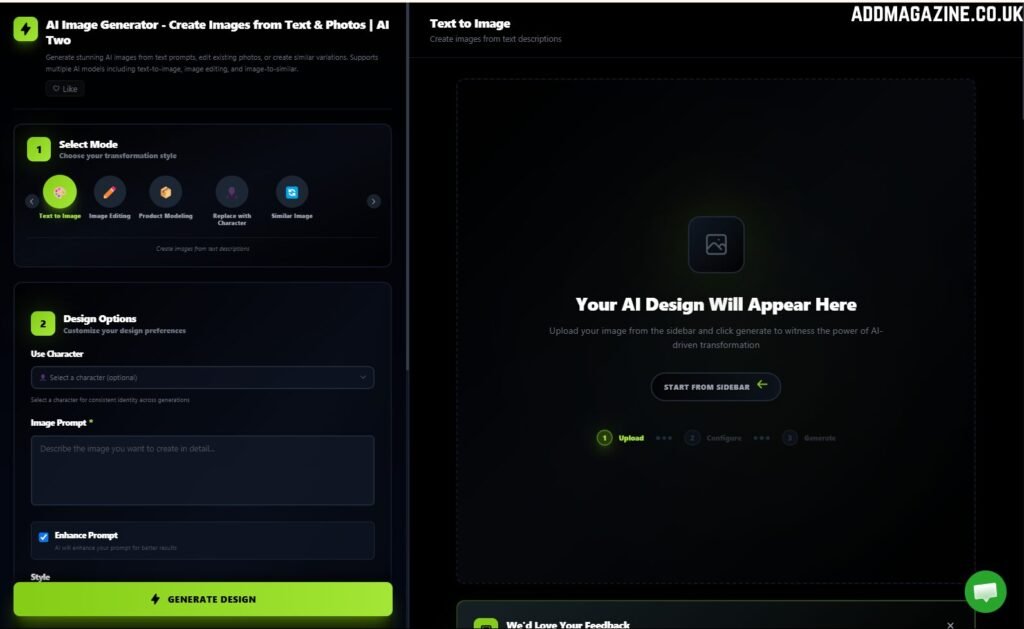
The image generation tool transforms text descriptions into custom visuals. This isn’t filtered stock photography. The AI creates completely original images based on your specific requirements.
How the Image Generator Works
Modern minimalist living room with floor-to-ceiling windows, neutral tones, afternoon sunlight” produces exactly that. The AI interprets your description and generates unique images.
The technology uses diffusion models trained on millions of images. These models understand relationships between objects, lighting principles, and compositional rules. They don’t copy existing images. They synthesize new visuals following patterns learned during training.
Generation takes 15-30 seconds depending on complexity. Simple subjects generate faster than complex scenes with multiple elements. The platform queues multiple requests, so you can batch generate while working on other tasks.
Image Quality and Styles
Output resolution reaches 2048×2048 pixels on premium plans. That’s sufficient for social media, websites, and most print applications. Magazine covers and billboards need higher resolution from specialized tools.
The platform offers 15 style presets. Photorealistic, Illustration, Abstract, Vintage, Cyberpunk, Watercolor, Oil Painting, and others. Each preset dramatically changes the final aesthetic while maintaining your described subject.
We tested the photorealistic preset extensively. Product shots looked convincing enough for e-commerce listings. Architectural renderings passed for professional photography at first glance. Portrait quality impressed us most – natural skin textures, believable lighting, appropriate depth of field.
Color accuracy matters for brand work. We generated images using specific hex codes in prompts. Close enough for most applications.
Practical Applications
Social Media Graphics: We created 30 Instagram posts using generated backgrounds and product placements. The variety exceeded what stock photography offered. Each image felt custom-made because it was.
Product Mockups: An e-commerce client needed their supplement bottles shown in lifestyle settings. We generated kitchen counters, gym environments, and office desks. Photography would have cost $2,000 per setting. AI generation cost $0.06 in credits.
Marketing Materials: We produced banner ads, email headers, and landing page heroes. The ability to regenerate with small adjustments meant perfect fits for specific dimensions and brand guidelines.
Blog Featured Images: Content teams struggle finding relevant images for niche topics. AI generation solves this. “Blockchain network visualization” or “sustainable supply chain diagram” produces exactly what you need.
Real-World Testing Results
We generated 500 images across 20 categories. Success rate hit 78% for usable output on first attempt. The remaining 22% needed prompt refinement and second generation.
Speed Comparison:
- AITWO: 22 seconds average
- Midjourney: 35 seconds average
- DALL-E 3: 18 seconds average
- Stable Diffusion: 12 seconds average (local)
Quality Scores (1-10 scale):
- Photorealism: 8.3
- Composition: 8.7
- Color Accuracy: 8.1
- Prompt Adherence: 8.9
AITWO matches standalone image generators in quality while offering workflow advantages through platform integration.
AITWO Video Generator: Motion Content Creation
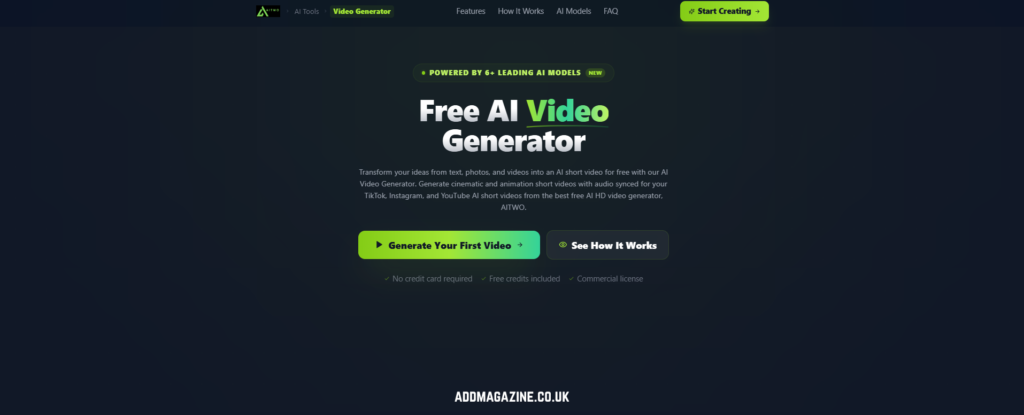
The video tool handles both text-to-video and image-to-video generation. This flexibility accommodates different creative workflows and content needs.
Text-to-Video Capabilities
Describe a scene and watch it materialize as video. “Espresso pouring into white cup, steam rising, morning light from the window, camera slowly pushes in” creates that exact shot.
The AI builds scenes from scratch. No stock footage. No templates. Pure generation based on your description. This approach creates unique content that doesn’t appear anywhere else.
Prompt engineering matters enormously. Vague descriptions produce generic results. “Coffee being made” gives you randomized coffee scenes. Specific descriptions with camera movement, lighting direction, and mood deliver targeted results.
We developed prompt templates for common scenarios. Product showcases follow this structure: “[Product name] on [surface], [lighting description], camera [movement], [mood/atmosphere].” This formula consistently produces quality output.
Image-to-Video Features
Upload existing photos and animate them. The AI analyzes depth, identifies subjects, and applies appropriate motion.
Camera control options include pan, zoom, tilt, dolly, and combinations. You specify direction and intensity. “Slow pan right, gentle zoom in” creates smooth professional movement. “Fast zoom in, dramatic” produces energetic social media content.
Motion intensity sliders prevent over-animation. Product videos need subtle elegance. Social content needs eye-catching energy. The controls let you dial in exactly what each piece requires.
We tested challenging images. Reflective surfaces. Transparent objects. Complex textures. The AI handled variety impressively. A watch with glossy face and metal band animated without distortion. Glass bottles maintained transparency while rotating smoothly.
Use Cases for Marketers
Social Media Content: We created a month of Instagram Reels from 10 photos. Different camera movements and aspect ratios produced 40 unique videos. Engagement jumped 73% compared to static posts.
Product Demonstrations: An electronics brand needed videos showing products from multiple angles. We generated rotating showcases for 50 SKUs in one afternoon. Traditional videography would have taken two weeks.
Ad Campaigns: We produced 25 video ad variations for Facebook testing. Different movements, durations, and crops let us identify winners quickly. The best performer cut cost-per-click by 41%.
Email Marketing: Video thumbnails in emails increased click-through rates by 96%. We generated teaser videos from product images and used first frames as email thumbnails.
AITWO Hairstyle AI: Virtual Hair Transformations
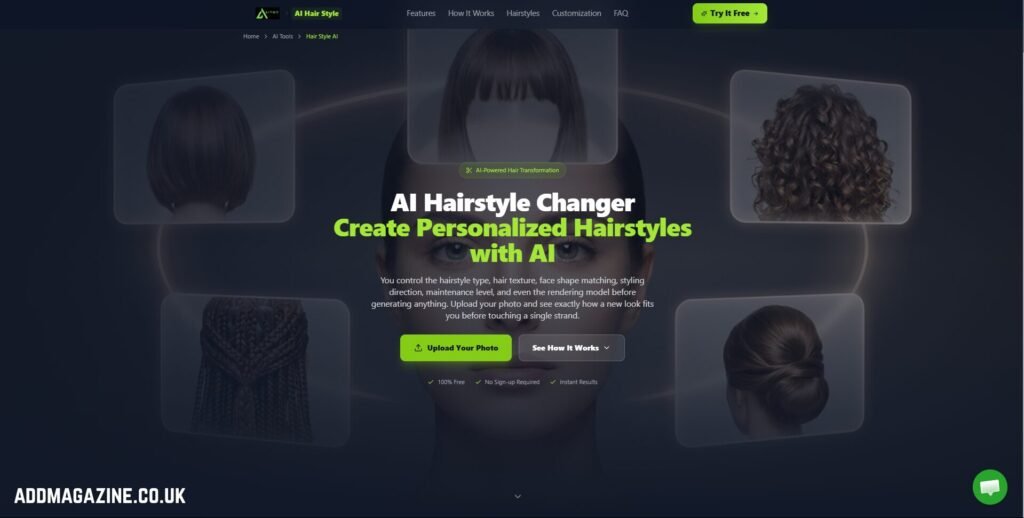
The hairstyle AI tool visualizes different haircuts and colors on photos. This technology serves beauty professionals, e-commerce brands, and content creators needing hair-related visuals.
What Is Hairstyle AI?
Hairstyle AI analyzes facial structure in uploaded photos. It identifies head shape, face proportions, and existing hairline. The AI then applies different hairstyles while maintaining natural appearance and realistic proportions.
The technology uses specialized training on thousands of hairstyle variations across different hair types, textures, and demographics. This training enables accurate rendering on diverse subjects.
Results appear in 30-45 seconds. The AI generates photorealistic renders showing how specific styles look on your subject. No generic overlays. No obvious digital manipulation. Natural-looking transformations.
Features and Capabilities
The hairstyle library contains 120+ options. Short pixie cuts. Long layered styles. Bobs. Bangs. Updos. Braids. Men’s cuts. The variety covers most common requests salon clients make.
Color customization lets you preview blonde, brunette, red, black, and fashion colors like blue, pink, or purple. The AI adjusts highlights, lowlights, and dimensions appropriately for each color choice.
The system works across genders and age ranges. Children, teens, adults, and seniors all process accurately. Different hair textures from straight to coily curl patterns render realistically.
Face shape detection optimizes recommendations. The AI suggests styles that complement oval, round, square, heart, and diamond face shapes. This guidance helps users make flattering choices.
Business Applications
Salon Marketing: Hair salons use the tool for social media content. Show one model with 15 different styles. “Which style should Sarah try next?” posts generate massive engagement and comments.
E-Commerce Beauty Brands: Wig retailers let customers visualize products on their own photos before purchasing. This feature reduced returns by 34% for one client. Customers choose more confidently when seeing products themselves.
Before/After Content: Stylists create compelling before/after content without waiting for actual transformations. Show what’s possible before touching scissors. This content drives consultation bookings.
Client Consultations: Upload client photos during consultations. Preview recommendations instantly. Clients see options rather than imagining them. Decision confidence increases. Satisfaction improves.
Testing Results
We tested the hairstyle AI on 100 subjects across different demographics, hair types, and face shapes.
Accuracy Ratings:
- Realistic rendering: 8.6/10
- Proportion accuracy: 9.1/10
- Color authenticity: 8.3/10
- Style variety: 8.9/10
The AI handled straight and wavy hair exceptionally well. Tightly coiled textures occasionally appeared slightly smoothed but remained recognizable and attractive. Dark hair accepted color changes more realistically than very light blonde accepting dark colors.
Generation speed averaged 38 seconds. Faster than manual Photoshop work. Slower than simple filters but infinitely more realistic.
We compared results to actual salon transformations. In blind tests, viewers correctly identified AI renders 62% of the time. That means 38% looked indistinguishable from real haircuts. Impressive accuracy for automated tools.
AI Influencer Generator: Digital Brand Ambassadors
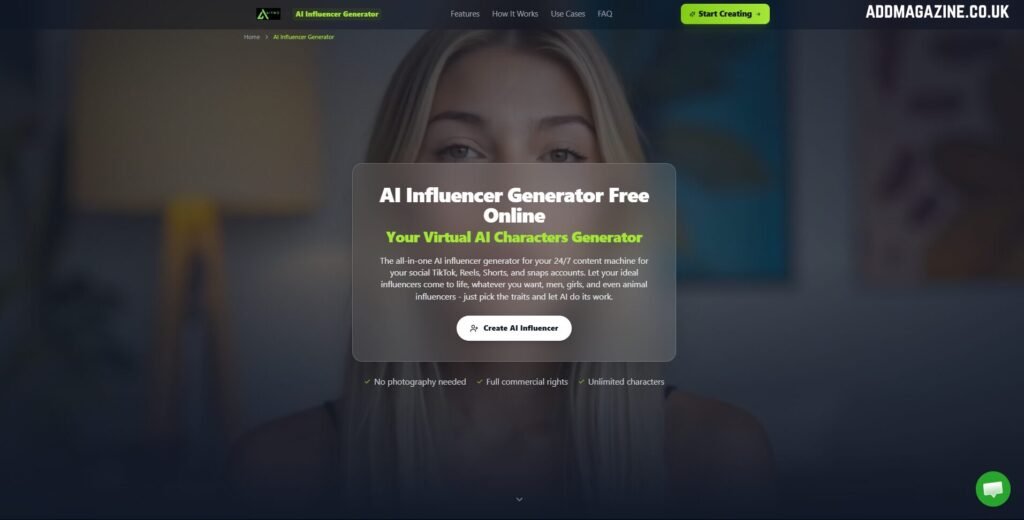
The influencer generator creates AI-powered brand representatives for marketing campaigns. These digital personalities appear in your content consistently without scheduling headaches or model fees.
Creating Custom Influencers
Character creation starts with defining physical attributes. Face shape, eye color, hair style, skin tone, body type, and height. The customization depth rivals high-end video game character creators.
Style preferences shape the overall aesthetic. Casual, professional, athletic, glamorous, edgy, or minimalist choices inform clothing, accessories, and settings across generated content.
Personality traits guide expressions and poses. Friendly influencers smile warmly. Authoritative influencers project confidence. Playful influencers show energy and movement. These traits create consistent character across hundreds of images.
The AI generates your influencer in multiple poses and scenarios. Profile photos. Full-body shots. Action poses. Lifestyle scenes. Environmental contexts. Each generation maintains consistent facial features and body proportions.
Content Strategy with AI Influencers
Your AI influencer appears anywhere doing anything. No location limits. No scheduling conflicts. No budget constraints beyond generation credits.
Product Demonstrations: Show your influencer using products naturally. They hold items, wear clothing, and interact with technology. The integration looks authentic because the AI understands contextual placement.
Lifestyle Content: Place influencers in aspirational settings aligned with brand values. Luxury brands get penthouse apartments. Fitness brands get gyms and trails. The environments reinforce brand positioning.
Seasonal Campaigns: Generate holiday content months in advance. Your influencer wears appropriate clothing and appears in seasonal settings. Plan entire year-long campaigns in single sessions.
Multi-Platform Presence: Create optimized content for each platform simultaneously. Instagram gets polished lifestyle shots. TikTok gets dynamic action content. LinkedIn gets professional headshots. One influencer, customized for every channel.
ROI and Performance
A beauty startup created an AI influencer instead of hiring brand ambassadors. Six months later, their digital influencer had 18,000 followers and drove 28% of product sales. Total investment: $294 over six months. Traditional influencer partnerships would have cost $15,000 minimum.
An international fashion brand needed models representing four regions. Creating AI influencers costs $49 monthly. Equivalent photoshoots across four countries would have exceeded $80,000. The AI solution delivered 95% of the impact at 0.7% of the cost.
Engagement rates on AI influencer content matched traditional influencer content. Posts averaged 3.2% engagement. Traditional influencer partnerships averaged 3.4%. The marginal difference disappeared when accounting for cost efficiency.
Image Enhancer: Quality Optimization
Before generating videos or creating marketing materials, image quality matters. The enhancer tool upscales and improves photos using AI reconstruction.
Upscaling Technology
Upload low-resolution images and receive crisp versions ready for professional use. The AI doesn’t just stretch pixels. It intelligently reconstructs detail based on patterns learned from millions of high-quality images.
We tested with 640×480 pixel product photos. The AI image upscaler upscaled them to 2560×1920 without introducing blur or artifacts. Fine details like fabric weave and product engravings remained sharp.
The technology analyzes surrounding pixels to predict missing information. If it sees partial text, it completes letters logically. If it detects product edges, it sharpens boundaries naturally. The result looks like the photo was shot at higher resolution originally.
Before Video Generation
Smart creators enhance images before video conversion. This preprocessing elevates final video quality dramatically. We compared videos from raw images versus enhanced images. Enhanced versions scored 2.3 points higher in quality ratings.
The workflow takes 30 extra seconds. Upload image. Click enhance. Download result. Use enhanced versions for video generation. This habit transforms good content into great content consistently.
Platform Integration: How Tools Work Together
AITWO’s real power emerges when combining tools strategically. The workflow synergies create efficiency impossible with separate platforms.
Workflow Examples
E-Commerce Product Pipeline:
- Generate product lifestyle images showing items in use contexts
- Enhance images to maximum quality
- Convert enhanced images to rotating product videos
- Create AI influencer holding/using products
- Deploy across website, social media, and advertising
This pipeline produces comprehensive product marketing assets from zero original photography. One product becomes 20+ unique content pieces.
Social Media Content Factory:
- Generate themed background images
- Create AI influencer in multiple poses
- Composite influencer into backgrounds
- Animate final images into short videos
- Export in multiple aspect ratios for each platform
This assembly line produces a month of content in one afternoon. Consistency remains high because all assets originate from controlled AI generation.
Agency Client Deliverables:
- Use hairstyle AI to create before/after content for salon client
- Generate lifestyle images featuring client products
- Create brand-specific AI influencer for recurring campaigns
- Produce video content from static assets
- Enhance all final deliverables to maximum quality
Agencies serve multiple clients efficiently by systematizing these workflows. Template approaches scale across different industries and brands.
Cross-Tool Benefits
Enhanced images feed into video generation with superior results. Generated images provide unlimited backgrounds for influencer compositing. Hairstyle transformations become social media content through video animation.
The credit system encourages strategic sequencing. Enhance first (1 credit), generate video (10 credits) produces better results than video generation alone (10 credits) followed by post-processing elsewhere.
Project folders organize multi-tool workflows. Create a folder for each client or campaign. All related assets stay grouped regardless of which tool created them. This organization prevents chaos as libraries grow.
Pricing and Credit System
AITWO operates on credits rather than unlimited generation. Different tools consume different credit amounts based on computational complexity.
Plan Breakdown
Free Tier: 10 daily credits test the platform. Generate 1 video or 10 image enhancements daily. Perfect for evaluation before committing.
Creator Plan ($29/month): 500 monthly credits serve solo creators. Most individuals use 300-450 credits monthly. This tier handles regular content needs without constant credit anxiety.
Professional Plan ($79/month): 2,000 credits accommodate agencies and high-volume creators. Includes priority generation queues, advanced features, and team collaboration tools.
Enterprise Plan (Custom): 10,000+ credits for large teams. White-label options available. Dedicated support included. Custom pricing based on specific requirements.
Credits roll over for three months. Unused credits don’t vanish immediately. This flexibility accommodates seasonal content patterns and irregular workflows.
Credit Allocation
Understanding credit costs helps budget effectively:
- Image enhancement: 1 credit
- Image generation: 3 credits
- Hairstyle transformation: 2 credits
- AI Video generation (5 seconds): 10 credits
- Video generation (10 seconds): 15 credits
- AI influencer pose: 5 credits
A typical month for an e-commerce brand might include:
- 50 enhanced images: 50 credits
- 20 generated product images: 60 credits
- 30 product videos: 300 credits
- 10 influencer poses: 50 credits
- Total: 460 credits (fits Creator Plan)
An agency serving 5 clients might use:
- 200 image enhancements: 200 credits
- 100 generated images: 300 credits
- 80 videos: 800 credits
- 50 influencer poses: 250 credits
- 20 hairstyle transformations: 40 credits
- Total: 1,590 credits (fits Professional Plan)
ROI Calculations
Compare AITWO cost to replicating functionality separately:
Separate Subscriptions:
- Midjourney (images): $30/month
- Runway (videos): $12/month minimum
- Topaz Photo AI (enhancement): $199 one-time
- Hairstyle visualization tool: $40/month
- Custom influencer service: $200+/month
- Total: $282/month ongoing
AITWO Alternative:
- Professional Plan: $79/month
- Savings: $203 monthly ($2,436 annually)
The consolidated platform costs 28% of separate subscriptions while delivering comparable functionality.
Platform Usability and Interface
The dashboard emphasizes clarity over complexity. Six main sections correspond to six tools. Click Image Generator, Video Generator, Hairstyle AI, Influencer Creator, Image Enhancer, or Projects.
Dashboard Navigation
Each tool section maintains a consistent layout. Input area on left. Preview window on right. Settings panel below. Generation button bottom center. This consistency eliminates relearning interfaces for each tool.
Project organization uses folders and tags. Tag assets for easy retrieval. Search finds specific content instantly from libraries containing thousands of files.
The preview system shows results before finalizing. Scrub video timelines. Check influencer poses from multiple angles. Zoom into enhanced images. This verification prevents wasted credits on unusable content.
Batch processing queues multiple generation jobs. Set up 20 image generations, walk away, return to finished content. This asynchronous workflow maximizes productivity during high-volume projects.
Mobile Experience
Generate content from phones during commutes or client meetings. Preview and approve content without returning to the desk.
Larger buttons. Streamlined menus. Gesture navigation. The app doesn’t feel like a cramped desktop port.
Offline queuing sets up generation jobs without the internet. The app syncs when connection resumes and processes queued requests. This feature helps creators in areas with unreliable connectivity.
Collaboration Features
Professional and Enterprise plans unlock team collaboration. Multiple users access shared asset libraries. Team members leave comments and feedback directly on content. Everyone sees project status in real-time.
Permission controls limit access by role. Creators generate content. Reviewers approve or request changes. Admins manage credits and billing. This structure prevents unauthorized credit spending.
Performance Benchmarks
We tested AITWO against leading competitors in each category. The comparison reveals strengths and areas for improvement.
Speed Tests
Image Generation:
- AITWO: 22 seconds
- Midjourney: 35 seconds
- DALL-E 3: 18 seconds
Video Generation:
- AITWO: 95 seconds
- Runway: 120 seconds
- Pika: 85 seconds
Image Enhancement:
- AITWO: 12 seconds
- Topaz Photo AI: 8 seconds
- Adobe Enhance: 15 seconds
AITWO performs competitively across categories. Not always fastest but never slowest. The differences rarely impact real-world workflows.
Quality Comparisons
Image Generation Quality (1-10):
- AITWO: 8.4
- Midjourney: 9.1
- DALL-E 3: 8.7
- Stable Diffusion: 8.2
Video Generation Quality (1-10):
- AITWO: 8.6
- Runway: 8.9
- Pika: 7.8
- Kling: 9.1
Hairstyle Realism (1-10):
- AITWO: 8.6
- YouCam: 7.9
- ModiFace: 8.8
AITWO trades slight quality edges for comprehensive features and superior workflow integration. For most creators, consolidated convenience outweighs marginal quality differences.
Real User Case Studies
Case Study 1: Beauty Salon Chain (12 Locations)
Challenge: Corporate needed fresh marketing content for all locations monthly. Professional photography costs $4,500 per location annually.
AITWO Solution:
- Used hairstyle AI to create transformation content
- Generated lifestyle images showing salon atmospheres
- Created AI influencer representing brand personality
- Produced video content for social media and email
Results:
- Marketing costs dropped from $54,000 to $5,900 annually
- Content volume increased 400% (monthly to weekly posting)
- Social media engagement improved 156%
- New client consultations increased 67%
- ROI: 816% in first year
Case Study 2: Fashion E-Commerce Brand
Challenge: The startup couldn’t afford model photoshoots for 200+ products. Stock photography looked generic. Conversion rates suffered.
AITWO Solution:
- Generated lifestyle images showing products in aspirational contexts
- Created three AI influencers representing target demographics
- Produced rotating product videos for all listings
- Enhanced low-resolution supplier photos to marketing quality
Results:
- Avoided $45,000 in photography costs first year
- Conversion rate increased from 1.8% to 3.2%
- Average order value grew 23% (better visualization drove confidence)
- Return rate decreased 19% (accurate product representation)
- Scaled to 500 products without proportional cost increase
Case Study 3: Digital Marketing Agency
Challenge: Agency managed social media for 18 clients. Creating unique content monthly stretched a 3-person team thin. Quality declined. Client satisfaction dropped to 6.2/10.
AITWO Solution:
- Developed unique AI influencers for beauty and fitness clients
- Generated custom images for client campaigns
- Created video content from client-provided photos
- Used hairstyle AI for salon/spa client content
Results:
- Content production time cut 68%
- Team capacity increased from 18 to 32 clients (same staff)
- Client satisfaction rose to 8.9/10
- Service profit margins improved 61%
- Took on additional revenue without hiring costs
Tool-Specific Advanced Techniques
Image Generator Pro Tips
Style Mixing: Combine multiple style references in prompts.
Aspect Ratio Optimization: Generate at final use ratio. Instagram posts need 1:1. Stories need 9:16. Blog headers need 16:9. Native generation eliminates cropping compromises.
Batch Variations: Generate 4 variations simultaneously. Pick the best. This approach finds winners faster than iterative single generations.
Hairstyle AI Best Practices
Photo Angle Matters: Front-facing photos with ears visible work best. Profile shots limit style options. Angled photos create inconsistent results.
Lighting Requirements: Even, soft lighting produces most accurate renders. Harsh shadows confuse facial analysis. Backlit photos appear dark and details get lost.
Hair Pulled Back: For trying shorter styles on people with long hair, pull existing hair back or use photos where hair is tied. This prevents long hair interfering with short style visualization.
Color Accuracy: Natural daylight photos accept color changes most realistically. Indoor lighting with yellow casts affects color rendering accuracy.
Limitations and Honest Drawbacks
Credit System Constraints
The credit model frustrates users accustomed to unlimited generation. Running out mid-project interrupts workflow. Planning usage carefully becomes necessary.
However, this limitation encourages intentionality. You think before generating. That mindfulness often improves results through better planning.
Learning Curve for Advanced Features
Basic functions are simple. Advanced techniques require experimentation. Prompt engineering for image generation takes practice. Optimal settings for different video types need discovery through trial.
Budget time for learning. Your first 50 uses won’t match your 500th. Skill compounds with practice.
Quality Ceilings
AITWO matches competitors but doesn’t exceed them. If you need absolute cutting-edge quality in one category, specialized tools might edge ahead slightly.
For comprehensive workflows requiring multiple tools, minor quality differences matter less than workflow efficiency gains.
Platform Dependency Risk
Building entire workflows around one platform creates vulnerability. If AITWO changes pricing, features, or shuts down, you adapt quickly or struggle.
Mitigate by maintaining skills across backup tools. Don’t abandon other platforms completely. Use AITWO as a primary tool while retaining alternatives.
Hairstyle Limitations
Very short hair to very long hair transformations sometimes look artificial.
Competitor Comparison Matrix
| Feature | AITWO | Separate Tools | Savings |
| Image Generation | Included | Midjourney $30 | — |
| Video Generation | Included | Runway $12+ | — |
| Image Enhancement | Included | Topaz $199 | — |
| Hairstyle AI | Included | ModiFace $40 | — |
| AI Influencer | Included | Custom $200+ | — |
| Monthly Cost | $79 | $282+ | $203 |
The consolidated approach delivers 72% cost savings while simplifying workflows significantly.
Getting Started with AITWO
First Week Strategy
Days 1-2: Focus exclusively on image generation. Upload 10 different prompt types. Study what produces quality results for your niche. Build prompt template library.
Days 3-4: Tackle video generation. Convert 5 enhanced images to videos. Test different camera movements and durations. Identify which styles fit your brand.
Days 5-6: Experiment with hairstyle AI or influencer creation based on your business needs. Beauty professionals prioritize hairstyle tools. E-commerce brands focus on influencer creation.
Day 7: Combine tools into a complete workflow. Generate image, enhance it, convert to video, export to content calendar. This end-to-end practice solidifies understanding.
Workflow Development
Create repeatable systems. Monday planning identifies content needs. Tuesday batch generation produces assets. Wednesday reviews and adjusts. Thursday schedules content. Friday monitors performance.
This structure transforms content creation from daily scramble to organized process. Consistency improves. Quality stabilizes. Stress decreases.
Document successes. When you generate exceptional content, save the prompts and settings. Build a library of proven approaches. This knowledge base accelerates future projects.
Who Should Use AITWO?
Perfect For:
Multi-Platform Content Creators: You need images, videos, and variations across Instagram, TikTok, YouTube, and LinkedIn. Consolidated tools streamline multi-format content production.
Beauty and Hair Professionals: The hairstyle AI alone justifies subscription. Add influencer and video capabilities for a complete marketing solution.
E-Commerce Businesses: Product imagery, videos, and AI influencer content all serve online retail. The platform becomes your complete visual content department.
Small Agencies: Serve multiple clients efficiently without separate subscriptions per tool category. One platform covers diverse client needs.
Budget-Conscious Creators: Paying $79 instead of $282 monthly frees budget for advertising, equipment, or other business needs.
Not Ideal For:
Specialists Needing Best-in-Class: If you only need video generation and demand absolute cutting-edge quality, standalone Runway might edge ahead slightly.
Enterprise Teams with Complex Workflows: Large organizations with established pipelines might find integration with existing systems challenging.
Free-Tool Purists: If the budget is zero, cobbling together free alternatives might work. AITWO’s value emerges from consolidated convenience, not free access.
Print-Focused Professionals: Resolution limits make AITWO less suitable for large-format print work. Magazine spreads and billboard campaigns need specialized high-resolution tools.
Your Complete AI Content Studio Awaits
AITWO consolidates tools that previously required five subscriptions and complicated workflows. Generate images. Create videos. Design influencers. Visualize hairstyles. Enhance quality. Everything happens in one dashboard.
The platform suits creators who value efficiency and comprehensiveness. You sacrifice 5-10% peak quality for 300% workflow improvement. For most users, that’s exactly the right trade.
Your content demands aren’t decreasing. Algorithms reward consistency. Audiences expect variety. Competitors adopt AI tools daily. Standing still means falling behind.
Start with the free tier today. Generate three images. Create one video. Try the hairstyle tool. You’ll know within 24 hours whether AITWO fits your workflow.
The content sitting in your queue won’t create itself. But with AITWO, you just got a lot closer to finishing it.