Introduction
Finding the best AI image generator in 2026 is harder than it first seems. Many tools can now create images from text prompts, but not every tool fits a real content workflow. For creators, marketers, and small business owners, it is often more useful to have a tool that can generate images, edit visuals, support brand assets, and create short videos when needed.
The right AI image generator can make visual content creation faster and easier to manage, especially for social media images, blog banners, product photos, and short-form video assets.
In this review, we compare 5 popular AI image generation tools to see which one works best for different creative needs.
Oreate AI Image Generator: Best for Text-to-Image and Image-to-Image Generation
Oreate AI image generator is a fully online image generation tool built for both text-to-image and image-to-image creation. It runs on advanced models including GPT Image 2 and Nano Banana, so you get high-quality, realistic results without downloading software or jumping between apps.
You can start from scratch with a simple text prompt, or upload a reference image to guide the output. We found that reference images make a noticeable difference—faces look more natural, product shots stay on-brand, and the overall composition feels far more intentional.
Edit and Enhance Images You Already Have
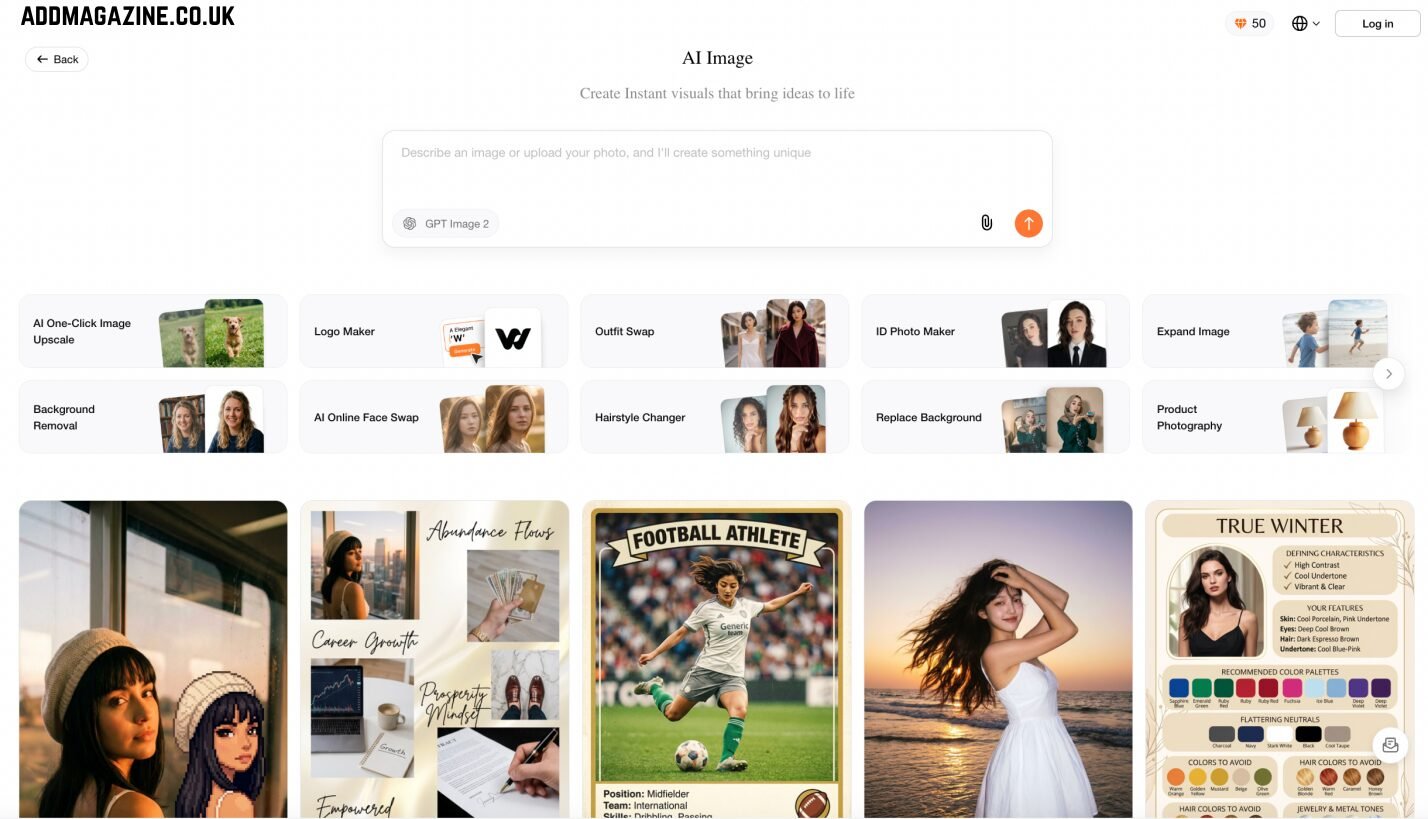
Beyond generating new visuals, Oreate AI lets you rework existing photos through a single dashboard. The built-in tools cover most everyday editing tasks:
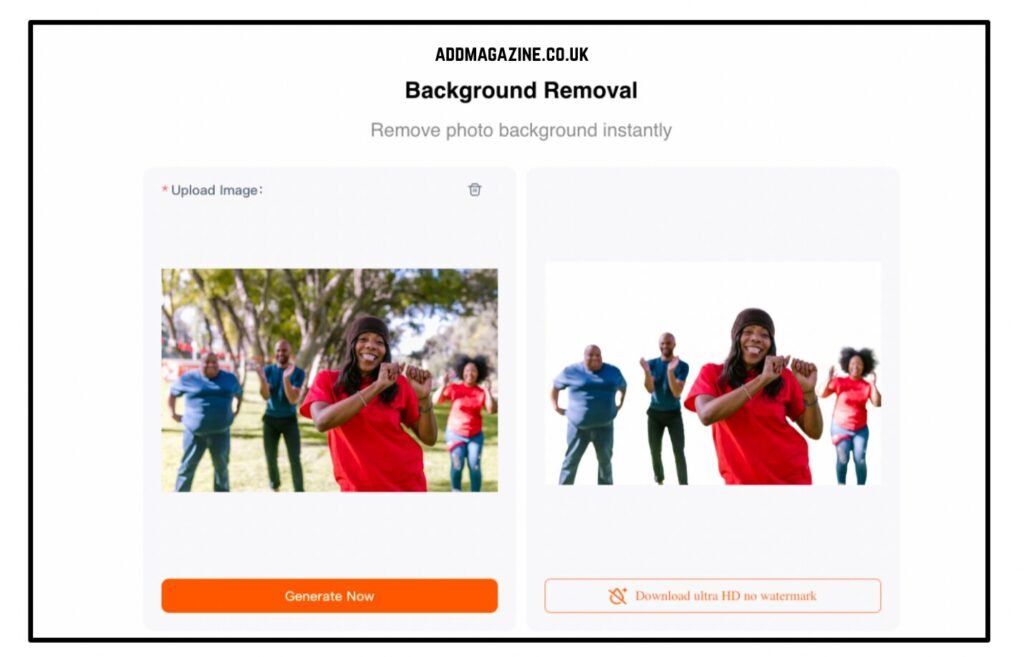
- Background Removal – Instantly cut out subjects for clean composites or transparent PNGs.
- Replace Background – Swap in a new scene or solid color in seconds.
- Expand Image – Extend the canvas and fill in missing edges automatically.
- Logo Maker – Generate brand-ready logos from simple prompts.
- AI Online Face Swap – Swap faces realistically while keeping lighting and expression consistent.
Everything happens in the same browser tab. You don’t need to export to Photoshop or hunt for separate AI utilities.
Who It’s Best For
- E-commerce sellers – Polish product photos for listings and ads without hiring a studio.
- Content creators – Make thumbnails, banners, and social visuals quickly.
- Individuals – Get quick headshots, ID photos, or personal portraits without a photographer.
- Small teams and freelancers – Handle multiple visual tasks in one tool instead of subscribing to several apps.
The free plan lets you test the core features before committing, though heavy users will want to upgrade for more credits.
How to Use Oreate AI Image Generator to Create Visuals?
We used the following steps to create visual content using Oreate AI. Check them out, they can be helpful.
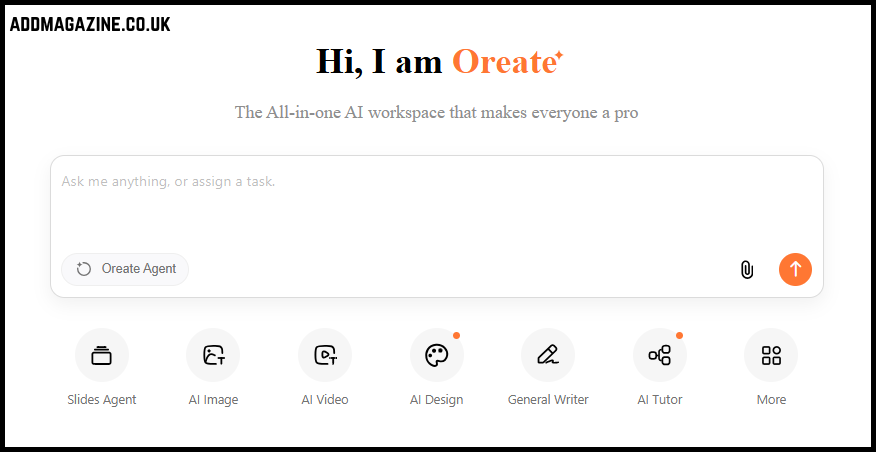
Step 1: Open AI Image
Log into Oreate AI and click AI Image to open the image generator.
Step 2: Write Your Prompt or Upload a Reference
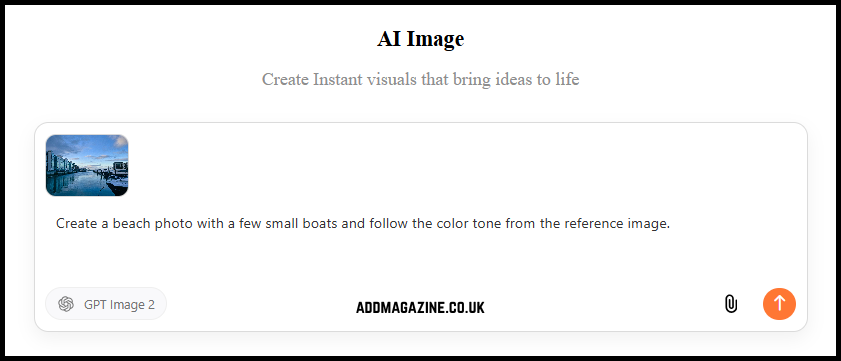
In the prompt box, write your prompt. You can also upload reference images or use a built-in template.
Step 3: Choose Task Specific Tools
You have AI headshot, outfit swap, background removal, and other tools at your disposal. Choose whatever fits your needs. Then, upload reference images and enter your prompt.
Step 4: Generate the Image
Click the upward arrow to generate the image and check if the output is up to your liking.
Step 5: Edit or Refine the Output
You can modify the prompt or change visual references to get better outputs.
Other AI Image Generators Worth Considering
We also reviewed some other popular AI image generators on the market. Loved some of them, found some gaps, and the detailed experience is here.
Midjourney
Midjourney worked excellent when we tried to generate artistic and highly creative visuals.
The strongest features of Midjourney are:
- Exceptional artistic quality of outputs
- Versatile styling capacity
- Great for concept art
But the tool has a learning curve, so beginners might not be able to generate very good outputs with it. And it is more suitable for creative artists rather than business users. Also, Midjourney is somewhat limited when it comes to practical editing tasks.
ChatGPT Image Generation
It is the most commonly used AI image generator for general purposes. The output quality highly depended on how detailed the prompt is, during our tests.
Strong sides of ChatGPT:
- Natural language prompts work well
- The tool sticks to the prompt almost always
- Feels like chatting which is easy for many users
But ChatGPT doesn’t have a template library. Also, the editing performance of ChatGPT isn’t extraordinary.
Adobe Firefly
Many professional creative teams use this tool because of its integration with Adobe Creative Cloud. We had to spend some time to get a hang of the interface.
Its strong sides are:
- Business-friendly workflow
- Excellent editing capabilities
- Huge template collections
But the user interface isn’t easy for new users.
Canva AI Image Generator
If you work with social media, Canva AI image generator is great for fast outputs.
Canva can:
- Generate AI images with minimal prompts
- Use references from a template library
But it isn’t great for artistic image or video generation. Also, AI image controls aren’t up to the mark.
Conclusion
The best AI image generator will not be the same for everyone, because great image quality or artistic outputs aren’t the sole factors in AI image generation. Each user needs something different and most tools don’t offer all of them.
Among the tools reviewed. Oreate AI is a practical option for users who want AI image generation, reference image upload, image editing tools, templates, and optional AI video generation in one workflow.
Test Oreate AI with your prompts and images to see if it meets your expectations.
FAQs
Is Oreate AI free to use?
Oreate AI offers free credits so that you can test image and video generation before upgrading to a paid plan.
What can Oreate AI Image Generator do?
Oreate AI can generate images from text prompts, create headshots and product visuals, upscale or expand images, and remove background.
Can Oreate AI generate videos?
Yes, Oreate AI can generate videos from text prompts or reference images.
Who is Oreate AI suitable for?
Oreate AI is suitable for content creators, business owners, and marketers.
Does Oreate AI support reference image uploads?
Yes, users can upload references images for image and video generation.
Do AI-generated images and videos still need editing?
Yes, sometimes. You may need to refine prompts and adjust branding before publishing AI-generated content.