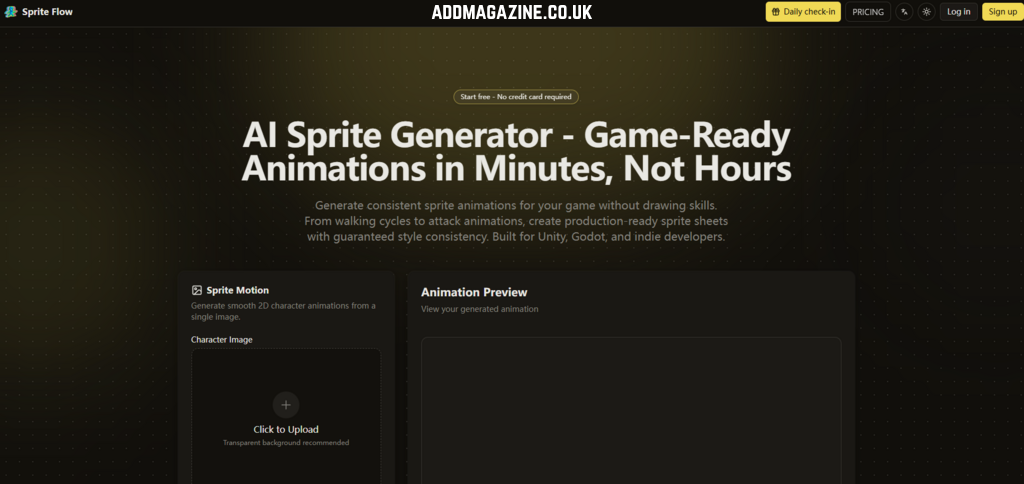
The indie game development boom has created a strange new bottleneck. Programming skills have never been more accessible, game engines have never been more powerful, but the pixel art pipeline—the actual visual layer that makes a game feel like a game—remains stubbornly manual. For every solo developer who can code a combat system in an afternoon, there’s a sprite sheet sitting half-finished for weeks.
Building a single game-ready character with idle, walking, and combat animations can easily demand over 20 hours of work, with production costs typically ranging from $500 to $5,000. That’s not a workflow problem. That’s a structural barrier. AI Sprite Generator enters this gap not as a magic wand, but as something more interesting: a practical tool that actually addresses the core failure point of AI-generated game art.
Style consistency has been the quiet killer of AI sprite tools since they first appeared. Generate a walking cycle, and frame one looks sharp. Frame eight looks like a different character drew it. Colors shift. Line thickness wobbles. Proportions drift. The result is unusable for any serious project, and developers rightly abandoned these tools after a few frustrating tests. SpriteFlow takes a different approach by locking down what matters: color palette, detail level, and proportions across every single generated frame. The system trains on your chosen art style once—whether that’s pixel art, 2D cartoon, anime, or custom reference images—and then applies that style rigidly across every animation it produces. This isn’t about generating beautiful standalone images. It’s about generating frames that actually belong together.
The Real Test: Can It Handle a Full Character Sheet?
Theory is cheap. The only question that matters is whether this tool can produce assets that survive contact with an actual game engine.
Test Setup: A Standard Indie Workload
The character description was straightforward: a hooded rogue with a short sword, pixel art style, 16-bit aesthetic. No reference images uploaded—just the text prompt and the pixel art preset. The goal was to see if the tool could deliver a usable baseline in a reasonable timeframe.
The Generation Process: Three Steps, No Surprises
The workflow is refreshingly direct. Upload a character image or describe your character’s appearance, choose an art style preset (pixel art, 2D cartoon, anime), or train the AI on your own reference images. Then select the animation type—walk, idle, attack, jump—set frame count and speed, and click generate. The system produces all animation frames with consistent style in under 60 seconds per animation. For the full character set (idle, walk, run, jump, attack), the total generation time landed around six minutes. That’s not hyperbole. That’s a measurable improvement over the 20+ hours required for manual pixel art.
Style Consistency: Where the Tool Proves Itself
The real test came in the frame-by-frame comparison. Export the sprite sheet, load it into Aseprite, and check the alignment. The color palette held perfectly across all five animations. Line weight remained consistent. The character’s proportions didn’t warp between frames. This is the core differentiator: SpriteFlow locks your color palette, art style, and proportions, so every sprite matches perfectly whether you generate ten or a thousand characters. In practice, this means you can generate a walking cycle today and an attack animation six months later, and they’ll look like they were drawn by the same hand.
Export and Engine Integration: The Unseen Time Saver
Generating the sprites is only half the battle. The real friction in game development is the setup work: slicing the sprite sheet, mapping frames to animations, configuring collision boxes, setting up animation controllers. SpriteFlow addresses this with one-click export to Unity, Godot, or Unreal. The export includes a sprite sheet atlas (PNG), JSON metadata with frame positions and durations, animation controller presets, and collision box suggestions. For Godot, it exports AnimatedSprite format with.tres resource files and properly named sprite frames. This is not a nice-to-have. It’s the difference between a tool that generates art and a tool that generates production-ready assets.
The Workflow That Actually Makes Sense for Indie Developers
The three-step process is deceptively simple, but the real value emerges when you understand how it fits into a development pipeline.
Step One: Upload or Describe
Upload a character image or describe your character’s appearance in text. Choose an art style preset—pixel art, 2D cartoon, anime—or upload 3-5 reference images to train the AI on your exact art style. The style training extracts your color palette, line thickness, detail level, and proportions. This is the foundational step. Get the style right once, and every subsequent generation inherits it.
Why Style Training Matters More Than You Think
Most AI art tools generate one-off images. SpriteFlow generates families of images that need to coexist in the same game world. The style training step is not optional fluff. It’s the mechanism that prevents the “different artists drew each frame” problem that has plagued AI sprite tools. Frame one and frame one hundred look identical in style.
Step Two: Choose Animation and Generate
Select animation type from the dropdown—idle loop, walk cycle (6-8 frames), run, jump, melee attack, ranged attack, magic cast, hit reaction, death, crouch, roll/dodge, climb, swim, victory. Set frame count (6-12 frames typical) and adjust frame rate (8 FPS for retro pixel art, 12-24 FPS for smooth modern 2D). Click generate.
Directional Support: The RPG and Strategy Game Factor
One character base generates all eight angles. This is a specific feature that addresses a specific pain point: manually drawing eight directional views of the same character is tedious, error-prone, and expensive. The automation here is not about speed. It’s about feasibility. Without this feature, many indie RPGs simply don’t get made.
The Export Formats That Actually Matter
Export options cover multiple asset formats, including PNG sprite sheets paired with JSON animation data, as well as XML files compatible with frameworks such as Starling and Cocos2D. Developers can also generate engine-ready assets for Unity, Godot, and Unreal, complete with properly organized animation resources and project files. Every frame may be saved as an individually numbered PNG sequence or packaged as an animated GIF for quick review. Additional export settings allow the original resolution, higher-resolution scaling (2× or 4×), and automatic power-of-two canvas adjustment for improved engine compatibility.
Character Variations: The Feature That Changes the Economics
Creating multiple character versions the old way takes a huge amount of work. Every outfit, hairstyle, weapon, or color change usually means redrawing the entire animation from start to finish, turning each variation into a project that can consume more than 20 hours. SpriteFlow streamlines this process by starting with a single base sprite sheet. Once the character’s proportions, poses, and animation style are fixed, you can update clothing, hair, equipment, or color schemes while preserving the original motion. Fresh variations are ready in just two or three minutes instead of requiring a complete redraw.
Practical Use Cases for Variations
RPG customizable characters benefit directly. Strategy game team colors become trivial to implement. Unlockable cosmetics no longer require an art budget that rivals the game’s entire development cost. NPC variations—dozens of unique characters with consistent art style—become feasible for small teams. The time saving is not incremental. It’s orders of magnitude.
The Asset Store Alternative: A Nuanced Comparison
A practical approach is to begin with a professionally designed sprite collection and use it as the visual foundation for AI training. Once the model understands that artistic style, it can produce an endless range of original character sprites while maintaining a consistent look, allowing developers to expand their game with distinctive artwork that remains visually cohesive.
Who Actually Benefits From This Tool?
The tool positions itself for specific developer profiles, and the segmentation is worth examining.
Solo Indie Developers
This is the core audience. Developers who can code but cannot draw. Developers who need to test gameplay mechanics before committing to art polish.
RPG and Strategy Game Developers
The directional support is the differentiator here. Manual 8-directional sprite creation is prohibitively expensive for most indie teams.
Mobile and Casual Game Developers
The variation feature matters most for these genres, where content volume drives engagement.
Where the Tool Falls Short
Honest assessment requires acknowledging limitations. It’s a replacement for the tedious baseline work that prevents developers from reaching the polish phase.
Prompt Quality Matters
The output quality depends heavily on the input quality. Vague character descriptions produce generic results. The tool provides style presets and reference image training to mitigate this, but the user’s ability to articulate visual requirements still affects the outcome.
Complex Scenes May Require Multiple Attempts
While the style consistency is robust, complex poses or unusual character designs may require regeneration. The tool generates frames quickly, so multiple attempts are not costly in time, but they are a consideration for developers with specific visual requirements.
Not a Replacement for Hero Character Polish
The tool’s documentation acknowledges this directly: “Many developers use AI for 90% of sprites and Aseprite only for hero characters”. This is not a limitation. It’s a sensible division of labor.
The Cost Comparison That Actually Matters
Creating multiple character variants used to be one of the most time-consuming parts of sprite production. Every new costume, hairstyle, weapon, or color scheme meant rebuilding the entire animation frame by frame, often adding more than 20 hours of work for a single variation. SpriteFlow removes that repetitive process. Start with a finished base sprite sheet, preserve the original pose, proportions, and visual style, then update only the elements you want to change, such as clothing, gear, hairstyles, or color palettes. Fresh variations can be generated in as little as two to three minutes instead of requiring days of manual redrawing.
| Aspect | Manual Pixel Art (Aseprite/Photoshop) | AI Sprite Generator |
| Time for Complete Character | 20–40+ hours | 20 minutes |
| Time for Walk Cycle (8 Frames) | 4–16 hours | 3 minutes |
| Style Consistency | Manual, error-prone | Palette-locked, guaranteed |
| Character Variations | Redraw all frames, 20+ hours each | Change settings, regenerate in 3 minutes |
| Engine Export | Manual setup, slicing, mapping | One-click with metadata and controllers |
| Learning Curve | Requires drawing skill, years of practice | No drawing skills required |
| Cost Per Character | $500–$5,000 | Fraction of that cost |
The Real Workflow: AI for Volume, Manual for Polish
The most practical takeaway from testing is not that the tool replaces traditional sprite creation. It’s that the tool changes where you spend your time. Instead of spending 20 hours on a single character’s baseline animations, you spend 20 minutes. Then you spend the saved time on polish, on the hero characters that need extra attention, on the gameplay systems that actually matter. It’s a complement that lets you use Aseprite for what it does best—final polish—instead of what it does worst—grunt work.
The tool’s FAQ captures this nuance: “Best workflow: Use our tool for rapid prototyping and base animations, then import to Aseprite for final polish if needed”. This is honest positioning. It’s not claiming to replace pixel artists. It’s claiming to make pixel artists more productive by handling the baseline work.
The Bottom Line: A Practical Tool for a Specific Problem
AI Sprite Generator is designed to produce extensive collections of matching game sprites without the usual time or development costs. It does not solve every problem in game art. It does not replace professional artists. It does not guarantee perfect results on every attempt. What it does is remove the structural barrier that prevents solo developers and small teams from creating custom art for their games. The style consistency mechanism works. The export pipeline is production-ready. The economics are compelling.
For developers building games alone or in small teams, for game jams where time is the constraint, for RPGs that need dozens of NPCs, for mobile games that need hundreds of variations—this tool is worth testing. The free tier exists precisely for that purpose. Generate a character. Drop it into your engine. See if it holds up. The results may vary, but the workflow is real, and the time savings are measurable.