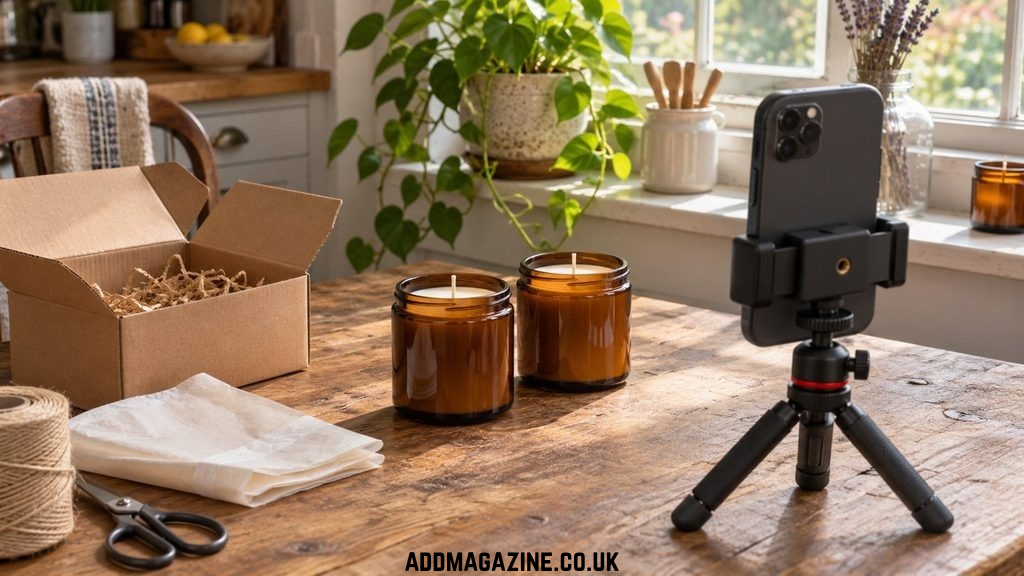
A packing table by a window can double as a place to film.
The next time a customer asks how big your candle jars are, you could type out the measurements again. Or you could grab both jars while you’re packing an order, set them beside a coffee mug and film them on your phone. Now you have something to post this week and a reply you can send the next person who asks.
Choose the question before you choose the tool
Look through your last few customer messages. Pick a question where seeing the answer would help someone decide what to buy. “How big is the smaller jar?” makes a good video. “When will my order ship?” This can usually be done with a single, simple line of text. If you sell a service, the same test works. A print designer could show a customer how the same lettering looks on a business card and a full-size flyer.
The question also tells you what to film. A size comparison needs footage of the actual jars. For a post announcing a new scent, you have more room to play. A maker launching a rain-inspired candle could use an AI video generator to make a short clip of rain on a window, then cut to a photo of the candle. For this week’s size question, your phone can do the whole job.
Film the answer while the products are out
Before you wrap the order, clear a small space near a window. Put the jars next to each other with their front edges lined up. Set a familiar object, such as a mug, alongside them. Keep the phone level with the jars and far enough back to fit both in the frame. Putting one jar closer to the lens can make it appear larger than it is.
Place both jars the same distance from the phone so the closer one doesn’t appear larger.
Use the customer’s question as the opening line on screen. Hold the shot steady for a few seconds so the viewer has time to compare. Then pick up the smaller jar to give a second view of how it fits in a hand. You can record the whole thing without speaking, which helps if the washing machine is running in the next room.
For the size comparison, add each jar’s width and height on screen. A mug gives a sense of scale, and the measurements let a buyer check whether it will fit on a shelf. Finish with the place they can find both sizes, such as the size selector on your product page.
Give the clip a job after you post it
Trim the part where you reached over to start recording. Play the video all the way through while keeping the audio muted. Can you tell which jar each measurement belongs to before the shot changes? If you spoke during filming, check the captions, especially numbers and product names.
Keep two copies. Save the finished video with its labels so you can send it in a customer reply. Keep the original footage too. A filename like “amber jars – both sizes – front view” will be easier to spot next month than a string of numbers. If you switch to a different jar, you’ll also know which video needs replacing.
Let customer replies shape next week’s video
Look at what people ask after watching. If several viewers want to know how the larger jar arrives as a gift, film yourself packing one during your next order. If they still ask which jar is which, move the size labels to the first frame before you share the clip again.
If next week brings a scent launch, you can use a short scene to introduce it. Wizstar AI lets you start with a photo or a written description. For the rainy-window idea, you might write, “Rain sliding down a window, garden out of focus, camera still.” Pair that clip with your own candle photo. If you animate a product photo in Wizstar AI, compare the result with the original before posting. A changed label or a lid that no longer fits the jar is reason enough to use the still photo.
A post with few views can still earn its place. The next time someone asks about size, send the clip and see whether they need more information. If it answers the question in one exchange, you’ve made something worth keeping, even in a week when you have no time to film.