In a world where video content reigns supreme, effectively utilizing video transcripts can be a game-changer. Whether for education, accessibility, or content creation, a good transcript can change the way we consume and interact with video material. In this article, we’ll explore VideoTranscript, a powerful tool designed for creating, editing, and managing video transcripts, helping you enhance accessibility and usability effortlessly.
Understanding VideoTranscript
When people talk about a Video Transcript, they mean a written version of everything that is said in a video or audio recording. A video transcript is like the script of a movie or show, but it matches exactly what was spoken and when it was said. These transcripts are important because they help you find, read, and reuse any part of a video quickly and easily.
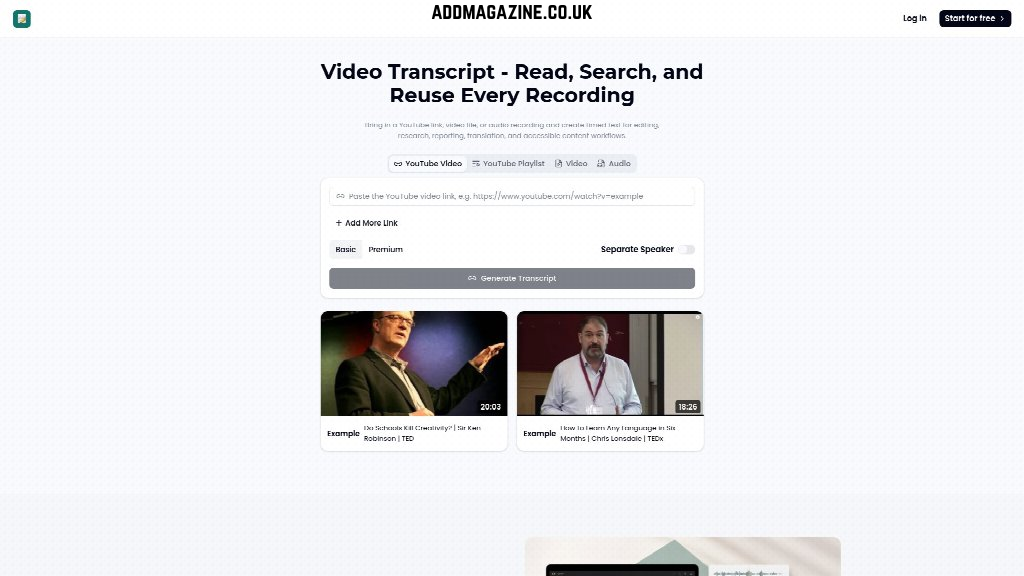
With tools like VideoTranscript, making a video transcript is easy. You can bring in a YouTube link, upload a video file, or use an audio recording. The system will create a timed transcript, so you know exactly which words were spoken at each moment. This helps with editing videos, doing research, making reports, translating text, and making sure everyone can use the content.
Having a video transcript gives you lots of advantages. For example, you can search for a specific word or topic in a long video, break the video into chapters, or pull out the main ideas. It also makes sharing information simple, since you can copy just the important parts for your friends, classmates, or work team. Transcripts are especially helpful for people who learn better by reading or who can’t hear the audio.
A video transcript isn’t just about copying words. It can include chapters to help you jump to different topics, executive notes for an easy summary, language versions for international readers, and special maps showing how conversations move from one idea to another. This makes complicated videos much easier to understand and work with.
If you want to see how video transcripts work yourself, check out the online demo or start your own transcript using VideoTranscript.ai. All you need is a video or audio file to get started!
Ideal Users for VideoTranscript
VideoTranscript is a helpful tool for many people who work with videos, whether it’s for editing, teaching, or sharing ideas. If you need to turn spoken words in a video into easy-to-read text, this platform can save you a lot of time and make your work more organized.
Here are some groups who will find VideoTranscript especially useful for their needs:
- Students and Researchers: If you have to study or analyze video or audio content, VideoTranscript helps you quickly search for important details and even organize chapters by topics.
- Teachers and Trainers: When you’re explaining a lesson or sharing a training video, having a searchable transcript makes it easy to review key points or prepare study questions.
- Editors and Marketers: Video editors can use transcripts to find the best sections to cut, while marketers can grab quotes or segments for posts and reports.
- Accessibility Teams: Transcripts make videos more accessible to everyone, including people who are deaf or hard of hearing.
- Better Team Coordination: A clear, searchable transcript of calls and meetings helps teams quickly find key details, share updates, and organize follow-up actions.
VideoTranscript is simple to use for all these people. Whether you upload a video, add a YouTube link, or work with an audio file, you’ll soon have a clear transcript to review, search, and share with others.
If you want to see how the transcript feature works, you can check out an example transcript at the special page on their website.
Using VideoTranscript: A Step-by-Step Guide
VideoTranscript makes turning your videos and audio recordings into readable, searchable text super easy. In this guide, we’ll walk you through each step to make sure you know exactly how to use VideoTranscript to create transcripts for your content. Whether you want to organize study notes, summarize interviews, or help others better understand a video, VideoTranscript is here to help.
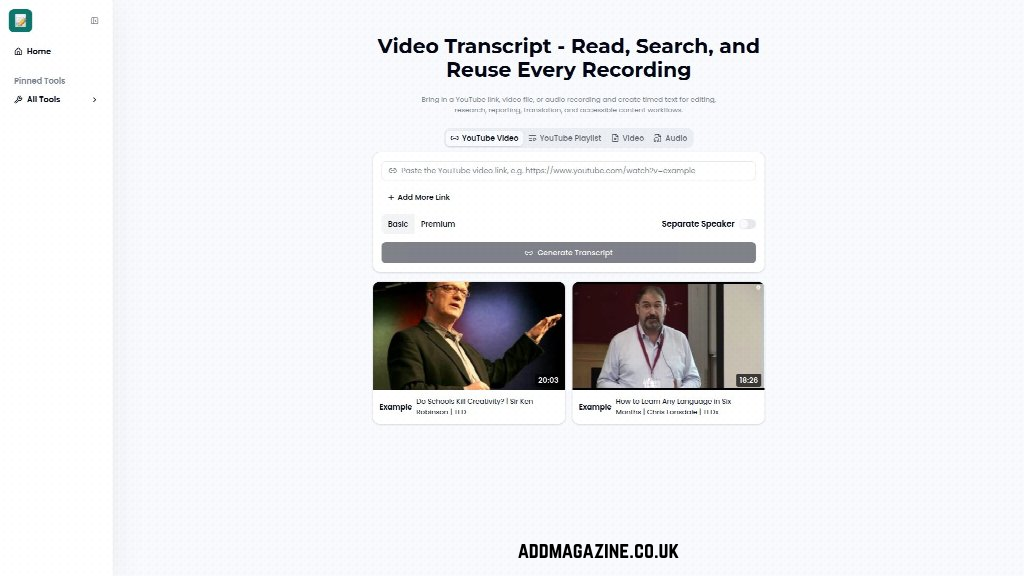
- Step 1: Choose Your Recording. Start by selecting what you want to transcribe. You can enter a YouTube link or upload a video or audio file. For example, if you want a transcript of a YouTube video, just paste the URL into the YouTube Transcript Generator tool.
- Step 2: Review Your Transcript. Once your transcript is ready, you can read through the timed text, search for keywords, and check specific parts by jumping right to the video. This helps you confirm details, spot important moments, and easily find what you’re looking for.
- Step 3: Prepare Your Output. Now that you have your transcript, you can use it for many things: break the video into topic chapters, write summaries, organize conversation maps, create study materials, or make sure your content is accessible. This step lets you turn your transcript into something useful for your team, classroom, or project.
With these steps, you can move from a simple video file to a fully searchable and editable transcript in just a few minutes. VideoTranscript takes the hard work out of transcribing and gives you tools to make your content more powerful.
The platform’s tools can help you organize your transcript into chapters, summarize key points, prepare outlines, and check details with questions and recall cards. This makes the transcript truly useful for research, reporting, translation, and accessible content workflows.
VideoTranscript Pricing Overview
When deciding to use VideoTranscript, it’s important to understand their pricing options. VideoTranscript is designed to help anyone, from students to professionals, quickly turn videos and audio files into readable, searchable transcripts. Pricing is straightforward, so you can choose what works best for your needs.
VideoTranscript provides flexible Basic and Premium options designed to support everything from academic assignments to professional business discussions. This way, you can get timed text for editing, research, reporting, translation, and accessibility without worrying about complicated fees.
Here’s what you get with each plan:
- The Basic plan is great for simple, everyday use. You can add YouTube links, upload video files, or audio recordings and generate transcripts for easy editing and searching.
- The Premium plan gives you more advanced tools, like separating speakers in transcripts, creating topic chapters, and preparing language versions for international review.
- Both plans offer a user-friendly platform where you can prepare deliverables, share transcripts, and even build conversation maps for complex interviews or panel discussions.
You can start for free using VideoTranscript’s online features. If you need additional options like speaker separation or executive notes, consider upgrading to the Premium plan. Billing is clear, and you can review your choices before paying, making it simple for all users, including younger students and larger teams.
If you want to learn more about what VideoTranscript can do for you, just visit their homepage. You can find lots of information about their features and decide which pricing plan is right for you.
Final Thoughts on VideoTranscript
Wrapping up everything we’ve learned about Video Transcript, it’s clear this tool is super handy for turning any video or audio recording into easy-to-read, searchable text. Whether you bring in a YouTube link or upload a local file, the platform quickly generates a transcript, which you can then use for editing, research, reporting, translation, and even making your content more accessible. This means you can find important parts of a recording fast, share clear notes, or even check if your team understood what was said. If you ever need a record of a conversation or want to prepare study materials, VideoTranscript makes the process simple.
The tools are designed for everyone, from video marketers to teachers and business teams. Being able to break video into topic chapters, pull executive notes, and trace ideas across long discussions really helps with all sorts of tasks. Plus, since everything is searchable, you won’t waste time hunting for details buried in hours of footage. This is a big deal when you need answers quickly or want to make sure your work is more inclusive.
If you’re looking for a reliable way to transcribe videos and make every bit of spoken content useful, check out VideoTranscript. It turns complex recordings into organized text that’s simple to review, reuse, and share. Give it a try, and see how easy it is to stay on top of your video and audio projects!