Not long ago, solo creators debated whether AI-generated visuals looked convincing enough to use in public. In 2026, that conversation has largely disappeared.
The question isn’t whether to use AI anymore, it’s deciding how to integrate it into your workflow without making your content feel generic.
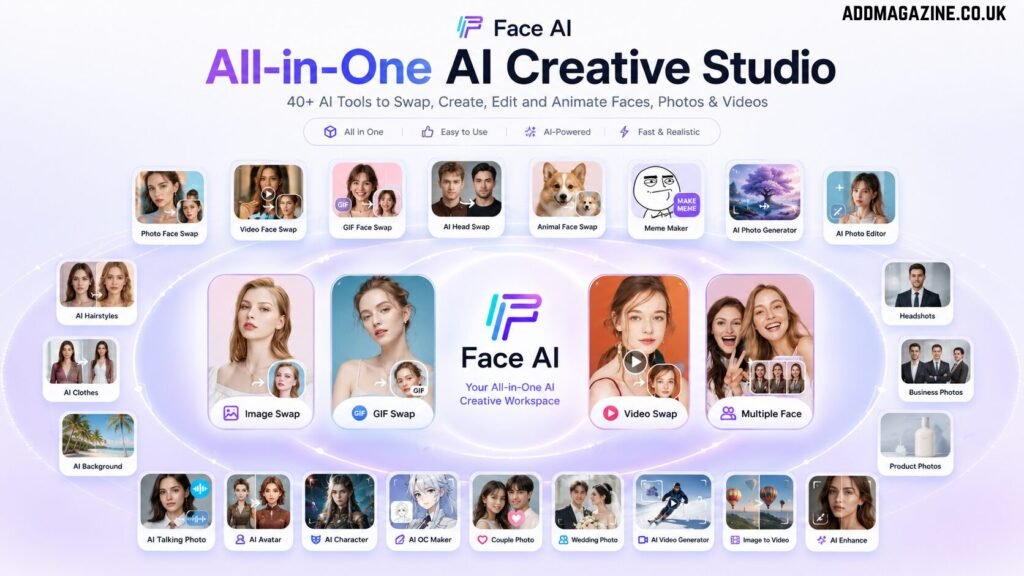
For solo creators, the biggest bottleneck is no longer creativity. It’s production. Creating thumbnails, profile photos, promotional graphics, memes, short videos, and campaign visuals can easily consume more time than actually producing ideas. As a result, many creators are beginning to rely on AI creative platforms such as Face AI to speed up visual production and keep their content pipeline moving.
Why AI Face Tools Have Quietly Become Part of the Modern Creator Workflow
Creating visual content meant switching constantly between different applications before. One tool handled image editing, another generated graphics, while avatar creation, GIF production, and short-form video often meant opening yet another tool.
Large creative teams could divide those tasks among designers, editors, and marketers. Solo creators couldn’t. Constantly moving between tools quickly became one of the biggest drains on time.
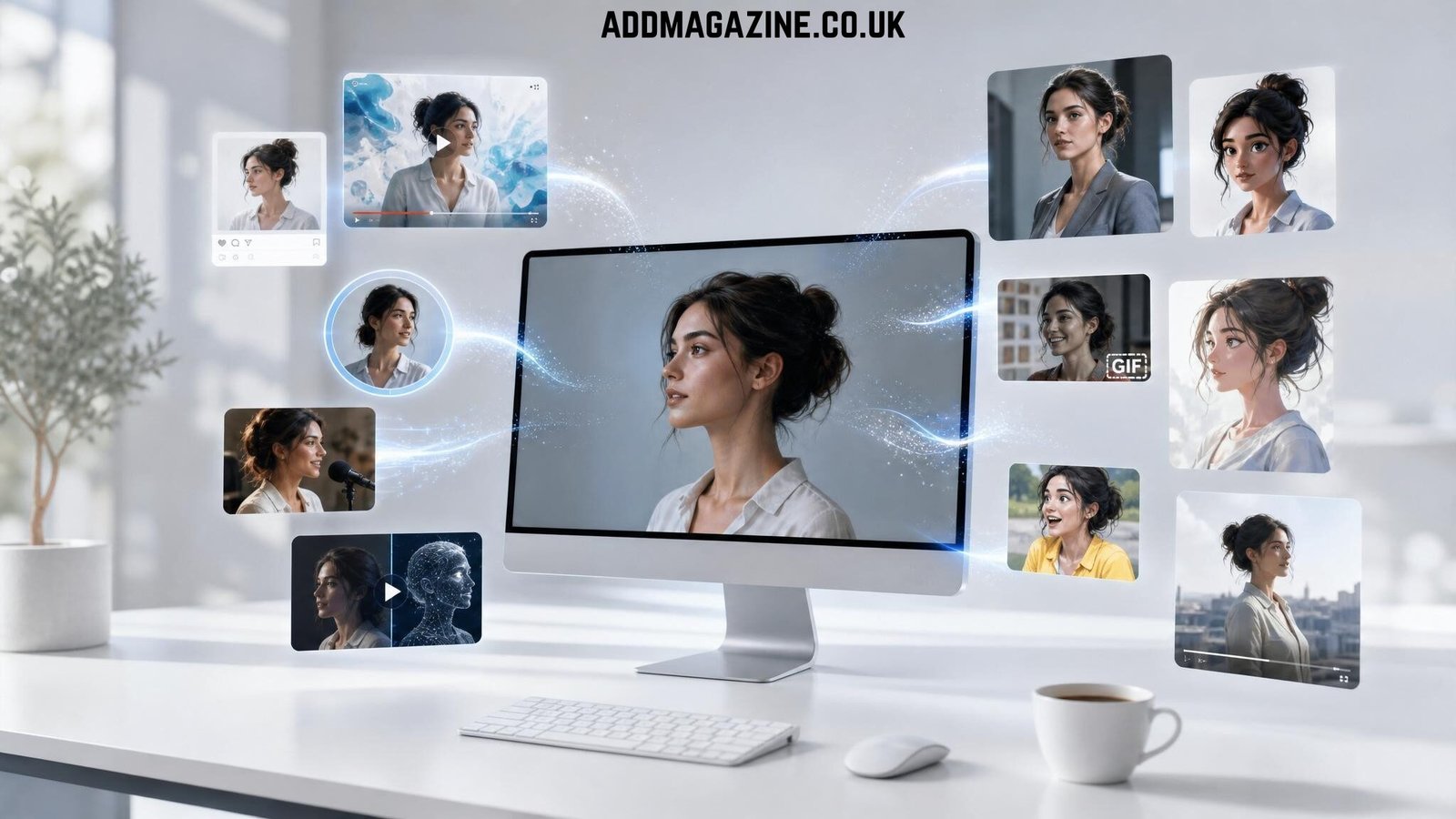
Today’s AI face platforms are no longer single-purpose tools. As visual production becomes simpler, creators spend less time managing software and more time creating content.
7 Ways Solo Creators Are Saving Hours Every Week
Creating Multiple Thumbnail Variations in Minutes
Publishing one video often means testing several thumbnail concepts before finding the strongest performer. Instead of arranging another photoshoot, creators can generate different facial expressions, backgrounds, lighting styles, and compositions from a single source image. That makes A/B testing much faster and allows more time to focus on content rather than design revisions.
Time saved: Half a day to 10–20 minutes
Best AI features: AI image generator, face swap, background changer
Watch out: Generate a few strong variations instead of dozens, too many choices can slow decision-making.
Building a Recognizable Creator Identity
A recognizable visual identity builds familiarity over time. AI avatars, business headshots, and portrait generators help creators maintain a consistent appearance across YouTube, LinkedIn, Instagram, newsletters, and personal websites without scheduling new photo sessions every few weeks.
For create a visual identity, the AI character generator on Face AI has been my go-to. It produces a consistent face I can reuse across formats.
Time saved: One photoshoot to 7 minutes
Best AI features: OC Maker, AI avatar, Business Photo
Watch out: Keep the same visual style across platforms instead of changing your look every week.
Turning One Image Into an Entire Content Pack
Perhaps the biggest productivity gain comes from asset repurposing. A single portrait can become a YouTube thumbnail, Instagram post, profile photo, meme, talking avatar, and short promotional video. Rather than creating each asset separately, creators start with one image and build an entire week’s worth of visual content around it.
Time saved: One day to About one hour
Best AI features: AI image generator, talking photo, image-to-video, meme generator
Watch out: Start with a high-quality original image, the better the source, the better every asset built from it.
Localizing Content Without Recreating Everything
AI face tools make it possible to adapt appearances, styles, or character designs for different markets while keeping the campaign consistent. This allows creators to produce localized content without repeating the entire production process.
Time saved: Multiple photoshoots to One afternoon
Best AI features: Face swap, clothes changer, background changer, hairstyle changer
Watch out: Localization should reflect cultural differences thoughtfully, not rely on stereotypes.
Designing Characters Before Producing Content
Virtual influencers, recurring brand characters, OC designs, and AI personas are becoming common across social platforms. Before investing in animation or video production, creators can quickly prototype different character styles and validate whether the concept connects with their audience.
Time saved: Several days of concept design to Less than one hour
Best AI features: anime character generator, influencer generator, character generator and avatar generator
Watch out: Treat AI as a sketchbook for ideas rather than a replacement for your creative direction.
Responding to Trends Before They Disappear
Online trends move quickly, and timing often matters more than production quality. AI makes it possible to turn an existing image into a meme, reaction GIF, or short branded video within minutes, allowing solo creators to join conversations while they’re still relevant.
Time saved: Several hours to 5 minutes
Best AI features: gif face swap, video generator, face swap meme maker
Watch out: Don’t chase every trend—focus on the ones that genuinely fit your audience and brand.
Visualizing Ideas Before Spending Money
Before booking a photographer, renting a studio, or filming an entire campaign, creators increasingly use AI to explore different visual directions. Mockups make it easier to gather feedback, refine concepts, and avoid unnecessary production costs before investing in the final version.
Time saved: One full production day to Around one hour of concept testing
Best AI features: image generator, business photo, image to video, ai image editor
Watch out: AI mockups are for planning—the final production should still reflect your brand’s quality standards.
What Makes an AI Face Tool Worth Using?
Privacy by Default
Look for platforms that automatically delete uploaded files and don’t use your content for training.
Consolidated Workspace
Switching between five different websites defeats the purpose. The best tools combine image generation, face swap, avatars, GIF creation, and video in one tab.
No Account Friction
A good platform helps you start quickly instead of presenting an empty canvas.
Reasonable Output Quality at Default Settings.
If the first generation requires 20 retries to look professional, it does not actually save time.
Tools that meet most of these criteria include established image generators with broader model support and consolidated creator kits like Face AI. The right choice depends on which stage of production you spend the most time on.
A 15-Minute Workflow You Can Try Today
You don’t need to learn every feature on day one. Start small.
- Minute 1–3: Choose one existing portrait or product image.
- Minute 4–6: Generate three thumbnail variations.
- Minute 7–9: Create an AI avatar or profile photo.
- Minute 10–12: Turn the same image into a meme, GIF, or talking photo.
- Minute 13–15: Convert one version into a short promotional video and schedule next week’s content.
One image. Multiple assets. One afternoon. A week’s worth of content ready to publish.
Frequently Asked Questions
Are AI Face Tools Only Useful for Face Swaps?
Not anymore. Modern platforms often include AI image generation, avatars, business headshots, character creators, GIF tools, background editing, image enhancement, and image-to-video generation. Face swapping is now just one part of a much broader creative workflow.
Can AI Face Tools Replace Photoshop, Canva, or Other Design Software?
Not entirely. Professional designers still rely on dedicated software for complex editing. However, for everyday creator assets like thumbnails, profile photos, memes, and social media graphics, AI tools can significantly reduce the need to switch between multiple applications.
Are AI-Generated Visuals Good Enough for Commercial Content?
In many cases, yes. Modern AI platforms produce visuals suitable for blogs, social media, marketing campaigns, advertisements, and presentations. Creators should still review outputs carefully to ensure they align with their brand and intended message.
Do I Need Design Experience to Use AI Face Tools?
No. Most platforms are designed for beginners and provide templates, presets, and natural-language prompts, allowing creators to produce polished visuals without advanced design skills.
Conclusion
The fastest-growing creators in 2026 aren’t necessarily producing more content than everyone else. They’re simply spending less time on repetitive production work.
AI face tools don’t replace taste, storytelling, or creative judgment. They remove the mechanical tasks that used to slow ideas down. You’re still the creative director.