AWS credits are promotional funds that reduce part of your Amazon Web Services bill. For finance teams, that means lower burn, more budget flexibility, and less pressure from early cloud costs.
That matters most in scaling companies, where every dollar saved on infrastructure can go back into hiring, product work, or runway. The challenge is rarely awareness. It’s figuring out which program fits, what AWS wants to see, and how much admin the application will create. Spendbase helps eligible companies find up to $100K AWS credits with less back-and-forth, so the savings hit real cloud spend instead of sitting in a slide deck.
If your AWS bill is growing, this is one of the cleaner places to look for cost relief.
What Spendbase looks at before estimating your AWS savings
Spendbase doesn’t base savings estimates on guesswork. It looks at four practical inputs: the spend details you share, market pricing benchmarks, partner discounts, and lessons from past vendor negotiations across its customer base.
That matters for finance leaders because a credit estimate is only useful when it’s close to reality. A broad view of spend also helps you judge whether credits are the best route, or whether lower rates, contract changes, or software savings will have a bigger budget impact.
The company details you need to share
To build a solid estimate, Spendbase asks for basic facts about your current setup. That often includes your cloud spend, plan details, renewal timing, and the tools or services already in use.
Those details shape the likely credit path. For example, a younger startup planning to ramp up AWS use may fit one program, while a company with existing spend and partner ties may fit another. Good inputs lead to a better forecast.
Why the estimate is more than a rough guess
Spendbase combines your data with outside reference points. That includes pricing benchmarks, partner discount access, and what prior customers saw during vendor talks.
As a result, the estimate becomes a planning tool, not a hand-wavy number. Finance teams can use it to pressure-test budgets, set cloud targets, and decide where to spend internal effort first.
How to qualify for AWS credits through Spendbase
As of May 2026, AWS Activate is still the main startup credits program. The most common paths are Activate Founders, which offers a smaller package for very early companies, and Activate Portfolio, which can reach up to $100,000 when a startup applies through an approved partner. AWS has also introduced higher AI-focused tiers, but most companies start with the standard startup tracks.
In plain terms, the usual fit is a company that is under 10 years old, has a company website or public profile, and already uses AWS or plans to. A paid-tier AWS account is often part of the process. Early-stage status matters too, and many programs focus on startups that are still pre-Series B.
Who is most likely to fit the program
The strongest fit is often an early-stage or scaling startup whose cloud costs are starting to matter. That includes teams already running workloads on AWS, plus companies that are about to migrate or launch there.
Spendbase helps by matching your profile to the right program. Instead of sorting through program rules alone, your team gets guidance on where the best odds sit.
What happens if your company is not a startup
Older or later-stage companies may not qualify for startup credits. Still, that doesn’t mean the savings conversation ends there.
Spendbase can still help through cloud optimization, group buying, and software discount work. For finance leaders, that broader view matters because credits are only one part of controlling cloud and software spend.
What the application process looks like from start to finish
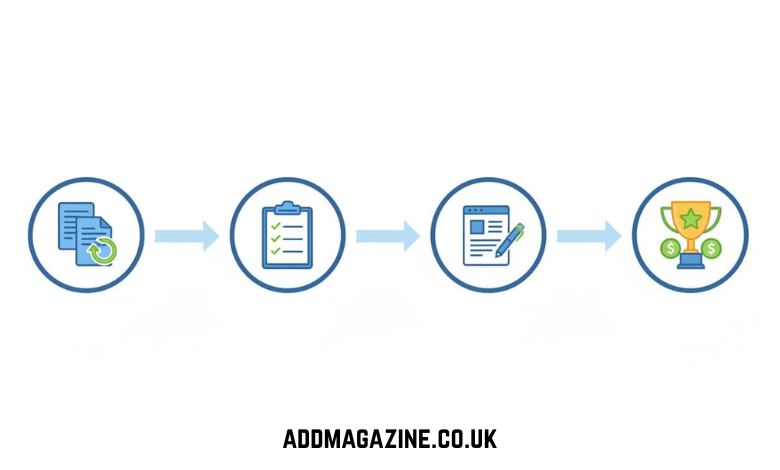
The process is short, and most teams can get through their part in about 15 minutes. Spendbase does most of the matching and admin work, which is a big help when finance, ops, or founders are already stretched.
- You share a few company and spend details.
- Spendbase checks which AWS credit route fits best.
- The team helps prepare and submit the application.
- If approved, the credits are added to your AWS account and start offsetting eligible usage.
How long it takes and what Spendbase handles for you
Most of the heavy lifting sits with Spendbase. The team helps check program fit, gathers the right information, and handles the paperwork that usually slows teams down.
Because of that, finance leaders don’t have to chase every line item or decode every eligibility rule. The process moves faster, and internal teams spend less time on follow-up.
What to expect after approval
Once AWS approves the application, the credits can be applied against eligible AWS services under AWS’s terms. In practice, that means your cloud bill drops until the credit balance runs down.
Used well, credits buy time. They can reduce near-term spend, protect runway, and give teams breathing room while usage grows.
How Spendbase keeps your data secure while reviewing spend
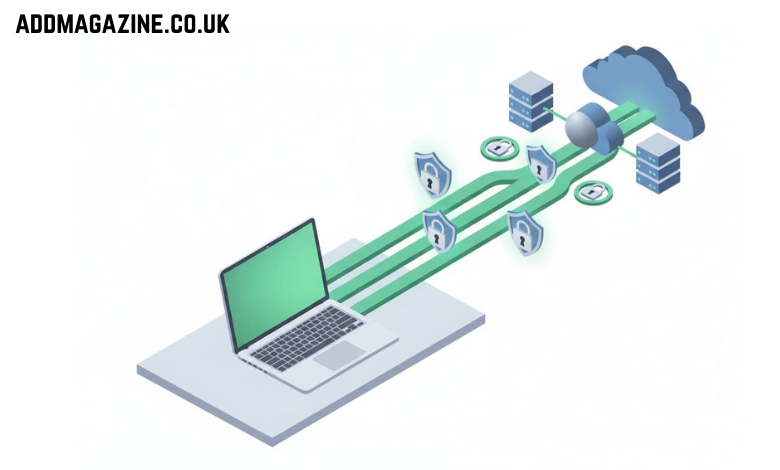
Security is a fair concern, especially when finance data is involved. Spendbase addresses that by keeping platform access read-only, while the customer controls what gets connected and at what level.
The company also states that its team does not have direct access to customer data inside the platform. Data managed there is stored on AWS cloud infrastructure, and the customer stays in control.
The ways you can add your data
There are three main ways to bring data into Spendbase. You can connect it automatically through identity providers, accounting tools, and direct app integrations. You can upload CSV files. Or you can enter and update it manually.
That flexibility makes rollout easier. A finance team can start small, then connect more systems later.
Why read-only access matters
Read-only access helps with trust and approval. Spendbase can review spend patterns without taking control of sensitive systems or changing records inside them.
For finance leaders, that lowers friction with security and IT teams. It also makes the tool easier to assess during internal review.
Conclusion
Free AWS credits can lower real cloud costs, but only when your company fits the right program and the application gets handled well. Spendbase helps on both fronts, with a clearer savings estimate, practical guidance, and less admin for busy teams.
If you’re a finance lead, founder, or COO watching cloud spend climb, checking eligibility now is a sensible move. The upside is meaningful, and the work on your side is light.