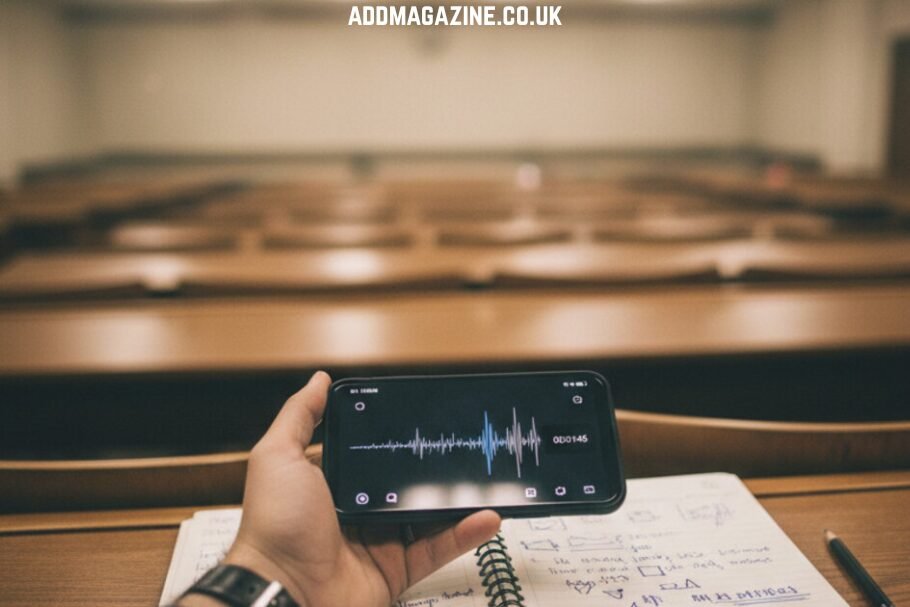
Recording a lecture feels like insurance. You sit down, hit record on your phone, and relax a little because now you cannot miss anything. By the time the course finishes, thirty audio recordings are sitting in your folder, untouched since the day you saved them. I did this for two years before I admitted the recordings were doing nothing for me. The recording was never the useful part. What helps you learn is text you can read, search, highlight, and rewrite in your own words.
Why audio is a poor study medium
Those lecture recordings are almost certainly .m4a files, since that is the format the Voice Memos app and most recorder apps on a phone produce. It is a compact audio file, which is why a 50-minute class does not fill your storage. You cannot skim it, you cannot search it for the term that will be on the exam, and relistening to a full lecture at normal speed costs you the same 50 minutes you already spent in the room. Revision has to be faster than the original event or it does not scale to a whole module.
Turning a lecture into a document
The move that made my recordings finally pay off was transcription. Convert the .m4a to text, and a lecture becomes a document. Suddenly you can search for “hydrolysis” across every class and find every time the lecturer mentioned it. You can copy a definition into your notes. You can read the tricky ten minutes at your own pace instead of at the speed the lecturer happened to talk. Reading a transcript and annotating it is active studying, which sticks far better than passively replaying audio while your attention drifts.
A workflow for students
Here is a workflow that fits an actual student schedule. Record the lecture. That evening, while it is fresh, transcribe m4a to text and skim the transcript, fixing any technical terms the software misheard, which doubles as a first review of the material. Then do not keep the whole transcript as your notes, because a full transcript is too long to revise from. Pull it down into a tight set of notes in your own words: the key claims, the definitions, the two or three things the lecturer stressed. The transcript is your raw material, your condensed notes are the study tool.
Free tools worth trying
Plenty of tools do this and several are free, which matters on a student budget. Spokenly runs on your own device, which is nice if you would rather your recordings never leave your phone. FineVoice needs no signup for a quick job. VOMO gives you 30 minutes a week free with no card, handles a full three-hour recording without cutting it off, and adds automatic punctuation so the transcript reads in real sentences instead of one breathless block. It also generates a short summary and pulls out key points, which is genuinely useful as a starting skeleton for your notes, as long as you treat it as a draft and write the real understanding yourself. The software opens .m4a audio files without requiring MP3 conversion and includes support for more than 50 languages for multilingual learners.
Where accuracy falls short
A few honest limits. Transcription accuracy sags in a big echoey lecture hall with the lecturer pacing away from your phone. Sit reasonably close if you can, because microphone distance affects the result more than any setting. Expect subject-specific terms, especially in science and medicine, to come out wrong sometimes, which is exactly why the fix-it-up pass doubles as revision. And a transcript is not a substitute for attending and thinking. It is a tool for reviewing what you attended, not a shortcut around learning the material.
Make it a daily loop
The habit worth building is the same-day loop: record, transcribe, condense, all within a day of the class. Do that consistently and by exam season you have a searchable archive of every lecture plus a clean set of your own notes, instead of a folder of audio files you are afraid to open. The students who do well are rarely the ones who captured the most. They are the ones who turned what they captured into something they could actually study from.