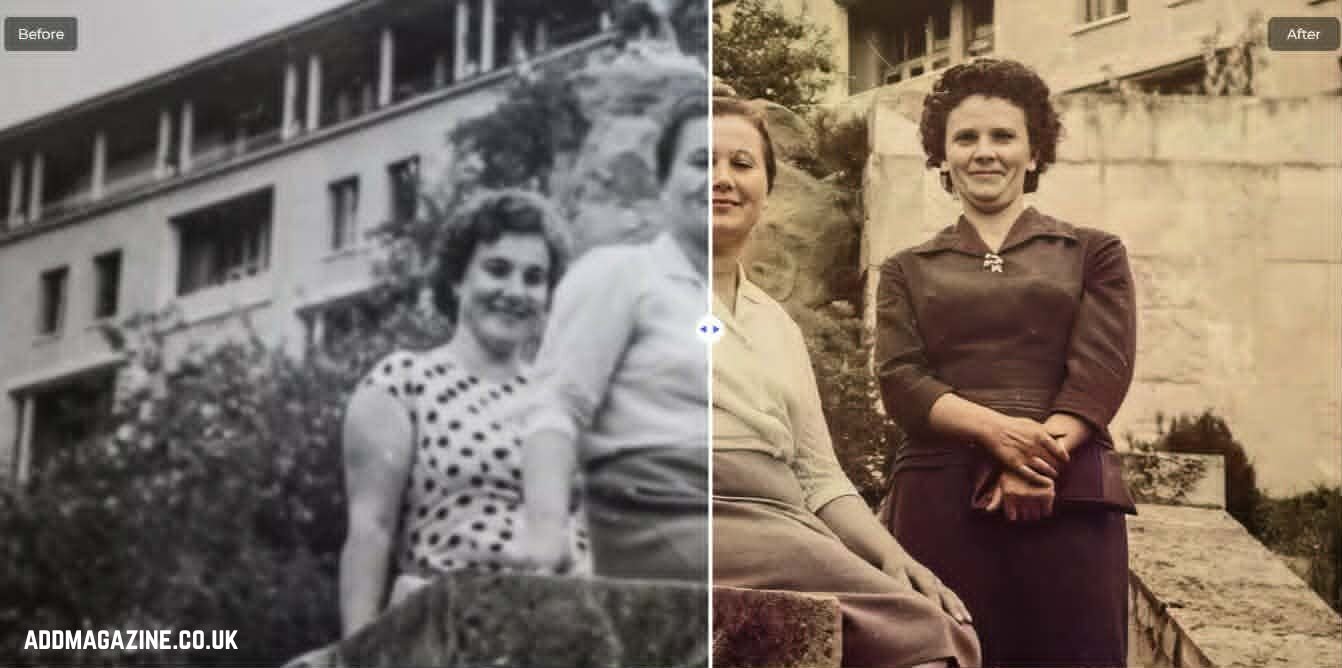
Old photos often fade over time, with colours losing vibrancy and images becoming blurry, and the little scratches or damage may deprive them of their beauty.
Luckily, old photo restoration AI software makes it much easier to restore. Within a couple of clicks, you can clean up the damage, sharpen blurry faces, recover lost colours, and even colourise black-and-white images. I will discuss the AI tools best suited to restoring old photos in 2026 and help you choose the best one.
What Is AI Old Photo Restoration?
AI old photo restoration is a contemporary approach to restoring degraded or old photographs with artificial intelligence.
It automatically repairs scratches, blur, fading, and noise in seconds.
More than just fixing damage, AI photo restoration improves image quality by sharpening details, enhancing faces, and colorizing black-and-white photos.
How to Choose the Best AI Old Photo Restoration Tool?
- Specific Features
The most effective AI old photo enhancer provides one-click restoration, face enhancement, scratch removal, and intelligent sharpening of pictures to fix photographs promptly.
- Color Reproduction
They not only revive the colours of the faded pictures, but can also make the black-and-white pictures as vivid and realistic in their colours.
- Restoration Quality
It is crucial to maintain high-quality output, enhance old photos, and ensure that the details are readable without distorting the picture.
- Ease of Use
The majority of tools have easy interfaces, hence allowing one to enhance old photos without having technical skills.
- Speed
Quick processing enables users to fix old photos in seconds, even of multiple pictures.
- Pricing
These are both free and paid, and a user has flexible choices depending on their requirements and affordability.
5 Best AI Photo Restoration Tools Comparison Table
| Feature | HitPaw | Topaz | MyHeritage | Remini | VanceAI |
| Ease of Use | Very Easy | Difficult | Easy | Easy | Easy |
| Restoration Clarity | High | High | Medium | High | Medium |
| Colorization | Excellent | Good | Excellent | Medium | Medium |
| Naturalness | High | High | High | Medium | Medium |
| Speed | Very Fast | Medium | Medium | Fast | Fast |
5 Best AI Old Photo Restoration Tools
HitPaw FotorPea uses AI technology to quickly restore old photos and damaged photos and makes the editing process as simple as possible. Users receive high-quality results without complicated editing. With only one click, it repairs blurring, fixes scratches, and enhances the image quality. This makes it suitable for personal and professional use.
Best for: Beginners, Ordinary users, e-commerce practitioners, photography enthusiasts, and other various groups of people.
Key Features:
- Enhance an old photo in one click.
- Enhance details to sharpen blurry images.
- Restoration of the face to make it more distinguishable.
- Colourisation of black-and-white photos.
- Eliminates scratches and noise of old images.
- Upscaling of resolution to enhance the image.
Pros:
Focused on restoring old photos with various professional restoration models.
Details such as blurriness, noise, and scratches can all be perfectly resolved.
Exceptional facial restoration results.
Quick and simple—done with a single click.
Supports batch processing.
Cons:
Some users have indicated that this product may have hardware performance requirements.
Topaz
Topaz is a professional-grade photo restoration software. Designed specifically for restorative repair and detail enhancement, it delivers exceptional results when repairing minor damage and boosting photo resolution.
Best for: people with extensive experience, such as professional photographers and photo retouchers.
Key Features:
- AI Detail Enhancement
- Sharpening & Deblur
- Face Recovery
- Multi-model Processing.
Pros:
Offers strong facial restoration capabilities.
Supports multi-model combinations.
Good scratch and damage repair capabilities.
Cons:
The interface may be complicated for the novice.
Many users feel the pricing is on the high side.
MyHeritage
Focusing on restoring historical photos, MyHeritage has made an AI tool that specialises in AI photo restoration. For those wanting to restore the details on someone’s face or add colour to a black-and-white photo, this tool serves the purpose.
Best for: Beginners and users who are interested in repairing old family photos or historic images.
Key Features:
- AI Face Enhancement
- Colorization & Color Restoration
- One-Click AI Processing
- Non-destructive Editing
Pros:
Simple to operate—complete automatically with a single click.
Excellent facial enhancement results.
Natural-looking colorization for black-and-white photos.
Cons:
The processing of objects other than faces—such as clothing wrinkles—lacks naturalness.
Batch processing is not supported.
Remini
Remini is an AI photo enhancement tool. It is used to retrieve blurry and low-quality pictures. The tool has a strong ability to improve the resolution of pictures to make the final image sharper and more defined.
Best for: non-professional users and social media creators.
Key Features:
- AI Face Enhancement
- One-Click Photo Enhancement
- Basic Noise Reduction
- AI Upscaling
Pros:
Great for sharpening blurry photos.
Focused on Restoring Facial Clarity.
Simple to operate, fast processing speed.
Cons:
Advanced users may find it lacks professional controls; many have also expressed concerns about the numerous limitations of the free version.
VanceAI
VanceAI is an image restoration tool equipped with AI. It seeks to improve the restoration of old photos. It is ideal for users who need a simple online solution to restore faded, noisy, low-quality pictures. Best suited for rapid in restoring photos, and offers a balanced performance for regular use.
Best for: those who need batch processing but do not have high requirements for image quality.
Key Features:
- One-click AI processing
- Improve the resolution of the old photos.
- Automatic color restoration
- Face enhancement
Pros:
Fast and simple to operate.
Offers balanced repair capabilities and performs well overall.
Supports batch processing.
Cons:
Face restoration results are mediocre.
Lacks fine-tuning parameters.
How to Restore Old Photos with AI
Here, I will demonstrate—step by step—how to restore old photos, using HitPaw FotorPea as an example.
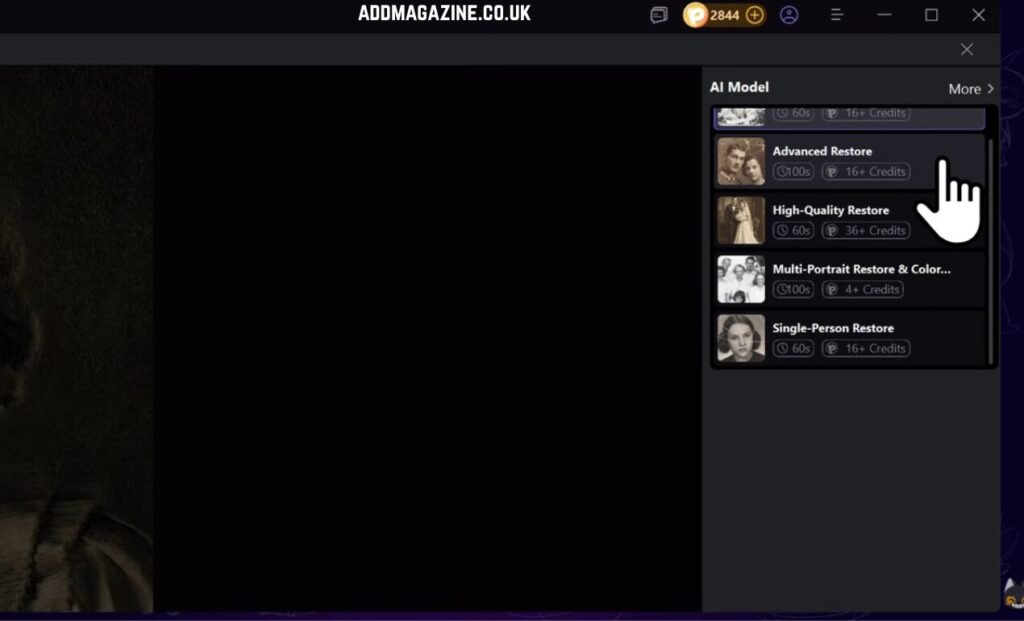
Step 2: Select the desired restoration model.
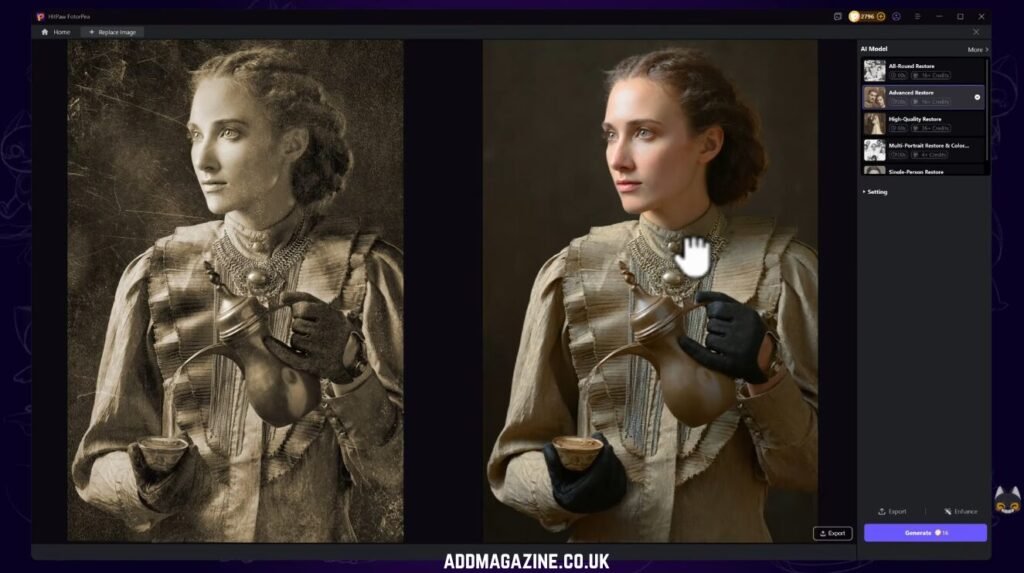
Step 3: Hit the restore button and let the AI do the magic!
Step 4:Download your newly restored image.
Try it now to restore your photos in seconds.
Conclusion
Ultimately, AI photo restoration tools have rendered it extremely effortless to revive old and damaged memories. It could be old colours, pixels, or scratches, but with these tools, all this can be corrected with a few clicks. HitPaw is the simplest, quickest, and most consistent, making it a better choice for most users. Regardless of what you require, there is a tool in this list that is going to assist you in restoring your photos and saving your memories in an amazing manner.
FAQs
How can I restore old photos without Photoshop?
You no longer need to use Photoshop. AI tools such as HitPaw, Remini, and VanceAI can automatically repair and optimize blurry, unbalanced, or even damaged photos with just a few clicks.
Which is the best free AI photo restoration tool?
MyHeritage and VanceAI are popular free websites. They are good at simple restoration, such as colour work and sharpening, in a hurry.
What are the best AI tools to restore old photos?
Topaz, Remini, and HitPaw are the best. They perform really well in enhancing clarity, repairing the damage, and restoring old photographs to life.