Losing important files from your PC can be distressing, especially if you don’t have an adequate backup of your lost data. If you ever find any file missing from your device, it’s important to immediately proceed with proper data recovery workarounds. In 2026, there are several powerful free data recovery software tools that can help you recover your lost files in Windows without spending any cost.
In this guide, we’ll discuss the top 7 free data recovery software tools, along with their pros and cons, to help you select the one that best fits your needs.
Which Data Recovery Software Should You Choose?
With so many options available, choosing the right data recovery software can be challenging. That’s why it’s essential to evaluate their features carefully before making a decision.
File Type Support
Your free data recovery software must support recovery of deleted, lost, or formatted files such as photos, videos, documents, and emails.
Deep Scan Functionality
Along with basic scanning, your recovery tool must perform deep scanning that digs deeper into storage to recover files that basic scans might miss, especially after formatting or corruption.
Storage Device Compatibility
A versatile recovery software performs data recovery from various internal and external storage media, including USB drives, pen drives, SD cards, etc.
User-Friendly Interface
An intuitive and easy-to-navigate interface is crucial, especially for beginners who aren’t tech-savvy.
2026 Guide: Top 07 Free Data Recovery Software
Here are our best picks for free data recovery software tools that you can use to get your deleted files back:
01: Stellar Data Recovery Free
02: Disk Drill Data Recovery
03: PhotoRec
04: Recuva
05: EaseUS Data Recovery Wizard
06: Wondershare Recoverit
07: TestDisk
Let’s explore these top 7 free data recovery software tools in detail:
01: Stellar Data Recovery Free
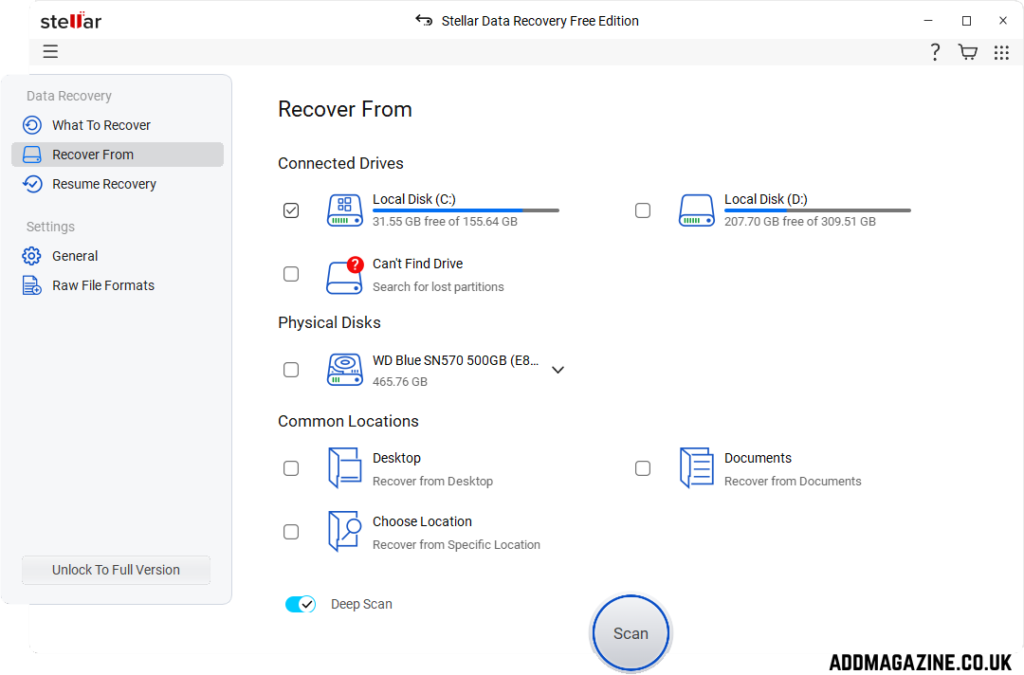
Stellar Data Recovery Free is a versatile free data recovery software which supports the recovery of deleted files of various types, including photos, videos, documents, etc., in a few simple clicks. The software allows data recovery from SD cards, hard drives, and many other internal and external storage media. You can use this software to recover your deleted files in three simple steps, i.e., Select, Scan and Recover.
The Free version of Stellar Data Recovery software supports data recovery of up to 1 GB of files for free. To restore files of a larger size, you can upgrade to premium versions. It also lets you preview the recoverable files before saving them on your device. Overall, it’s a solid choice for users looking for an easy-to-use and trustworthy free data recovery solution.
Pros:
- Compatible with various storage devices like HDDs, SSDs, USB drives, memory cards, etc.
- Provides quick and deep scan modes for different levels of data recovery needs and scenarios.
- Allows you to preview recoverable files before restoration, which helps to select and recover important data only.
Cons:
- The free version limits recovery to only 1GB of data, which may not be sufficient for larger recoveries.
- The deep scan process can be time-consuming, especially when scanning large drives with extensive data.
- Installation required before use, which may risk overwriting data if installed on the affected drive.
02: Disk Drill Data Recovery
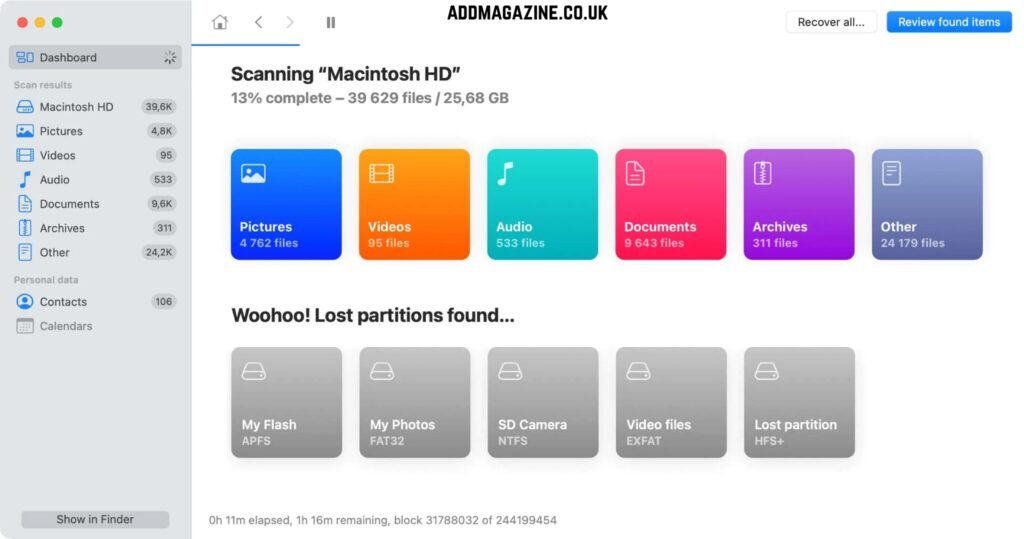
Disk Drill Data Recovery, developed by CleverFiles, is a powerful and user-friendly tool which allows you to restore deleted files of various file types. The software supports recovery of deleted files from a wide range of storage devices, including your SD cards, USB drives, internal hard drives, etc. It is compatible with both Windows and macOS devices, which makes it a versatile choice for different users. One of its standout features is Recovery Vault, which acts like an extra layer of protection by keeping a record of deleted files for easier recovery.
Pros:
- User-friendly interface with a clean design makes navigation simple for beginners and non-technical users.
- Allows preview of recoverable files before restoring, helping users selectively recover important data efficiently.
- High recovery success rate for deleted, formatted, and partially corrupted files in many real-world scenarios.
Cons:
- The free version limits recovery to only 100MB, which may not be sufficient for large file recovery needs.
- Might fail while recovering data from physically damaged drives; requires professional recovery services in such cases.
- Advanced features and unlimited recovery require paid upgrades, which can be relatively expensive for casual users.
03: PhotoRec
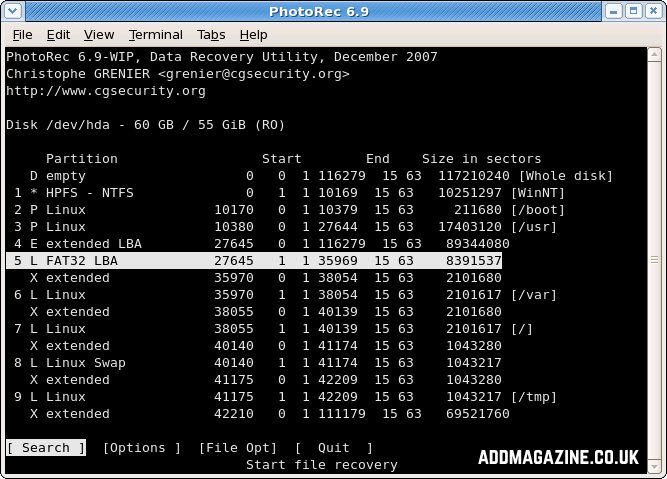
PhotoRec is a powerful open-source data recovery tool which you can use to recover a wide range of file types, including documents, videos, archives, and more. The software supports multiple platforms, including Windows, macOS, and Linux. It is known for wide compatibility with various storage devices such as hard drives, USB drives, and memory cards. However, this free data recovery tool is designed with a command-line interface, which can be intimidating for beginners and requires some technical understanding to use effectively.
Pros:
- Completely free and open-source with no recovery limits, making it ideal for extensive data recovery needs.
- Can recover data even when the file system structure is lost or severely corrupted beyond normal repair.
- Lightweight tool that does not require installation, allowing use directly from external storage devices.
Cons:
- Command-line interface can be difficult for beginners and requires technical knowledge to operate correctly.
- Lacks the preview feature, so you won’t be able to verify files before recovery, which may lead to unnecessary restores.
- The recovery process may generate large numbers of files, requiring manual sorting and filtering afterwards.
04: Recuva
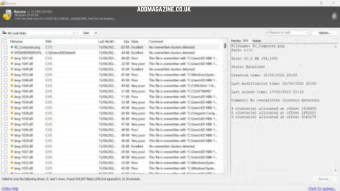
Recuva is a popular free data recovery software developed by Piriform, mainly known for its compatibility with Windows devices. The software supports data recovery from hard drives, USB drives, memory cards, and many other storage devices. Whether files were accidentally deleted or lost due to formatting, Recuva provides a quick and accessible solution. The software is lightweight, fast, and completely free for basic use, making it a great choice for beginners.
Pros:
- Beginner-friendly interface with step-by-step wizard simplifies the recovery process for non-technical users.
- Offers both quick scan and deep scan modes for handling simple and moderately complex data loss scenarios.
- Completely free for basic use, making it accessible for users needing quick and simple file recovery solutions.
Cons:
- Lacks advanced recovery features compared to modern or premium data recovery software tools.
- Outdated interface design compared to newer tools, which may feel less intuitive for some modern users.
- Deep scan mode can be slow, especially when scanning large storage devices with significant data.
05: EaseUS Data Recovery Wizard
EaseUS Data Recovery Wizard is a well-known free data recovery software designed to recover deleted, formatted, or lost files of various types. The software is compatible with both Windows and macOS, and supports data recovery from SD cards, pen drives, USB drives, and other storage media. One of its standout features is the ability to preview files before recovery, allowing users to restore only the necessary data.
Pros:
- Offers both quick scan and deep scan modes for handling simple and complex data loss scenarios effectively.
- The intuitive interface of this recovery tool makes it user-friendly.
- Compatible with Windows and macOS, ensuring flexibility across different operating systems and devices.
Cons:
- Advanced features such as unlimited recovery and bootable media require upgrading to the paid version.
06: Wondershare Recoverit
Wondershare Recoverit is a feature-rich data recovery tool which supports a wide range of file types and works on both Windows and macOS. You can use this software to recover files deleted from multiple devices, including HDDs, SSDs, USB drives, and memory cards. This free data recovery tool performs well in common data loss scenarios such as accidental deletion, formatting, or system crashes.
Pros:
- High recovery success rate helps retrieve deleted, formatted, and lost files effectively across various storage devices.
- User-friendly interface with simple step-by-step process makes it suitable for beginners and non-technical users.
Cons:
- Deep scan processes can be time-consuming, especially when scanning large drives with extensive stored data.
- Frequent upgrade prompts and paywalls can interrupt the user experience during testing of the free version.
07: TestDisk
TestDisk is a powerful data recovery and partition repair tool which you can use to recover deleted files, repair corrupted partitions, and restore bootable disks. It is widely used by advanced users and IT professionals for handling complex data loss situations. This free data recovery tool is compatible with different file systems such as NTFS, FAT, exFAT, and ext. Despite its technical nature, it is extremely effective in recovering lost partitions and making non-booting disks functional again.
Pros:
- Highly reliable for fixing boot issues and restoring non-bootable disks to working condition effectively.
Cons:
- The command-line interface is not beginner-friendly and requires technical knowledge to operate correctly and safely.
- Lacks GUI, making navigation and usability difficult for users unfamiliar with text-based tools.
- Incorrect usage may lead to data overwriting or loss if proper precautions are not followed carefully.
Conclusion
Recovering lost data on your device can be challenging, but thanks to the aforementioned top 7 free data recovery software, which can help you recover deleted files in a few simple clicks. These recovery tools vary in features and pricing; that’s why it’s important to check their features and then opt for the one that best fits your needs. Some tools offer quick recovery for recently deleted files, while others specialise in handling formatted or corrupted drives.
Additionally, always install recovery software on a different drive to avoid overwriting lost data. While free versions are great for small recovery tasks, upgrading to paid versions can unlock advanced features if needed.